Every year Microsoft organizes software contest Imagine Cup where young technologists around the world participate based on a theme: to help resolve some of the world’s toughest challenges.
This year, a team from Bangladesh is also going to participate in Imagine Cup final round, which has been selected among hundreds of teams in Bangladesh, through different phases.
As one of the judges of Imagine Cup 2011 to select finalists from Bangladesh, I was very excited to see the efforts that were given by all the participants of Imagine Cup 2011 from Bangladesh.
One of the most exciting things that I enjoyed, besides excellence in software engineering, all participants put their effort on innovation to do some good for humankind, by being encouraged with the theme of this competition.
On 10th May 2011, the result has been announced. “Team Rapture” won the first position, which will participate to the final round of Imagine Cup 2011, to be held in USA on July. Their project was focused on mobile phone client software to make the life easy for visually impaired people.
I believe this is just a good start to show the brightest light from Bangladesh to the world.
Thanks to all who participated and congratulations to the winning team!
Few Moments from Boot Camp

Few Moments from Bangladesh Grand Finale

Ajax enabled data centric applications are getting popular day by day in web development space. While these type of web applications provide rich user experience, building a robust and powerful application quickly is a great challenge for developers. Fortunately Microsoft has started providing great frameworks, plug-ins and APIs to facilitate this process.
Last week Microsoft announced a new version of java-script API “datajs”, which is intended to help web developers to build data centric AJAX applications quickly, along with utilizing modern browsers features (such as HTML5 local storage, IndexDB etc) and protocols (such as oData). Datajs is designed to be small, fast and easy to use.
While datajs includes lots of cool features, today in this post, I will have a very basic introductory quick start so that any developer can have an idea how datajs can be implemented in different application architecture. Checkout last week’s MIX session video to learn few cool features available in datajs.
Download the full quick start sample from here.
Invoking Cross-Domain Service
Netflix has provided an excellent oData API to enable developers to experiment with their data hosted in their infrastructure. The code below, uses NetFlix service and datajs API to show movie data. The cool thing is you really don’t need to build any web or data service to test your app.
<html>
<head>
<script type="text/javascript" src="datajs-0.0.3.min.js"></script>
<script type="text/javascript">
var url = "http://odata.netflix.com/Catalog/Titles";
OData.defaultHttpClient.enableJsonpCallback = true;
OData.read(
url,
function (data, request) {
var html = "";
for (var i = 0; i < data.results.length; i++) {
html += "<div>" + data.results[i].Name + "</div>";
}
document.getElementById("Movies").innerHTML = html;
},
function (err) {
alert("Error occurred ");
});
</script>
<title>Movies - dataJS + Netflix</title>
</head>
<body>
<div id="Movies">
</div>
</body>
</html>
Invoking WCF Data Service
WCF Data Service is a part of Windows Communication Foundation that exposes REST style data. You can use Entity Framework to build WCF Data Service in literally few seconds.
WCF Data Service code:
public class WCF_Data_Service : DataService<DatabaseContext>
{
public static void InitializeService(DataServiceConfiguration config)
{
config.SetEntitySetAccessRule("*", EntitySetRights.All);
config.DataServiceBehavior.MaxProtocolVersion = DataServiceProtocolVersion.V2;
}
}
and the UI code:
<html>
<head>
<script type="text/javascript" src="datajs-0.0.3.min.js"></script>
<script type="text/javascript">
var url = "../App_Service/WCF-Data-Service.svc/Employees";
OData.read(
url,
function (data, request) {
var html = "";
for (var i = 0; i < data.results.length; i++) {
html += "<div>" + data.results[i].FirstName + " " + data.results[i].LastName + "</div>";
}
document.getElementById("dvEmployees").innerHTML = html;
},
function (err) {
alert("Error occurred ");
});
</script>
<title>Employees - dataJS + WCF Data Service + oData</title>
</head>
<body>
<div id="dvEmployees">
</div>
</body>
</html>
Invoking WCF Service
While WCF Data Service enables you to build REST style services pretty quickly, one problem with this approach is, it’s very hard to implement business logic during CRUD operation. One solution in this regard, is to create Ajax Enabled WCF Service, where you will invoke a web method, that contains your business logic.
[ServiceContract(Namespace = "")]
[AspNetCompatibilityRequirements(RequirementsMode = AspNetCompatibilityRequirementsMode.Allowed)]
public class WCF_Business_Service
{
[OperationContract]
[WebInvoke(Method = "GET", ResponseFormat = WebMessageFormat.Json)]
public List<Customer> GetAllCustomers()
{
List<Customer> lst = new List<Customer>();
//business logic goes here
return lst;
}
}
For the WCF Service contract, as shown above, you will use datajs, as shown below:
<html>
<head>
<script type="text/javascript" src="datajs-0.0.3.min.js"></script>
<script type="text/javascript">
var url = "../App_Service/WCF-Business-Service.svc/GetAllCustomers";
OData.read(
url,
function (data, request) {
var html = "";
for (var i = 0; i < data.results.length; i++) {
html += "<div>" + data.results[i].FirstName + " " + data.results[i].LastName + "</div>";
}
document.getElementById("dvCustomers").innerHTML = html;
},
function (err) {
alert("Error occurred" + err.message);
});
</script>
<title>Employees - dataJS + WCF Service (Ajax Enabled) + oData</title>
</head>
<body>
<div id="dvCustomers">
</div>
</body>
</html>
Lets Make it Look Better!
So far the samples we have seen, contains very plain markup in HTML. The sample below shows how we can use in ASP.NET, along with jQuery Template plug-in to make it look better!
<%@ Page Title="" Language="C#" MasterPageFile="~/App_Resources/default.master" AutoEventWireup="true" %>
<asp:Content ID="Content1" ContentPlaceHolderID="HeadContentPlaceHolder" runat="Server">
<script type='text/javascript' src='<%# ResolveUrl ("~/App_Resources/client-scripts/framework/jquery-tmpl.js") %>'></script>
<script type='text/javascript' src='<%# ResolveUrl ("~/datajs-oData/datajs-0.0.3.min.js") %>'></script>
<script type="text/javascript">
var url = "../App_Service/WCF-Data-Service.svc/Employees";
OData.read(
url,
function (data, request) {
$("#employeeListingTemplateContainer").empty();
var returnedEmployeeCollection = data.results;
$("#employeeListingTemplate").tmpl({ employeeCollection: returnedEmployeeCollection }).appendTo("#employeeListingTemplateContainer");
},
function (err) {
alert("Error occurred ");
});
</script>
<!-- Employee Listing Template -->
<script id="employeeListingTemplate" type="text/html">
<tbody>
<tr class="HeaderStyle">
<td>
<a>
First Name</a>
</td>
<td>
<a>
Last Name</a>
</td>
<td>
<a>
Country</a>
</td>
</tr>
{{each employeeCollection}}
<tr class="RowStyle">
<td>
${FirstName}
</td>
<td>
${LastName}
</td>
<td>
${Country}
</td>
</tr>
{{/each}}
</tbody>
</script>
</asp:Content>
<asp:Content ID="Content2" ContentPlaceHolderID="BodyContentPlaceholder" runat="Server">
<h1 class="title-regular">
Employees</h1>
<p>
In this page you will be able to view the list of all employess.
</p>
<div>
<table id="employeeListingTemplateContainer" class="GridView">
<%-- Employee listing table data will be placed here--%>
</table>
</div>
</asp:Content>
Here goes the UI:

Download the entire quick start code sample from here.
Happy coding!

Employee Info Starter Kit is an open source ASP.NET project template that is intended to address different types of real world challenges faced by web application developers when performing common CRUD operations. Using a single database table ‘Employee’, it illustrates how to utilize Microsoft ASP.NET 4.0, Entity Framework 4.0 and Visual Studio 2010 effectively in that context.
Employee Info Starter Kit is highly influenced by the concept ‘Pareto Principle’ or 80-20 rule. where it is targeted to enable a web developer to gain 80% productivity with 20% of effort with respect to learning curve and production.

User Stories
The user end functionalities of this starter kit are pretty simple and straight forward that are focused in to perform CRUD operation on employee records as described below.
- Creating a new employee record
- Read existing employee record
- Update an existing employee record
- Delete existing employee records
Key Technology Areas
- ASP.NET 4.0
- Entity Framework 4.0
- T-4 Template
- Visual Studio 2010
Architectural Objective
There is no universal architecture which can be considered as the best for all sorts of applications around the world. Based on requirements, constraints, environment, application architecture can differ from one to another. Trade-off factors are one of the important considerations while deciding a particular architectural solution.
Employee Info Starter Kit is highly influenced by the concept ‘Pareto Principle’ or 80-20 rule, where it is targeted to enable a web developer to gain 80% productivity with 20% of effort with respect to learning curve and production.
“Productivity” as the architectural objective typically also includes other trade-off factors as well as, such as testability, flexibility, performance etc. Fortunately Microsoft .NET Framework 4.0 and Visual Studio 2010 includes lots of great features that have been implemented cleverly in this project to reduce these trade-off factors in the minimum level.
Why Employee Info Starter Kit is Not a Framework?
Application frameworks are really great for productivity, some of which are really unavoidable in this modern age. However relying too many frameworks may overkill a project, as frameworks are typically designed to serve wide range of different usage and are less customizable or editable. On the other hand having implementation patterns can be useful for developers, as it enables them to adjust application on demand. Employee Info Starter Kit provides hundreds of “connected” snippets and implementation patterns to demonstrate problem solutions in actual production environment. It also includes Visual Studio T-4 templates that generate thousands lines of data access and business logic layer repetitive codes in literally few seconds on the fly, which are fully mock testable due to language support for partial methods and latest support for mock testing in Entity Framework.
Why Employee Info Starter Kit is Different than Other Open-source Web Applications?
Software development is one of the rapid growing industries around the globe, where the technology is being updated very frequently to adapt greater challenges over time. There are literally thousands of community web sites, blogs and forums that are dedicated to provide support to adapt new technologies. While some are really great to enable learning new technologies quickly, in most cases they are either too “simple and brief” to be used in real world scenarios or too “complex and detailed” which are typically focused to achieve a product goal (such as CMS, e-Commerce etc) from "end user" perspective and have a long duration learning curve with respect to the corresponding technology. Employee Info Starter Kit, as a web project, is basically "developer" oriented which actually considers a hybrid approach as “simple and detailed”, where a simple domain has been considered to intentionally illustrate most of the architectural and implementation challenges faced by web application developers so that anyone can dive into deep into the corresponding new technology or concept quickly.
Roadmap
Since its first release by 2008 in MSDN Code Gallery, Employee Info Starter Kit gained a huge popularity in ASP.NET community and had 1, 50,000+ downloads afterwards. Being encouraged with this great response, we have a strong commitment for the community to provide support for it with respect to latest technologies continuously.
Currently hosted in Codeplex, this community driven project is planned to have a wide range of individual editions, each of which will be focused on a selected application architecture, framework or platform, such as ASP.NET Webform, ASP.NET Dynamic Data, ASP.NET MVC, jQuery Ajax (RIA), Silverlight (RIA), Azure Service Platform (Cloud), Visual Studio Automated Test etc. See here for full list of current and future editions.
Ever wanted to have a simple jQuery menu bound with ASP.NET web site map file?
Ever wanted to have cool css design stuffs implemented on your ASP.NET data bound controls?
Ever wanted to let Visual Studio generate logical layers for you, which can be easily tested, customized and bound with ASP.NET data controls?
If your answers with respect to above questions are ‘yes’, then you will probably happy to try out latest release (v5.0) of Employee Starter Kit, which is intended to address different types of real world challenges faced by web application developers when performing common CRUD operations. Using a single database table ‘Employee’, the current release illustrates how to utilize Microsoft ASP.NET 4.0 Web Form Data Controls, Entity Framework 4.0 and Visual Studio 2010 effectively in that context.
Employee Info Starter Kit is an open source ASP.NET project template that is highly influenced by the concept ‘Pareto Principle’ or 80-20 rule, where it is targeted to enable a web developer to gain 80% productivity with 20% of effort with respect to learning curve and production.
This project template is titled as “Employee Info Starter Kit”, which was initially hosted on Microsoft Code Gallery and been downloaded 1, 50,000+ of copies afterword. The latest version of this starter kit is hosted in Codeplex.

Release Highlights
User End Functional Specification
The user end functionalities of this starter kit are pretty simple and straight forward that are focused in to perform CRUD operation on employee records as described below.
- Creating a new employee record
- Read existing employee records
- Update an existing employee record
- Delete existing employee records
Architectural Overview
- Simple 3 layer architecture (presentation, business logic and data access layer)
- ASP.NET web form based user interface
- Built-in code generators for logical layers, implemented in Visual Studio default template engine (T4)
- Built-in Entity Framework entities as business entities (aka: data containers)
- Data Mapper design pattern based Data Access Layer, implemented in C# and Entity Framework
- Domain Model design pattern based Business Logic Layer, implemented in C#
- Object Model for Cross Cutting Concerns (such as validation, logging, exception management)
Minimum System Requirements
- Visual Studio 2010 (Web Developer Express Edition) or higher
- Sql Server 2005 (Express Edition) or higher
Technology Utilized
Programming Languages/Scripts
- Browser side: JavaScript
- Web server side: C#
- Code Generation Template: T-4 Template
Frameworks - .NET Framework 4.0
- JavaScript Framework: jQuery 1.5.1
- CSS Framework: 960 grid system
.NET Framework Components - .NET Entity Framework
- .NET Optional/Named Parameters (new in .net 4.0)
- .NET Tuple (new in .net 4.0)
- .NET Extension Method
- .NET Lambda Expressions
- .NET Anonymous Type
- .NET Query Expressions
- .NET Automatically Implemented Properties
- .NET LINQ
- .NET Partial Classes and Methods
- .NET Generic Type
- .NET Nullable Type
- ASP.NET Meta Description and Keyword Support (new in .net 4.0)
- ASP.NET Routing (new in .net 4.0)
- ASP.NET Grid View (CSS support for sorting - (new in .net 4.0))
- ASP.NET Repeater
- ASP.NET Form View
- ASP.NET Login View
- ASP.NET Site Map Path
- ASP.NET Skin
- ASP.NET Theme
- ASP.NET Master Page
- ASP.NET Object Data Source
- ASP.NET Role Based Security
Getting Started Guide
To see Employee Info Starter Kit in action is pretty easy!

- Download the latest version.
- Extract the file. From the extracted folder click the C# project file (Eisk.Web.csproj) to open it in Visual Studio 2010
- Hit Ctrl+F5!
The current release (v5.0) of Employee Info Starter Kit is properly packaged, fully documented and well tested. If you want to learn more about it in details, just check the following links:
Enjoy!
A VSIX file enables us to install Visual Studio extensions (tools, controls, template etc) with few clicks. I have created a simple example of creating multi-project templates with wizard using Visual Studio 2010, which generates VSIX file. Checkout the sample in codeplex here.
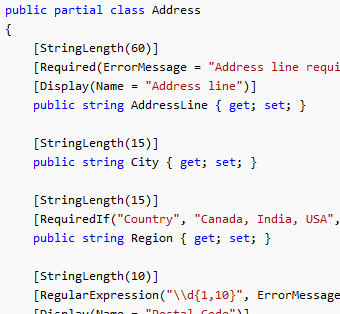
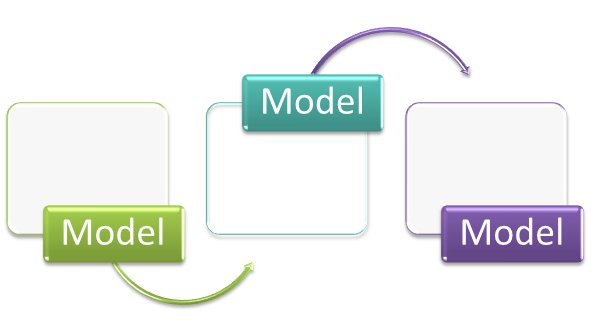

I just released an open source project at codeplex, which includes a set of T-4 templates to enable you to build logical layers (i.e. DAL/BLL) with just few clicks! The logical layers implemented here are based on Entity Framework 4.0, ASP.NET Web Form Data Bound control friendly and fully unit testable.
In this open source project you will get Entity Framework 4.0 based T-4 templates for following types of logical layers:
- Data Access Layer: Entity Framework 4.0 provides excellent ORM data access layer. It also includes support for T-4 templates, as built-in code generation strategy in Visual Studio 2010, where we can customize default structure of data access layer based on Entity Framework. default structure of data access layer has been enhanced to get support for mock testing in Entity Framework 4.0 object model.
- Business Logic Layer: ASP.NET web form based data bound control friendly business logic layer, which will enable you few clicks to build data bound web applications on top of ASP.NET Web Form and Entity Framework 4.0 quickly with great support of mock testing.

Download it to make your web development productive. Enjoy!

.NETTER Code Starter Pack contains a gallery of Visual Studio 2010 solutions leveraging latest and new technologies released by Microsoft. Each Visual Studio solution included here is focused to provide a very simple starting point for cutting edge development technologies and framework, using well known Northwind database. The current release of this project includes starter samples for the following technologies:
- ASP.NET Dynamic Data QuickStart (TBD)
- Azure Service Platform
- Windows Azure Hello World
- Windows Azure Storage Simple CRUD
- Database Scripts
- Entity Framework 4.0 (TBD)
- SharePoint 2010
- Visual Web Part Linq QuickStart
- Silverlight
- Business App Hello World
- WCF RIA Services QuickStart
- Utility Framework
- MEF
- Moq QuickStart
- T-4 QuickStart
- Unity QuickStart
- WCF
- WCF Data Services QuickStart
- WCF Hello World
- WorkFlow Foundation
- Web API
- Facebook Toolkit QuickStart
Download link: http://codebox.codeplex.com/releases/view/57382
The new release of Employee Info Starter Kit contains lots of exciting features available in Visual Studio 2010 and .NET 4.0. To get started with the new version, you will need less than 5 minutes.
Minimum System Requirements
Before getting started, please make sure you have installed Visual Studio 2010 RC (or higher) and Sql Server 2005 Express edition (or higher installed on your machine.
Running the Starter Kit for First Time
1. Download the starter kit 4.0.0 version form here and extract it.
2. Go to <extraction folder>\Source\Eisk.Solution and click the solution file
3. From the solution explorer, right click the “Eisk.Web” web site project node and select “Set as Startup Project” and hit Ctrl + F5
4. You will be prompted to install database, just follow the instruction.
That’s it! You are ready to use this starter kit.
Running the Tests
Employee Info Starter Kit contains a infrastructure for Integration and Unit Testing, by utilizing cool test tools in Visual Studio 2010. Once you complete the steps, mentioned above, take a minute to run the test cases on the fly.
1. From the solution explorer, to go “Solution Items\e-i-s-k-2010.vsmdi” and click it. You will see the available Tests in the Visual Studio Test Lists. Select all, except the “Load Tests” node (since Load Tests takes a bit time)
2. Click “Run Checked Tests” control from the upper left corner.
You will see the tests running and finally the status of the tests, which indicates the current health of you application from different scenarios.

Employee Info Starter Kit is a ASP.NET based web application, which includes very simple user requirements, where we can create, read, update and delete (crud) the employee info of a company. Based on just a database table, it explores and solves most of the major problems in web development architectural space.
This open source starter kit extensively uses major features available in latest Visual Studio, ASP.NET and Sql Server to make robust, scalable, secured and maintainable web applications quickly and easily.
Since it's first release, this starter kit achieved a huge popularity in web developer community and includes 1,50,000+ downloads from project web site.
Visual Studio 2010 and .NET 4.0 came up with lots of exciting features to make software developers life easier. A new version (v4.0.0) of Employee Info Starter Kit is now available in both MSDN Code Gallery and CodePlex. Checkout the latest version of this starter kit to enjoy cool features available in Visual Studio 2010 and .NET 4.0.
[ Release Notes ]
Architectural Overview
- Simple 2 layer architecture (user interface and data access layer) with 1 optional cache layer
- ASP.NET Web Form based user interface
- Custom Entity Data Container implemented (with primitive C# types for data fields)
- Active Record Design Pattern based Data Access Layer, implemented in C# and Entity Framework 4.0
- Sql Server Stored Procedure to perform actual CRUD operation
- Standard infrastructure (architecture, helper utility) for automated integration (bottom up manner) and unit testing
Technology Utilized
Programming Languages/Scripts
- Browser side: JavaScript
- Web server side: C# 4.0
- Database server side: T-SQL
.NET Framework Components
Visual Studio Features
- Visual Studio 2010 CodedUI Test
- Visual Studio 2010 Layer Diagram
- Visual Studio 2010 Sequence Diagram
- Visual Studio 2010 Directed Graph
- Visual Studio 2005+ Database Unit Test
- Visual Studio 2005+ Unit Test
- Visual Studio 2005+ Web Test
- Visual Studio 2005+ Load Test
Sql Server Features
- Sql Server 2005 Stored Procedure
- Sql Server 2005 Xml type
- Sql Server 2005 Paging support

Yesterday I’ve been informed that I’ve gained the Most Valuable Professional award again for next year, in ASP.NET category. This is the third time I have received this award, which is pretty exciting.
Here is my MVP profile: https://mvp.support.microsoft.com/profile/Ashraful
Special thanks to few Microsoft employees including Technical Fellow Brain Harry, Sr. Program Manager Joe Stagner, Lead Product Manager Dan Fernandez and South Asia MVP Lead Abhishek Kant who encouraged and supported me in several ways last year.
Thanks Microsoft for this recognition, which will encourage me to keep my passion on MS products continued with more optimization and greater efforts.
More Posts
Next page »