Frank Hileman's WebLog

Vector Graphics with VG.net, MyXaml, and Visual Studio Integration

July 2004 - Posts

VG.net in Internet Explorer

The new release of VG.net includes enhancements to simplify the hosting of VG.net animated vector graphics in Internet Explorer. You can now display animated Pictures on web pages using the default IE permissions. Here is a sample: http://www.myxaml.com/misc/vgdotnet/samples/dials.htm

Push the power button to turn the animation on and off. Resize the window, and you will see the vector graphics display resize to fit. The color buttons change the overall color of all graphical components in the display:

Red vector graphics dials

This color change illustrates a powerful feature in VG.net: the ability to change a single Style and affect an entire set of Picture components. How does this work? Each UI element you see here is a child Picture. The Pictures are constructed with backing Elements, ellipses or rectangles, that reference a Style called “BackColor”. Over top of those backing objects are various transparent Elements with shading in black, white, or gray. When the “BackColor” Style is modified by the top-level Picture, it affects all the child Pictures, but they retain the same relative black and white shading.

Thanks to Marc Clifton at MyXaml for hosting this demo.

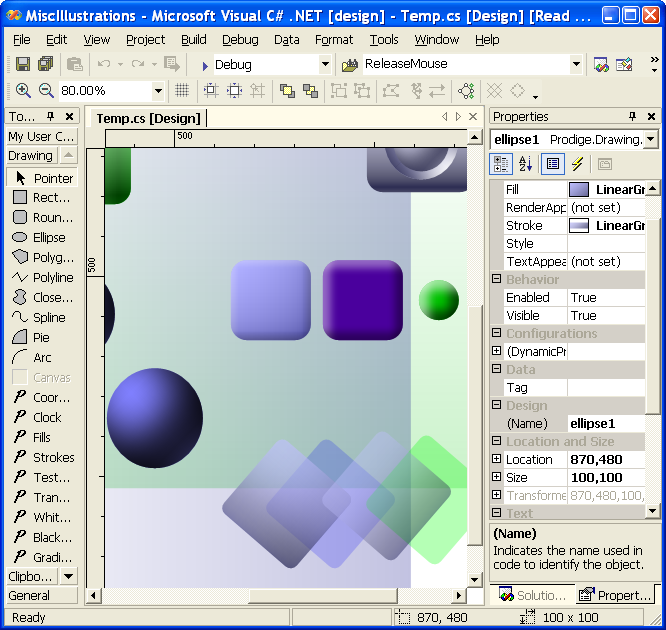
VG.net Picture Designer

The VG.net vector graphics engine, version 2.1, is released today. New features in this version include:

  • new samples: vector graphics animation in Internet Explorer, tcp/ip real-time data communication, scalabilty testing, tool-tips
  • enhancements to simplify hosting VG.net in Internet Explorer
  • printing support in the designer
  • the Picture.RenderTo(Graphics) function, to render to bitmaps on a web server, or for printing
  • the MouseHover event, on all Elements
  • the CaptureMouse and ReleaseMouseCapture functions, enabling you to create sliders and knobs
  • performance improvements
  • numerous bug fixes and enhancements

Blue knob controls in VG.net

Here is a preview of some 3D knob “Controls” using VG.net vector graphics. They are not true Controls -- they are VG.net Pictures, which are lighter weight and more flexible than Controls. They can be reused as Sub Pictures in other Pictures, or they can easily be placed in a windows forms Control and reused in that fashion.

Because the colors are all controlled by Styles, you can change a single Style and modify the overall color in one operation:

Red knob controls in VG.net

For user interaction, these knobs make use of a new VG.net function on each Element, CaptureMouse. In this way, you can capture mouse events the same way you would capture them for a windows forms slider control. This function is in the new VG.net release, scheduled to be out this week. The knob controls will be released a little later.

More Posts