How to download PDC Sessions using DownThemAll! Firefox addon
Step 1: Open the blog post where links to the PDC Sessions you want are
Step 2: Open DownThemAll! Firefox addon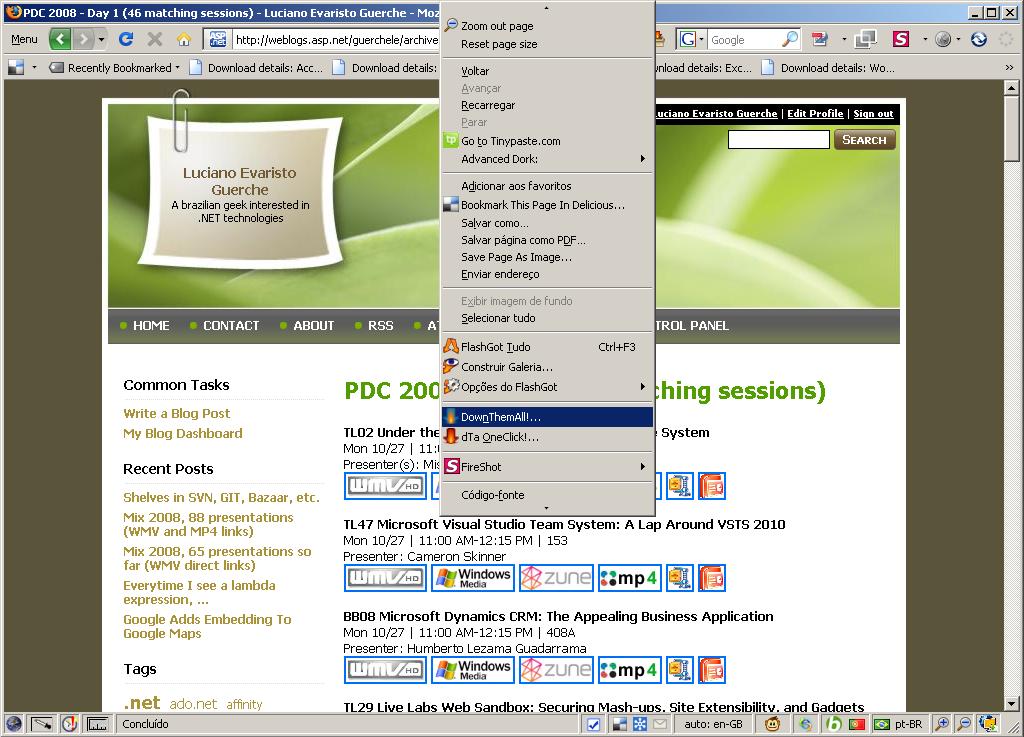
Step 3a: To download only zip files, check only "Archives (zip, rar, ...)"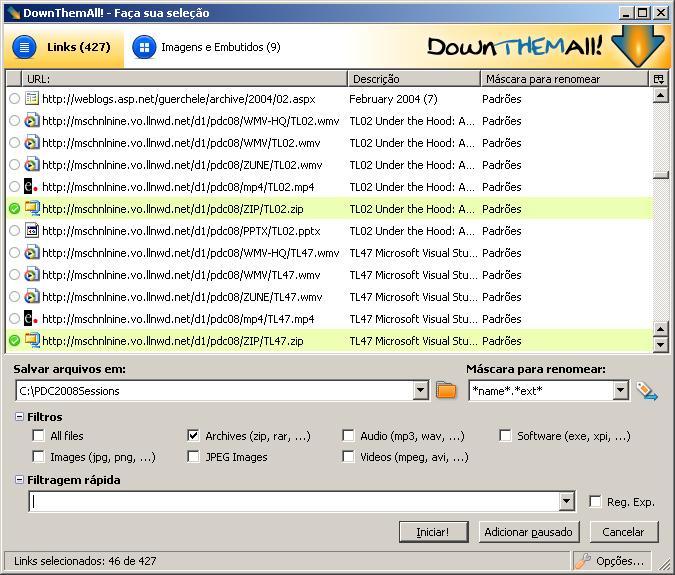
Step 3b: To download all video files (wmv-hd, wmv, zune, mp4), check only "Videos (mpeg, avi, ...)"
Step 3c: To download only Windows Media Video in High Definition (wmv-hd), uncheck all filters, type "/WMV-HQ/" on "Filtragem Rápida" [quick filter]
Step 3d: To download only Powerpoint presentations, uncheck all filters, type ".pptx" on "Filtragem Rápida" [quick filter]
Step 4: Make sure "Salvar arquivos em" is set to the correct directory where files must be saved and change "Máscara para renomear" textbox value to "*text*.*ext*" so that local files names will have a more descriptive name than only the PDC Session ID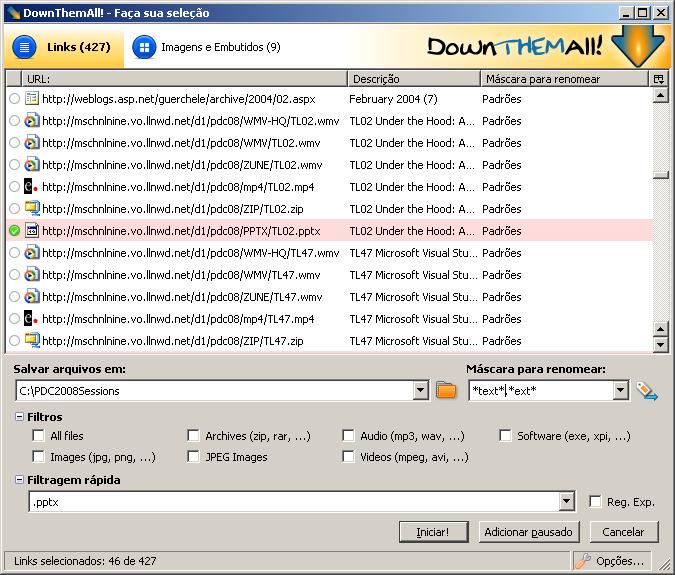
Step 5: Click "Adicionar pausado" button, which will add files to DownThemAll download queue, but paused, then DownThemAll! download queue will be shown
Step 6: Highlight the files to be downloaded or press CTRL + A in case all files are to be downloaded, then press the "Continuar" button on the toolbar
Update: As requested by Martin L. Shoemaker, the DownThemAll! addon can be downloaded from https://addons.mozilla.org/pt-BR/firefox/addon/201
If you need Firefox installer also, you can get it at http://www.mozilla.com/