Archives
-
Problem when testing LINQ To SQL Classes objects
I am writing a small web shop application using ASP.NET MVC Framework. As a part of this project I also write unit test and integration tests. I am using LINQ To SQL Classes as a mapping solution in my project. I found one misleading behaviour of LINQ To SQL Classes when writing integration tests.
-
The view 'Index' or its master could not be found. The following locations were searched
One of ASP.NET MVC errors wasted one hour of my life today (of course, it is many times less than this season’s leader SharePoint) but this is still one hour. “The view 'Index' or its master could not be found. The following locations were searched” error raised suddenly and I was not able to get over it. Well, this time solution was simple.
-
Hiding loggers implementations using Unity
Loggers are one of most popular examples about interfaces for sure. And there are a lot of implementations of loggers. Some implementations are simple and yet powerful, some implementations may be more complex. All we have to is to select implementation we need and integrate it to our application. It seems like good idea at first place but as soon as we need to switch from one implementation to another we discover nasty dependencies we have to change in all places where we are logging. Let’s see how to avoid these dependencies.
-
SharePoint: how to fix CKS Live ID logout
Last month I wrote about how to add SharePoint users for Live ID accounts on Community Kit for SharePoint. Another problem we found was that logout didn’t worked as expected. When logging out form Live ID we can see error on Live ID site stating that logout from our system failed.
-
Links 2009-03-25
NB! This blog is moved to gunnarpeipman.com
-
Refactoring: extract and override factory method
I’m sure you have seen classes that initialize a lot of objects in their constructor. These classes may be hard to test because of those object creations I mentioned. To get around this problem we use Extract and override factory method refactoring so we can extend these classes and override some factory methods.
-
Windows Azure Tools for Microsoft Visual Studio March 2009 CTP
On Friday Microsoft released March 2009 CTP of Windows Azure Tools for Microsoft Visual Studio. You have to remove previous releases of Azure tools before installing new one.
-
Refactoring: adapt parameter
Sometimes you are not able to use Extract Interface refactoring because interface of parameter may be too large or there may be no interface at all. You just have class to pass in and you are not able to fake it or extend it to get class testable. In this case you have to use Adapt Parameter refactoring to create adapter that is seen through common some common class of interface.
-
Windows could not be activated
After installing Windows Server 2008 to one of my development server I got the following error: Windows could not be activated. Exact details of error:
-
SharePoint: Solving the name.dll ActiveX problem – the easy way
It is possible to solve name.dll issue in SharePoint without modifying JavaScript files.
-
Search Engine Optimization: An Hour a Day
One of my SEO school books is Search Engine Optimization: An Hour a Day by Jennifer Grappone (The Right Brain) and Gradiva Couzin (The Left Brain). I knew already how and what to do before but this book gave very good plan to follow to get SEO process under strict control. Authors of this book have also web site Your SEO Plan where you can download all process organizing tables in Excel format.

-
Solving Azure configuration problems
Putting up development environment for Azure development may be not so smooth and easy task to do. All tools have currently CTP status and it is normal that there may be some problems. Here is my short list of problems. I provide solutions that worked for me. If somebody comes out with different solutions then please feel free to drop me a line.
-
Links 2009-03-13: Article series special
NB! This blog is moved to gunnarpeipman.com
-
SharePoint: Tracing Service lost trace events
Tracing Service lost trace events is one of those nasty entries in ULS log that refers to problems in logger service. If you see messages like these in SharePoint log then simply restart Windows SharePoint Services Tracing service. It took me a while to wonder what is going on until Jim Jackson’s blog entry SharePoint Logs - Tracing Service lost trace events helped me out. Thanks, Jim!
-
Links 2009-03-12
NB! This blog is moved to gunnarpeipman.com
-
SharePoint Manager 2007
One extremely useful utility for SharePoint is SharePoint Manager 2007. SPM2007 is developed by Carsten Keutmann. You may know him better by his other project – WSPBuilder that is one of the best SharePoint add-ins for Visual Studio.
-
The List – keep yourself on track
Ship it! A Practical Guide to Successful Software Projects, the book I introduced couple of days ago, introduces something called The List. The List is your task list that tells you what tasks you have, how long they would take to get done and when one or another task should be done.
-
Google Chrome / Windows 7 memory leak
NB! This blog is moved to gunnarpeipman.com
-
Refactoring: reduce variable scope
In good code variables are used as short as possible. Often we can see code where variables are defined in wider scope than it is necessary. There are many examples about too wide scopes. One of fuzziest of them is variable that is defined in class scope but it used only by one method and this method uses this variable as local variable. But variable life time can also be reduced in local scope. To achieve this we use refactoring method called reduce variable scope.
-
Abusing “as” operator
Casting to types using keyword as is one powerful features of C#.
-
Links 2009-03-07
NB! This blog is moved to gunnarpeipman.com
-
Death March
This winter I read book Death March by Edward Yourdon. Death March is about death march projects and how to survive them. There are also chapters describing decisions that you should never make when managing death march project. And there are great tips that help you avoid bad mistakes in death march projects. The book describes also developers life in such projects and gives them some good advises how to stay alive.
-
Refactoring: parameterize constructor
In legacy code you may find classes with constructor where some objects are created and initialized. These classes are not easily testable because they depend on other classes and therefore when you unit test these classes they may also throw exceptions of classes they depend on. In these cases we can use parameterize constructor refactoring.
-
Reading process output
Here is my little example about how to catch run console program and catch the output. I used similar code to read the output of OpenSLL.
-
Ship it! A Practical Guide to Successful Software Projects
I finished yesterday another great book: Ship it! A Practical Guide to Successful Software Projects from pragmatic series. This book is not theory book that leaves you with many questions and no idea how to move along. Instead, you get an good idea about how to develop software and manage software projects successfully.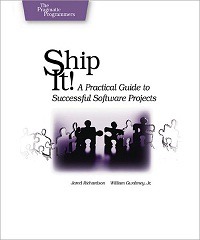
-
Windows 7 and processor problem
I am not professional support worker or administrator. Also I have only a little knowledge about hardware. One week ago my computer started doing something weird. Couple of times per day I get BSOD with the following message:
-
Creating DTOs using AutoMapper
There is one small and nice object to object mapper called AutoMapper. I gave it a little try and I found it very useful. Specially if you have web service and you are using DTOs to move data between client and server. Good news is that AutoMapper is able to perform these mappings and you don't have to write more code than couple of lines. Let’s see example.


