Windows Azure Error: Failed to start Storage Emulator: the SQL Server instance ‘localhost\SQLExpress’ could not be found
When running some of your Windows Azure applications when storage emulator is not configured you may get the following error: "Windows Azure Tools: Failed to initialize Windows Azure storage emulator. Unable to start Development Storage. Failed to start Storage Emulator: the SQL Server instance ‘localhost\SQLExpress’ could not be found. Please configure the SQL Server instance for Storage Emulator using the ‘DSInit’ utility in the Windows Azure SDK.". Here’s how to solve this problem.
You need to run DSInit utility to create database. For Windows Azure SDK 1.6 the location for DSInit utility is:
C:\Program Files\Windows Azure Emulator\emulator\devstore
By default DSInit expects that your database server is (local)\SQLEXPRESS but you can change it easily. If you have MSSQL instance called SQLEXPRESS then it is enough to just run DSInit. If you need some other instance then run the following command:
DSInit /sqlinstance:<instance name>
For default instance use “.” as instance name:
DSInit /sqlinstance:.
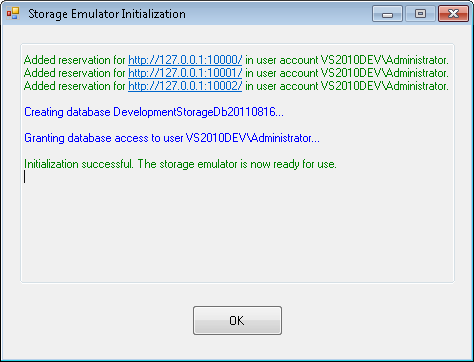
You can find more information about sqlinstance and other switches from DSInit documentation. If database was correctly created you should see dialog like this:
When storage database is ready you can run your application.