in

ASP.NET Weblogs

This Blog

Syndication

Sponsors

News


Follow HosamKamel on Twitter

Hosam Kamel's Blog

October 2009 - Posts

  • MOSS 2007 installation on Windows Server 64-bit

    I was trying to install MOSS 2007 on my laptop today while I'm running Windows Server 2008 64-bit edition and i discovered that this will not be a normal installation.

    First you have to prepare a new installation folder with the MOSS and WSS service packs extracted in order to be able to run the setup.

    For more information about how to install MOSS 2007 on Windows Server 2008 check this post http://mindsharpblogs.com/ben/archive/2007/12/16/3837.aspx

    After downloading the necessary updates and preparing the installation folder;I got the below error when the MOSS installation started 

    Setup is unable to proceed due to the following error(s):

    Internet Information Services is running in 32-bit emulation mode.

    Correct the issue(s) listed above and then re-run setup.

    image

    To fix this issue:

    1. You simply need to run the following command (open command prompt in administrative mode)
      CScript "%SystemDrive%\InetPub\AdminScripts\adsutil.vbs" set w3svc/AppPools/Enable32bitAppOnWin64 0
      Note The value "1" for Enable32bitAppOnWin64 specifies 32-bit mode. The value "0" specifies 64-bit mode.
      http://support.microsoft.com/default.aspx/kb/905854
    2. Restart the IIS by typing iisreset command in the command prompt.


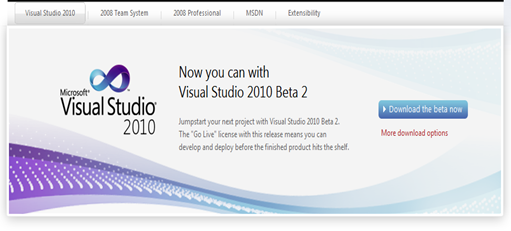
  • Visual Studio 2010 beta 2 is now available (Public availability)… Get Your Copy!
    image 

    Available Downloads:

    Instruction how to download and install the beta:


    Note:

    • The installation download the visual studio component from the internet for a direct link to ISO file, Scott Hanselman has posted it “Visual Studio 2010b2 EXPRESS EDITION Direct ISO Link http://bit.ly/2NuaZH (ISO!)”

    [Update]***************************************************

    ISO files now included http://msdn.microsoft.com/en-us/vstudio/dd582936.aspx :)


  • Pre-register for SharePoint 2010 Beta

    Pre-register today and get notified when SharePoint 2010 Beta becomes available in November. ​

    Find out how this integrated suite of server capabilities can help your organization by providing comprehensive content management and enterprise search, accelerating shared business processes, and facilitating information-sharing across boundaries for better business insight.

    Please review the preliminary system requirements to prepare for the beta release. For a comprehensive list of readiness resources and the right steps to take today, check out SharePoint 2010 Get Ready.

    Sign-up!


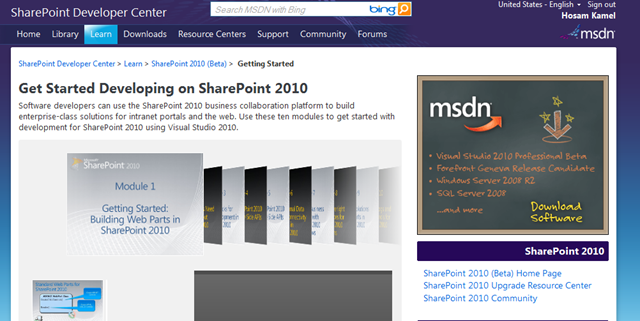
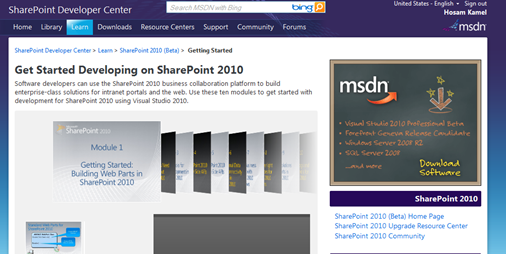
  • After a long long wait: SharePoint 2010 (Beta) Developer Center is UP!!!
    image

    This site contains essential getting started information, what's new, and learning resources for developers. The SharePoint 2010 public Beta will be available in November 2009.

    SharePoint 2010 (BETA) Developer Center @MSDN

    SharePoint 2010: Professional Developer Evaluation Guide and Walkthroughs

    [Update] ***********************************************

    I have just checked an awesome blog post @SharePoint Team Blog “SharePoint 2010”, man SharePoint 2010 will rock!


  • Visual Studio 2010 and .NET Framework 4 Deliver Beta 2 in Final Stretch to March 22 Launch
    image

    According to Microsoft Press Microsoft Visual Studio 2010 Beta 2 and Microsoft .NET Framework 4 Beta 2  are now available for to MSDN subscribers; general availability will follow on Oct. 21.

    Microsoft has also simplified the product lineup for Visual Studio 2010 and announced pricing details. In the next version, customers will be able to choose from three main versions of Visual Studio 2010:

    • Microsoft Visual Studio 2010 Ultimate with MSDN. The comprehensive suite of application life-cycle management tools for software teams to help ensure quality results from design to deployment
    • Microsoft Visual Studio 2010 Premium with MSDN. A complete toolset to help developers deliver scalable, high-quality applications
    • Microsoft Visual Studio 2010 Professional with MSDN. The essential tool for basic development tasks to assist developers in implementing their ideas easily

    Beta 2 has really a lot of cool feature, you can check the Visual Studio 2010 and .NET Framework 4 Beta 2 Walkthroughs

    Scott Hanselman has published the new Visual Studio 2010 beta 2 splash screen … looks very creative, Thanks Scott.

    SplashScreen_3


  • Visual Studio Immediate Window

    image

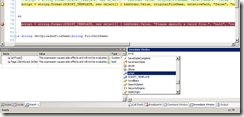
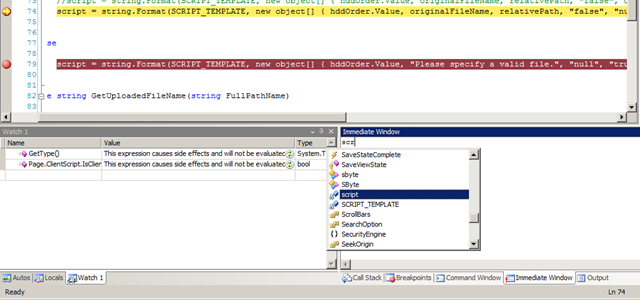
    The Immediate window is used at design time to debug and evaluate expressions, execute statements, print variable values, and so forth. It allows you to enter expressions to be evaluated or executed by the development language during debugging.


    Immediate window is one of basics windows that i can’t live without when using Visual Studio for debugging my application, Its even do more functionality in terms of expression evaluation, you can check more details here Immediate Window.

    I’m suddenly discovered that I'm missing this window in my Visual Studio 2008 and I don’t know why! I’ve searched the View and Debug menus but no luck to find it.

    Vitaly Gorn has posted a workaround about how to enable this window again, Missing Immediate Window in VS2008 Thanks a lot Vitaly!


  • How to identify your application worker process (w3wp)

    When working with multiple application pools it’s being difficult while debugging your asp.net web application to identify the worker process (w3wp.exe) you want to attach your debugger to.

    Attach to process

    To identify your application worker process (w3wp), You have to get the correct worker process ID to do so:

    For Window 2008 or Vista (IIS 7.0)

    • IIS 7.0 shipped with a new utility called AppCmd which serve as a command line server management utility.
    • This tool located in %systemroot%\system32\inetsrv\AppCmd.exe
    • To list current worker process Id’s along with its corresponding site use the below command 
      AppCmd.exe list wps
    • image 
    • once you got your application worker process Id, you select the correct worker process from “Attach to Process” dialog on Visual Studio.

    For Window 2003 (IIS 6.0)

    • Use iisapp.vbs script, a command line tool included in IIS 6.0 is used to list worker processes
    • This script located in %SystemRoot%\System32\IIsApp.vbs
    • Run it by typing
      cscript IIsApp.vbs
    • image
    • once you got your application worker process Id, you select the correct worker process from “Attach to Process” dialog on Visual Studio.

    Hope it helps.


  • Microsoft SharedView

    Share

    Microsoft SharedView is a fast, easy way to share documents and screen views with small groups of friends or coworkers; anytime, anywhere. Use SharedView to put your heads together and collaborate - create, convey, and communicate…across physical boundaries, through firewalls, and down to the smallest details.

    Some important tips on using SharedView:

    1. To start a session using this program, you must sign in using a Windows Live ID (Passport ID). However, you can use any e-mail ID or even a friendly name to join a session. A friendly name is a name of your choice. This is the name that others in the session will use to identify you.
    2. If you want to start a session and do not have a Windows Live ID, you can continue installing this program. However, before signing in, you must get a new Windows Live™ ID.
    3. If you are already using this program, you will see an upgrade notification that redirects you to the installation site.

    You must have a working Internet connection to use this program.


    Download

    Learn more about Microsoft SharedView

  • [Resolved] Could not load file or assembly 'XXXXX' or one of its dependencies. An attempt was made to load a program with an incorrect format.

    I have recently switched my development environment from 32-bit to 64-bit by installing Windows Server 2008 64-bit and modify it to be used as workstation as described here http://www.win2008workstation.com/ and I'm really amazed with it’s performance.

    I have faced the problem mentioned in the post title when I'm trying to run a web application included in one of our development solutions.

    couldnot load

    I have checked the project which has the DBHelper as it’s output and I’ve discovered that the project configured to target x86 platform and as I'm working with 64-bit it will have such ‘incorrect format’ error.

    How to fix it:

    Simply follow the steps below :

    • open project properties window.
    • select Build tab
    • Change it to ‘Any CPU’
    • Save your changes.
    • Compile your project and run :)

    image

  • Introduction to Doloto (another tool from MSDN DevLabs)
    Doloto    

    Doloto is an AJAX application optimization tool, especially useful for large and complex Web 2.0 applications that contain a lot of code, such as Bing Maps, Hotmail, etc. Doloto analyzes AJAX application workloads and automatically performs code splitting of existing large Web 2.0 applications. After being processed by Doloto, an application will initially transfer only the portion of code necessary for application initialization.

    imagedoloto- profillingimage

    The rest of the application’s code is replaced by short stubs—their actual function code is  transferred lazily in the background or, at the latest, on-demand on first execution. Since code download is interleaved with application execution, users can start interacting with the Web application much sooner, without waiting for the code that implements extra, unused features.

    In our experiments across a number of AJAX applications and network conditions, Doloto reduced the amount of initial downloaded JavaScript code by over 40%, or hundreds of kilobytes resulting in startup often faster by 30-40%, depending on network conditions.


    Useful Links

    Give it a try and happy Profiling :)

More Posts