Add Label To jQuery Slider Handle

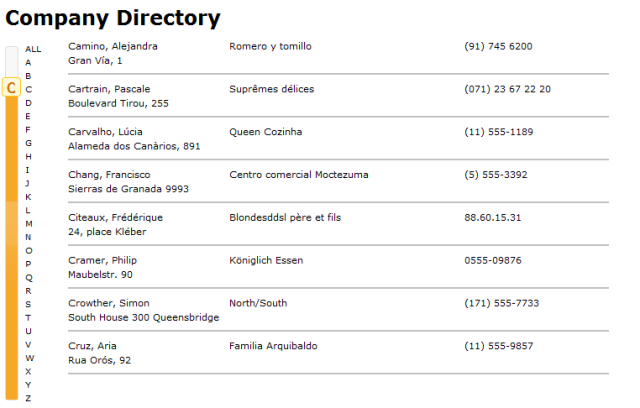
While in process of using the jQuery UI Slider in creating an alpha slider for a rolodex interface I came across some desired UI enhancements. Instead of having a slider that was plain i want to add the current value of the slider to interface. A quick simple line to the slider function gave me my desired appearance.

$("#slider-vertical").slider({
    orientation: "vertical",
    animate: true,
    range: "min",
    min: -90,
    max: -64,
    value: -64,
    step: 1,
    slide: function(event, ui) {
        if (ui.value == -64) {
            $(".ui-slider-handle,a").css("text-decoration", "none").css("text-align", "center").text("*");
            sliderCharacter = '';
        } else {
            sliderCharacter = String.fromCharCode(ui.value * -1);
            $(".ui-slider-handle,a").css("text-decoration", "none").css("text-align", "center").text(sliderCharacter);                        
        }
        
    },
    stop: function(event, ui) {
        //CALL AJAX TO RETRIEVE LIST
        slideAction(sliderCharacter);
    }
});
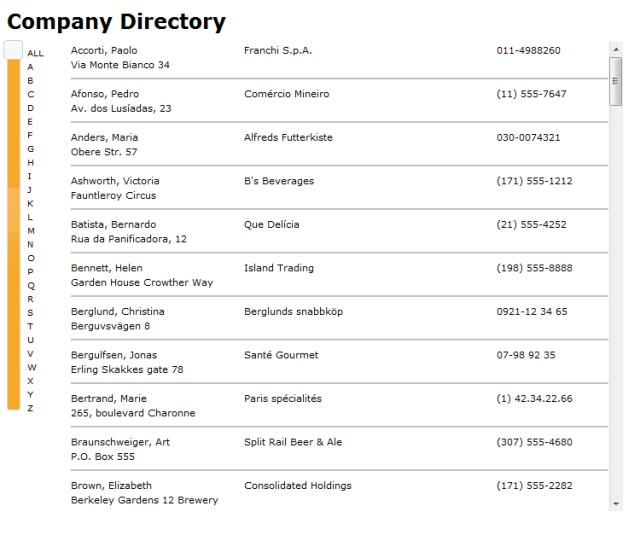
before 
BEFORE

after
AFTER

Published Tuesday, January 12, 2010 11:06 AM by rojay12
Filed under: , ,

Comments

# re: Add Label To jQuery Slider Handle

Monday, March 22, 2010 10:43 AM by tahir

thanks

# re: Add Label To jQuery Slider Handle

Friday, November 05, 2010 2:23 AM by domero

Where do I put this code wise? I am new to web design but I wanted this for a project I want to work on. Also is it possible to do this on an intranet?

# re: Add Label To jQuery Slider Handle

Thursday, February 10, 2011 1:13 PM by ilya

How did you add the All-Z labels to the right of the slider? Is this just a background?

# re: Add Label To jQuery Slider Handle

Wednesday, March 16, 2011 12:15 PM by Shyju

Thanks. It was of great help.

Leave a Comment

(required) 
(required) 
(optional)
(required)