How to reset an Outlook view – expand all groups
For some reason one of my Outlook folder’s views ended in a state where the groups were always collapsed. It was not a huge deal but just annoying enough to bug me.
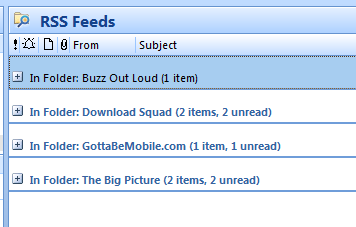
I tried several things to get it to stay expanded but I could not find the setting to change the view to always be expanded and stay expanded when I left the folder and returned.
Eventually I figured out that I could just reset the current view to the original settings to resolve the problem.
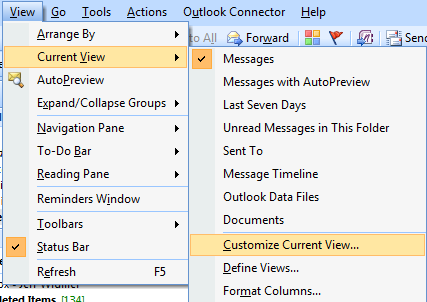
To do this, first browse to the folder with the view problem. Then go to View > Current View > Customize Current View…
In this dialog there will be a Reset Current View button on the bottom right. Click this button and then click OK.
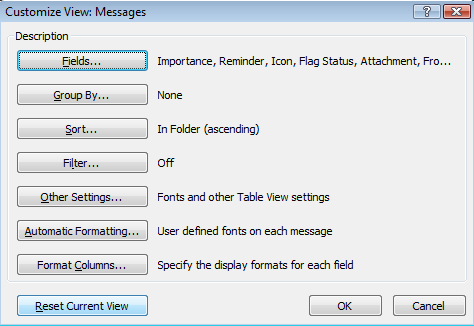
Now you view will be back to the default which is to have all groups expanded.