What is the difference between Hyper-V Manager Save and Pause?
The Hyper-V Management Console has several different actions you can take for a running virtual machine. Most are self-explanatory but I never quite new the difference between Save and Pause.
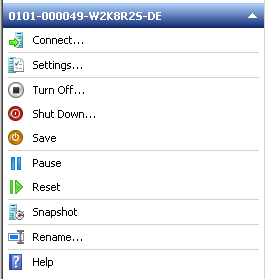
I always used Save to stop a virtual machine and save the current state of the virtual machine. But I did not understand how Pause would differ from Save. I finally went hunting for exactly what Pause does and found it in this Technet Article: Step 6 (Optional): Test Snapshots, Pausing, and Saving.
“You can also pause or save a virtual machine in a given state. When you pause or save a virtual machine, it stays in its current state for as long as you want.
Although pausing a virtual machine does not free up the memory that is allocated to that virtual machine, it frees up main processor resources. Saving a virtual machine frees up memory and main processor resources so that they can be used by other virtual machines or by the virtualization server.”
So Pausing will hold the Virtual Machine in the current state in was in when you hit the Pause button and also keep it in RAM (continuing to use a valuable resource) but frees up the processor. Saving will also hold the virtual machine in the current state but it frees up the processor and RAM too.
So I think this would be true then:
Saving a virtual machine is to Hibernate as Pausing a virtual machine is to Sleep.