Using Wireless Connection on HYPER-V without sharing it.
As you know, the wireless adapters are not supported on HYPER-V (HV) so, the most common scenario in that case, is go and create a Private Virtual Network on your Hyper V console then go to your Wireless Adapter and share the connection for the new Private Virtual Network Adapter.
Usually it works but I don’t think that is the better approach. Another side effects regards on your VM is that it gets an internal IP assigned by the shared connection, so then you can’t access the VM from another machine.
There is a way to configure the HV to use the wireless adapter in transparent way. To do that you have to create a Virtual Private Network on your HV.
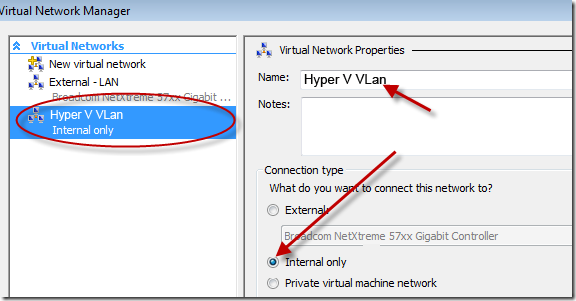
After create it go the Network Connections folder, there should be a new network adapter (Local Area Connection 4 in my sample), so the only thing that you have to do is, select the new network adapter and the wireless connection, then do a right click and choose Bridge Connections. It will create network bridge as follow…
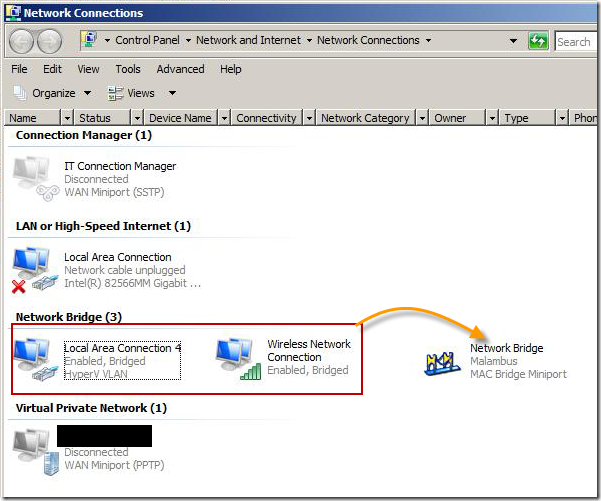
so now restart your VM and Voila!, it should have an IP assigned from your wireless network.
hope it helps.