Scott Forsyth's Blog

Postings on IIS, ASP.NET, SQL Server, Webfarms and general system admin.

.

  • Scott Forsyth

Hosting Needs

Training and Dev Labs

Setting Host Headers for SSL Sites in IIS–Week 7 of 52

At first glance, the Host Header field is grayed out when applying host headers to SSL (HTTPS) sites in IIS 7.

This week I cover a trick plus a full featured way to set these host headers in IIS 7.0/7.5 and IIS 6.  If you haven’t watched last week’s video, I recommend watching it first since it covers the reasons and issues for host headers on SSL sites.

This is week 7 of a 52 week series on various web administration related tasks.  Past and future videos can be found here.
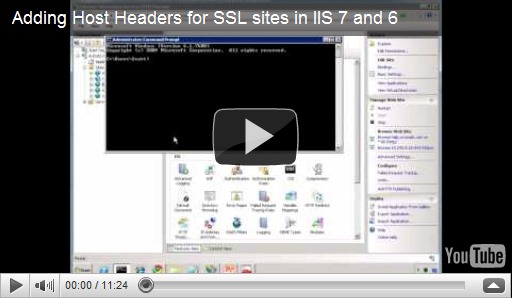
Host Headers in SSL Sites

Here are some links mentioned in the video:

http://www.sslshopper.com/article-ssl-host-headers-in-iis-7.html
http://www.sslshopper.com/article-how-to-configure-ssl-host-headers-in-iis-6.html

Unified Communications Certificate (aka Subject Alternative Name [SAN]) options: http://www.bing.com/search?q=unified+communications+certifcate

Comments

dusan s. said:

first, thank you for your very helpfull videos...

can you show us something about how unified communications certificate works in "real life" on iis?

# March 8, 2011 9:16 AM

OWScott said:

Thanks for the feedback dusan!  I'll reply briefly here and possibly create one of the videos covering this in more depth in the future.

Basically a standard cert ties the certificate to a particular domain name.  It may be something like www.orcsweb.com.  If you visit a different URL than what the certificate is for, then the web browser will throw an error.  Even orcsweb.com (without the www) isn't valid.

You can use wildcard certificates like *.orcsweb.com.  That means that anything.orcsweb.com is valid and won't throw a warning in the browser.

And the other option is a unified communications certificate which allows you to specify different domain names within a single certificate.  For example, www.orcsweb.com, www.orcsweb.net, orcs.com, extrafriendlyhost.com. ;)  The domain names don't need to relate to each other this way.  Of course this means that you need to make your decision when you purchase the certificate so it costs extra money to update throughout the year.  The certificate itself contains the various domain names.

I hope that helps.

# March 8, 2011 12:22 PM

dusan said:

Thank you for your quick answer, Scott!

I understand it in theory, it's not a problem. It's just that I haven't seen unified communications certificate "in action" before, so I am a little bit curious.

And I want to thank you for your "*" solution for wildcard certificates, it is really nice and elegant way to install them!

# March 9, 2011 9:29 AM

OWScott said:

Hi Dusan.  Cool, thanks again for the feedback and the topic suggestion!

# March 9, 2011 2:21 PM

artisticcheese said:

Does URL Rewrite rules work with hostheaders inside SSL encrypted site? For example you have 2 sites test1.example.com and test2.example.com and wildard *.example.com

Can you make URL rewrite rule for HTTPS connection based on which hostheader was used in incoming request and react differently based on that?

# June 21, 2011 6:58 PM

OWScott said:

Hi artisticcheese,

Yes, the URL Rewrite rules are processed after the site bindings (even the global rules are), so you have access to all of the http headers from URL Rewrite.

# June 22, 2011 9:50 AM
Leave a Comment

(required) 

(required) 

(optional)

(required)