Video: Magnify a Portion of a Photo using SIlverlight 1.0
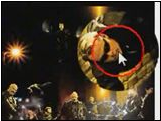
image In this video, I demonstrate how to load an image into a Silverlight control that can be examined at greater detail with a magnifying glass effect.

[watch the video]
[download the code]

Technorati Tags: ,
Published Monday, April 14, 2008 11:25 AM by Palermo4
Filed under: , ,

Comments

# Video: Magnify a Portion of a Photo using SIlverlight 1.0 - Palermo4

Pingback from  Video: Magnify a Portion of a Photo using SIlverlight 1.0 - Palermo4

# Magnify a Portion of a Photo using SIlverlight 1.0

Tuesday, April 15, 2008 8:57 AM by DotNetKicks.com

You've been kicked (a good thing) - Trackback from DotNetKicks.com

# Video: Use Mouse Wheel to Zoom in Silverlight 1.0

Tuesday, April 15, 2008 10:05 PM by Palermo4

In this video, I demonstrate how to allow your Silverlight applications to respond to mouse wheel events

# re: Video: Magnify a Portion of a Photo using SIlverlight 1.0

Wednesday, April 16, 2008 9:31 AM by Glen Gordon

Hey, that's slick. Nicely explained, too.

How complex would it be to create a "bubble" effect so that rather than the magnified image being a flat disk, it looks raised?

# re: Video: Magnify a Portion of a Photo using SIlverlight 1.0

Wednesday, April 16, 2008 9:49 AM by Palermo4

Glen,

I have thought about doing that recently :-)

The trick could be accomplished a couple ways.  Due to the internal caching of the image, I have no problem introducing another layer of the image with a skew effect that would render the bubble effect.

I will post a blog on that when I get that working.

# Ultracet.

Monday, August 25, 2008 10:35 PM by Ultracet.

Ultracet addiction. Ultracet.

Leave a Comment

(required) 
(required) 
(optional)
(required)