Using ASP.NET AJAX with ASP.NET MVC
Yes, you can use ASP.NET AJAX with ASP.NET MVC. Several people have asked me recently how you can use ASP.NET AJAX in an ASP.NET MVC view. In this blog entry, I’m going to explain the problem and the solution.
The Problem
Normally, if you want to use ASP.NET AJAX in an ASP.NET page, you add a ScriptManager control to the page. The ScriptManager control requires a server-side form control. Therefore, in order to use a ScriptManager control, you must include a server-side form control in a page.
Here’s the problem. You should not include a server-side form control in an ASP.NET MVC view. Why not? Using a server-side form control violates the spirit of ASP.NET MVC since adding a form control forces you back into the Web Forms page model that forces you to use postbacks and view state.
Therefore, many people have concluded, ASP.NET AJAX is not compatible with ASP.NET MVC.
The Solution
The solution is simple, don’t use the ScriptManager control. Instead, just include the Microsoft AJAX Library with a standard <script src=”MicrosoftAjax.js”></script> tag.
You can download the standalone version of the Microsoft AJAX Library from the following location:
http://www.asp.net/ajax/downloads/
The download includes multiple versions of the ASP.NET AJAX Library. The two most important scripts are named MicrosoftAjax.js and MicrosoftAjax.debug.js (the download also includes localized versions of the Microsoft AJAX Library). The MicrosoftAjax.js script is the production version of the library and the MicrosoftAjax.debug.js script is the debug version of the library.
You can copy both the MicrosoftAjax.js and MicrosoftAjax.debug.js scripts directly into an ASP.NET MVC Web Application Project. A good location to add these scripts within an ASP.NET MVC application is the Content folder. After you add the scripts to your project, you can reference either the production or the debug version of the scripts within your views (or a master page).
For example, the view in Listing 1 uses the Microsoft AJAX Library to wire-up a button click handler.
Listing 1 – TestAjax.aspx
1: <%@ Page Language="C#" AutoEventWireup="true" CodeBehind="TestAjax.aspx.cs" Inherits="FirstMVCApp.Views.Test.TestAjax" %>
2: <!DOCTYPE html PUBLIC "-//W3C//DTD XHTML 1.0 Transitional//EN" "http://www.w3.org/TR/xhtml1/DTD/xhtml1-transitional.dtd">
3: <html xmlns="http://www.w3.org/1999/xhtml" >
4: <head runat="server">
5: <title>Test Ajax</title>
6: <script type="text/javascript" src="../../Content/MicrosoftAjax.debug.js"></script>
7: <script type="text/javascript">
8: 9: function pageLoad()
10: {11: $addHandler( $get("btn"), "click", doSomething);
12: } 13: 14: function doSomething()
15: {16: alert("Button clicked!");
17: } 18: 19: </script>
20: </head>
21: <body>
22: <div>
23: 24: <input id="btn" type="button" value="Click Here!" />
25: 26: </div>
27: </body>
28: </html>
The doSomething() JavaScript method is wired to the btn Click event within the pageLoad method. When you click the button, the alert “Button clicked!” is displayed (see Figure 1).
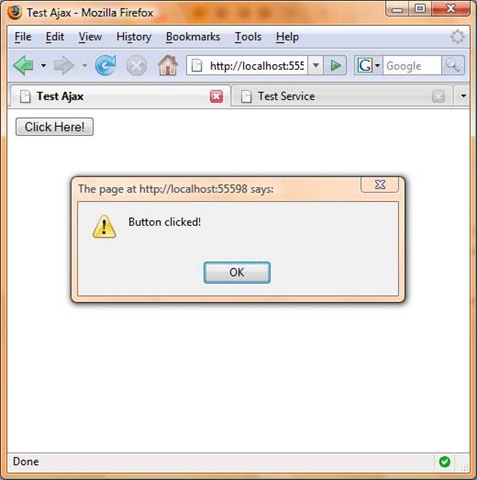
Figure 1 – Using the Microsoft AJAX Library in an MVC View
The page in Listing 1 uses the debug version of the Microsoft AJAX Library. The debug version of the library contains extra code that checks, for example, whether you are passing the right parameters to a method. In production, you should switch from the MicrosoftAjax.debug.js file to the MicrosoftAjax.js file. The MicrosoftAjax.js file has been minimized and it has been stripped of any debug code.
To make it easy to switch back and forth between the debug and production version of the Microsoft AJAX Library, you might want to add the script reference to a master page instead of each individual page.
What about Service References?
One of the nice things about using the ScriptManager control in a normal ASP.NET page is that you can use the control to easily add a reference to either a WCF or an ASMX Web Service. For example, if you want to call the MyService Web Service from your client-side JavaScript, then you can add a service reference like this:
    <asp:ScriptManager ID="sm1" runat="server">
    <Services>
        <asp:ServiceReference Path="/Services/MyService.asmx" />
    </Services>
    </asp:ScriptManager>
Since you should not use a ScriptManager control in an MVC view, you can’t add a service reference to a view in the same way. So, how do you call a web service?
The view in Listing 2 demonstrates how you can call the MyService.asmx service from an MVC view:
Listing 2 – TestService.aspx
1: <%@ Page Language="C#" AutoEventWireup="true" CodeBehind="TestService.aspx.cs" Inherits="FirstMVCApp.Views.Test.TestService" %>
2: 3: <!DOCTYPE html PUBLIC "-//W3C//DTD XHTML 1.0 Transitional//EN" "http://www.w3.org/TR/xhtml1/DTD/xhtml1-transitional.dtd">
4: 5: <html xmlns="http://www.w3.org/1999/xhtml" >
6: <head runat="server">
7: <title>Test Service</title>
8: <script type="text/javascript" src="../../Content/MicrosoftAjax.debug.js"></script>
9: <script type="text/javascript">
10: 11: function pageLoad()
12: { 13: Sys.Net.WebServiceProxy.invoke 14: (15: "../../Services/MyService.asmx",
16: "Select",
17: false,
18: null,
19: success, 20: fail 21: ); 22: } 23: 24: 25: function success(results)
26: { 27: alert(results) 28: } 29: 30: function fail(err)
31: {32: alert( "ERROR: " + err.get_message() );
33: } 34: 35: </script>
36: </head>
37: <body>
38: <div>
39: 40: </div>
41: </body>
42: </html>
Notice that the Sys.Net.WebServiceProxy.invoke() method is called in the pageLoad() function. This method invokes the Web Service. The invoke() method accepts the following parameters:
· servicePath – The path to the WCF or ASMX Web Service
· methodName – The name of the web method to call
· useGet – Determines whether to use GET or POST (GET is disabled by default)
· params – An object literal that represents a list of parameters to pass to the web method
· onSuccess – The JavaScript function to call if the web service call is successful
· onFailure – The JavaScript function to call if the web service call is not successful
· userContext – Arbitrary data passed back to the client
· timeout – The amount of time before the web service all times out
You can use the page in Listing 2 with the ASMX Web Service in Listing 3.
Listing 3 – MyService.asmx
1: using System;
2: using System.Collections;
3: using System.ComponentModel;
4: using System.Data;
5: using System.Linq;
6: using System.Web;
7: using System.Web.Services;
8: using System.Web.Services.Protocols;
9: using System.Xml.Linq;
10: using System.Collections.Generic;
11: 12: namespace FirstMVCApp.Services
13: {14: [WebService(Namespace = "http://tempuri.org/")]
15: [WebServiceBinding(ConformsTo = WsiProfiles.BasicProfile1_1)]16: [ToolboxItem(false)]
17: [System.Web.Script.Services.ScriptService]18: public class MyService : System.Web.Services.WebService
19: { 20: 21: [WebMethod]22: public string Select()
23: {24: var quotes = new List<string>()
25: {26: "A stitch in time saves nine",
27: "Man is the measure of all things",
28: "Look before you leap"
29: }; 30: 31: Random rnd = new Random();
32: return quotes[rnd.Next(quotes.Count)];
33: } 34: } 35: }The Web Service in Listing 3 returns a random quotation. Notice that the Web Service includes a [ScriptService] attribute. You must include this attribute when you want to be able to call a Web Service from client-side script.
When you request the page in Listing 2, the random quotation is displayed in an alert box (see Figure 2).
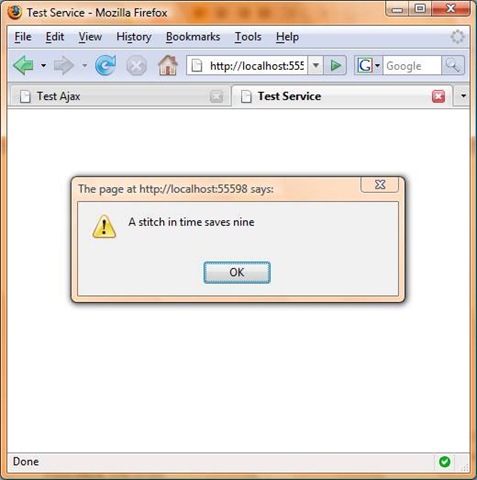
Figure 2 – Calling a Web Service from an MVC View
What about the UpdatePanel Control?
The UpdatePanel, when used in a normal ASP.NET page, enables you to update the content of part of a page without updating the content of the entire page (it enables you to avoid a full postback by performing a sneaky postback). How do you use the UpdatePanel control in an MVC view?
The UpdatePanel cannot be used in a page that does not contain a ScriptManager control. Therefore, since the ScriptManager control depends on the server-side form control and you should not use a server-side form control in an MVC view, the UpdatePanel cannot be used in an MVC view.
But don’t worry, you have another option. You don’t need to use the UpdatePanel control to perform a partial view update using the Microsoft AJAX Library. Instead, you can use the Sys.Net.WebRequest object.
For example, the view in Listing 4 contains two buttons. When you click the first button, the contents of the Content1.htm file are pasted into a DIV tag named up1. When you click the second button, the contents of the Content2.htm file are pasted into the DIV tag. The page performs a partial update using the Microsoft AJAX Library support for making AJAX calls.
Listing 4 – TestUpdatePanel.aspx
1: <%@ Page Language="C#" AutoEventWireup="true" CodeBehind="TestUpdatePanel.aspx.cs" Inherits="FirstMVCApp.Views.Test.TestUpdatePanel" %>
2: 3: <!DOCTYPE html PUBLIC "-//W3C//DTD XHTML 1.0 Transitional//EN" "http://www.w3.org/TR/xhtml1/DTD/xhtml1-transitional.dtd">
4: 5: <html xmlns="http://www.w3.org/1999/xhtml" >
6: <head runat="server">
7: <title>Test UpdatePanel</title>
8: <script type="text/javascript" src="../../Content/MicrosoftAjax.debug.js"></script>
9: <script type="text/javascript">
10: 11: function pageLoad()
12: {13: $addHandler($get("btn1"), "click",
14: function() {getContent("../../Content/Content1.htm"); } );
15: $addHandler($get("btn2"), "click",
16: function() {getContent("../../Content/Content2.htm"); } );
17: } 18: 19: function getContent(url)
20: {21: var request = new Sys.Net.WebRequest();
22: request.set_url(url);23: request.set_httpVerb("GET");
24: request.add_completed(updatePage); 25: request.invoke(); 26: } 27: 28: function updatePage(executor, eventArgs)
29: {30: if(executor.get_responseAvailable())
31: {32: $get("up1").innerHTML = executor.get_responseData();
33: }34: else
35: {36: if (executor.get_timedOut())
37: alert("Timed Out");
38: else if (executor.get_aborted())
39: alert("Aborted");
40: } 41: } 42: 43: </script>
44: </head>
45: <body>
46: <div>
47: 48: <input
49: id="btn1"
50: type="button"
51: value="Content 1" />
52: 53: <input
54: id="btn2"
55: type="button"
56: value="Content 2" />
57: 58: <div id="up1"></div>
59: 60: </div>
61: </body>
62: </html>
In Listing 4, the pageLoad() method is used to wire-up the two buttons in the body of the page to the getContent() JavaScript function. When you click the first button, the URL "../../Content/Content1.htm" is passed to the getContent() method. When you click the second button, the URL "../../Content/Content2.htm" is passed to the getContent() method.
The getContent() method performs all of the work. In this method, a WebRequest object is created. Two properties of this object are set: the URL and the HTTP Verb. A handler is setup for the WebRequest so that when the WebRequest object is invoked, the updatePage() method is called.
The updatePage() method simply updates the innerHTML of a DIV tag named up1. Updating the innerHTML of an element updates the content of the page dynamically.
The contents of Content1.htm are contained in Listing 5 and the contents of Content2.htm are contained in Listing 6.
Listing 5 – Content1.htm
1: <b>Hello from Content1 !!!</b>
Listing 6 – Content2.htm
1: <b>Hello from Content2 !!!</b>
Neither Content1.htm nor Content2.htm can contain server-side controls. That’s okay in the MVC universe since we are trying to avoid (heavy weight) server-side controls anyway.
Conclusion
The purpose of this blog entry was to explain how to use the Microsoft AJAX Library in an MVC Web Application. I explained how to add script references, add service references, and perform partial page updates without using the ScriptManager or UpdatePanel controls. Microsoft ASP.NET AJAX works just fine with Microsoft ASP.NET MVC.