ASP.NET MVC Tip #28 – Test If Caching Is Enabled
In this tip, I demonstrate how you can test if the OutputCache attribute is present on a controller action. I also demonstrate how you can test if the OutputCache attribute is set with a particular duration.
Caching is the most effective way to improve the performance of an ASP.NET MVC application. The slowest operation that you can perform in a web application is database access. The best way to improve database access performance is to not access the database at all. Caching enables you to avoid having to access the database with each and every request.
You can cache the view (or any Action Result) returned by a controller action by adding an OutputCache attribute to the controller action. For example, the controller in Listing 1 is configured to cache the view returned by the Index() action for 10 seconds.
Listing 1 – HomeController.vb (VB.NET)
<HandleError()> _
Public Class HomeController
Inherits System.Web.Mvc.Controller
<OutputCache(Duration:=10)> _
Function Index()
Return View()
End Function
End Class
Listing 1 – HomeController.cs (C#)
using System.Web.Mvc;
namespace Tip27.Controllers
{
[HandleError]
public class HomeController : Controller
{
[OutputCache(Duration=10)]
public ActionResult Index()
{
return View();
}
}
}
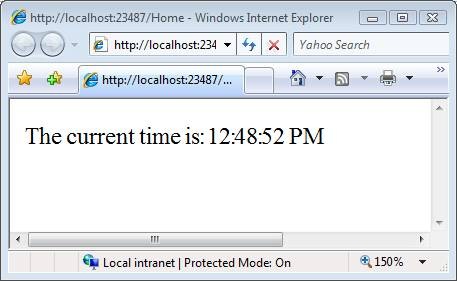
The Index() action in Listing 1 returns the view in Listing 2. Notice that this view simply displays the current time (see Figure 1).
Figure 1 – A view cached for 10 seconds
Listing 2 – Index.aspx
<%@ Page Language="C#" AutoEventWireup="true" CodeBehind="Index.aspx.cs" Inherits="Tip27.Views.Home.Index" %>
<!DOCTYPE html PUBLIC "-//W3C//DTD XHTML 1.0 Transitional//EN" "http://www.w3.org/TR/xhtml1/DTD/xhtml1-transitional.dtd">
<html xmlns="http://www.w3.org/1999/xhtml" >
<head runat="server">
<title></title>
</head>
<body>
<div>
The current time is: <%= DateTime.Now.ToString("T") %>
</div>
</body>
</html>
(By the way, don’t ever set the OutputCache attribute in the view itself. You should only configure caching within a controller).
If you invoke the Index() action, then you get the Index view. If you repeatedly hit refresh in your browser, then the time displayed in the view updates once every 10 seconds.
So, how do you test caching? I don’t mean how do you test whether caching works or not. This is a framework issue that Microsoft has tested for you. I mean how do you test whether or not caching is enabled on a particular controller action in an MVC application that you write?
It turns out that testing whether a particular controller action has an OutputCache attribute is really easy. Take a look at the test in Listing 3.
Listing 3 – HomeControllerTest.vb (VB.NET)
Imports System
Imports System.Collections.Generic
Imports System.Text
Imports System.Web.Mvc
Imports Microsoft.VisualStudio.TestTools.UnitTesting
Imports Tip28
<TestClass()> Public Class HomeControllerTest
<TestMethod()> Public Sub IndexIsCachedFor10Seconds()
' Arrange
Dim indexMethod = GetType(HomeController).GetMethod("Index")
Dim outputCacheAttributes = indexMethod.GetCustomAttributes(GetType(OutputCacheAttribute), True)
' Assert
Assert.IsTrue(outputCacheAttributes.Length > 0)
For Each outputCache As OutputCacheAttribute In outputCacheAttributes
Assert.IsTrue(outputCache.Duration = 10)
Next
End Sub
End Class
Listing 3 – HomeControllerTest.cs (C#)
using System.Reflection;
using System.Web.Mvc;
using Microsoft.VisualStudio.TestTools.UnitTesting;
using Tip27.Controllers;
namespace Tip27Tests.Controllers
{
/// <summary>
/// Summary description for HomeControllerTest
/// </summary>
[TestClass]
public class HomeControllerTest
{
[TestMethod]
public void IndexIsCachedFor10Seconds()
{
// Arrange
MethodInfo indexMethod = typeof(HomeController).GetMethod("Index");
var outputCacheAttributes = indexMethod.GetCustomAttributes(typeof(OutputCacheAttribute), true);
// Assert
Assert.IsTrue(outputCacheAttributes.Length > 0);
foreach (OutputCacheAttribute outputCache in outputCacheAttributes)
{
Assert.IsTrue(outputCache.Duration == 10);
}
}
}
}
The test in Listing 3 grabs all of the OutputCache attributes from the Index method (there might be more than one). If the Index() method does not include at least one OutputCache attribute then the test fails. If each of the OutputCache attributes does not have a Duration property set to the value 10 seconds, then the test fails.