Remote Desktop Connection has stopped working

Ever come across the error "Remote Desktop Connection has stopped working"
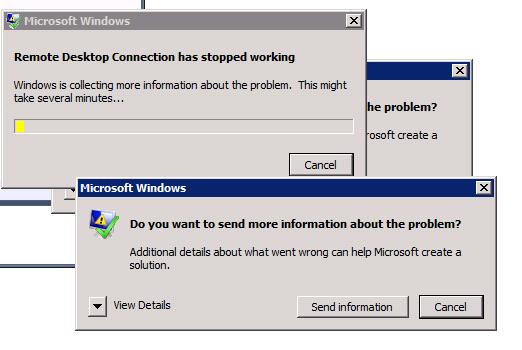
Remote Desktop connection Error

Solution: Go to Remote Desktop Connection-> Local Resources Tab-> In the Local Devices and Resources uncheck the checkbox for Printers
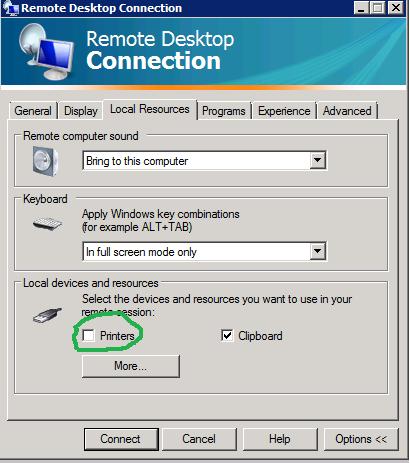
Remote desktop connection Solution

That should do the trick!

Published Monday, July 11, 2011 5:00 PM by SushilaSB
Filed under:

Comments

Wednesday, August 15, 2012 8:47 AM by matt boerger

# re: Remote Desktop Connection has stopped working

Works a treat - thanks for posting!

Thursday, October 25, 2012 9:55 AM by Martin Frans

# re: Remote Desktop Connection has stopped working

Works also for me!

Thanks for posting

Sunday, April 07, 2013 11:45 PM by Marc Nicholls

# re: Remote Desktop Connection has stopped working

That's ok but what if you want to use your printer in the terminal session?

Leave a Comment

(required) 
(required) 
(optional)
(required)