Using Linq To SQL with ObjectDataSource Control
In my previous blog posting I showed how to use linqdatasource with gridview,detailsview and formview to insert, update and delete records using NorthWind context. Linqdatasource is a nice control to have, however I feel that it forces me to put too much business logic in my aspx file. Not only that, it also forces me to expose my datacontext to my presentation layer. In this small example I making use of ObjectDataSource control to insert,update delete and select records using my business objects.
Since the example will use Customer table from NorthWind database, I am going to add Linq to SQL class and name it NorthWind and add customer entity on the OR designer. Since my ObjectDataSource control is going to be using my business objects to retrieve data, I will add a partial Customer class and the following static methods.
using System;
using System.Data;
using System.Configuration;
using System.Linq;
using System.Web;
using System.Web.Security;
using System.Web.UI;
using System.Web.UI.HtmlControls;
using System.Web.UI.WebControls;
using System.Web.UI.WebControls.WebParts;
using System.Xml.Linq;
using System.Linq.Dynamic;
public partial class Customer
{
public static IQueryable<Customer> RetrieveAll()
{
NorthWindDataContext db = new NorthWindDataContext();
return db.Customers;
}
public static IQueryable<Customer> RetrievePage
(int startrow, int maxrows)
{
return RetrieveAll().Skip(startrow).Take(maxrows);
}
public static IQueryable<Customer> RetrievePage
(string sort,int startrow, int maxrows)
{
if (string.IsNullOrEmpty(sort))
{
sort = "CompanyName";
}
return RetrieveAll()
.Skip(startrow)
.Take(maxrows)
.OrderBy(sort);
}
public static int RowCount()
{
return RetrieveAll().Count();
}
public static string InsertCustomer(Customer customer)
{
NorthWindDataContext db = new NorthWindDataContext();
db.Customers.InsertOnSubmit(customer);
db.SubmitChanges();
return customer.CustomerID;
}
public static void DeleteCustomer(Customer customer)
{
//two ways of doing it.
NorthWindDataContext db = new NorthWindDataContext();
//db.Customers.DeleteOnSubmit(
// db.Customers.Single(c => c.CustomerID == customer.CustomerID));
//db.SubmitChanges();
//another way of doing it attaching it.
db.Customers.Attach(customer);
db.Customers.DeleteOnSubmit(customer);
db.SubmitChanges();
}
public static void UpdateCustomer(Customer customer)
{
NorthWindDataContext db = new NorthWindDataContext();
db.Customers.Attach(customer, true);
db.SubmitChanges();
}
public static Customer RetrieveByCustomerID(string customerid)
{
NorthWindDataContext db = new NorthWindDataContext();
return
db.Customers.SingleOrDefault(c => c.CustomerID == customerid);
}
}
Here is the screen shot for the class.
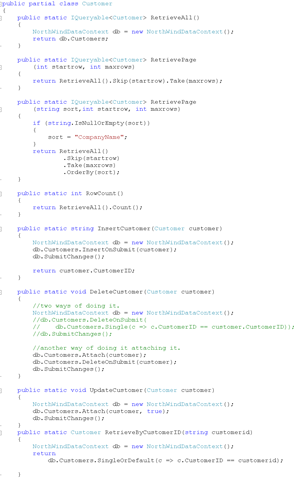
I have defined several methods on my Customer class.
RetrieveAll: Retrieves all the customers from the database as IQueryable so further queries can be applied on it.
RetrievePage:Since we are going to leverage sorting on SQL server side, ObjectDataSource will pass the startrow and the maximum rows to retrieve. This is efficient because I will be only retrieving rows that I can display on a page and not more than that.
I also have an overloaded version of the RetrievePage which takes an additional parameter of sort column that defines what column the data needs to be sorted on. This will happen when an end user would try to sort the grid by clicking on the header of the grid. One of the constraints of Linq to SQL is, everything needs to be known at compile time. There are situation like this where we do not know at design time, the column we would sort by and OrderBy operator does not take a string that we can pass in to specify the dynamic column. We have an option of writing bunch of if statements but that would be too much code. In order to make my life easier, I have copied Dynamic.cs file from the Linq samples that come with visual studio and added it to my project. I than simply added the reference to System.Linq.Dynamic to use the dynamic features of Linq. This library simply extends Linq capabilities to support dynamic string based expression.
RetrieveCount(): Since we are not retrieving all the rows, gridview control would not know how to build pager because it does not know how many rows are present in the database. In order to provide navigation features so that gridview control can build the right page numbers, I am simply sending the total number of rows for customers in the database.
InsertCustomer: The method simply takes the customer objects and inserts into the customer collection and calls submit changes and returns the customerid we inserted.
DeleteCustomer: Deleting customers, I felt I could do it 2 different ways. First way requires an extra database call to first retrieve the customer based on the customerid property from the customer object passed in the method. Once I have retrieved the customer, I can call DeleteOnSubmit followed by SubmitChanges to delete the customer. This way is a bit weird that I have to retrieve the customer first to delete so ends up being two database calls. Another way to do is first attach the customer object to the datacontext. Attach method requires few things to be set before hand. The customer object being passed in must have its primary key be set. Also if there is a column that is defined as Timestamp, it needs to have its original value be set. If the table does not have a timestamp column, than any column that is defined with UpdateCheck.Always or WhenChanged needs to have its original value be set. If this is not the case than Linq to SQL would throw an exception of row not found.
UpdateCustomer: Updating customer could also be done two different ways. First would be to retrieve the customer so the object would be tracked and than using the customer object passed in as a parameter, modify the tracked object and call SubmitChanges. Once again this would make two database calls. An easier way would be to attach the customer object to the datacontext as being modified by passing in true in the second parameter. Once again you have to ensure to meet the requirements for Attach method. Attach method requires the primary key and timestamp column be set to the original value when you retrieved the object. Once you have attached the object, you can call SubmitChanges to update the customer.
Now that I am done with setting up my business object, all that's left is to use the object with ObjectDataSource control to insert, update and delete the customer. The aspx code is shown below
<%@ Page Language="C#" AutoEventWireup="true" CodeFile="ObjectDataSourceSample.aspx.cs" Inherits="ObjectDataSourceSample" %>
<!DOCTYPE html PUBLIC "-//W3C//DTD XHTML 1.0 Transitional//EN" "http://www.w3.org/TR/xhtml1/DTD/xhtml1-transitional.dtd">
<html xmlns="http://www.w3.org/1999/xhtml">
<head runat="server">
<title>Untitled Page</title>
</head>
<body>
<form id="form1" runat="server">
<div>
<asp:FormView ID="FormView1" runat="server" CellPadding="4"
DefaultMode="Insert" DataKeyNames="CustomerID"
DataSourceID="customersource" ForeColor="#333333"
oniteminserted="FormView1_ItemInserted">
<FooterStyle BackColor="#990000" Font-Bold="True" ForeColor="White" />
<RowStyle BackColor="#FFFBD6" ForeColor="#333333" />
<PagerStyle BackColor="#FFCC66" ForeColor="#333333" HorizontalAlign="Center" />
<HeaderStyle BackColor="#990000" Font-Bold="True" ForeColor="White" />
<InsertItemTemplate>
<table>
<tr>
<td class="label">CustomerID:</td>
<td>
<asp:TextBox ID="TextBox1"
runat="server" Text='<%# Bind("CustomerID") %>' />
</td>
</tr>
<tr>
<td class="label">CompanyName:</td>
<td>
<asp:TextBox ID="CompanyNameTextBox"
runat="server" Text='<%# Bind("CompanyName") %>' />
</td>
</tr>
<tr>
<td class="label">ContactName:</td>
<td>
<asp:TextBox ID="ContactNameTextBox" runat="server"
Text='<%# Bind("ContactName") %>' />
</td>
</tr>
<tr>
<td class="label">ContactTitle:</td>
<td>
<asp:TextBox ID="ContactTitleTextBox" runat="server"
Text='<%# Bind("ContactTitle") %>' />
</td>
</tr>
<tr>
<td class="label">Phone:</td>
<td>
<asp:TextBox ID="PhoneTextBox" runat="server"
Text='<%# Bind("Phone") %>' />
</td>
</tr>
<tr>
<td style="text-align:center" colspan="2">
<asp:Button ID="insert" runat="server" CommandName="Insert"
Text="Insert" />
</td>
</tr>
</table>
</InsertItemTemplate>
</asp:FormView> <br /><br />
<asp:GridView ID="customergrid" runat="server"
DataKeyNames="CustomerID,TimeStamp"
DataSourceID="customersource"
AllowPaging="True"
AutoGenerateDeleteButton="true"
AutoGenerateEditButton="true"
AutoGenerateSelectButton="true"
AllowSorting="true"
AutoGenerateColumns="False" CellPadding="4" ForeColor="#333333"
GridLines="None">
<FooterStyle BackColor="#990000" Font-Bold="True" ForeColor="White" />
<RowStyle BackColor="#FFFBD6" ForeColor="#333333" />
<Columns>
<asp:BoundField DataField="CompanyName" HeaderText="Company"
SortExpression="CompanyName" />
<asp:BoundField DataField="ContactName" HeaderText="Name"
SortExpression="ContactName" />
<asp:BoundField DataField="ContactTitle" HeaderText="Title"
SortExpression="ContactTitle" />
<asp:BoundField DataField="Phone" HeaderText="Phone"
SortExpression="Phone" />
</Columns>
<PagerStyle BackColor="#FFCC66" ForeColor="#333333" HorizontalAlign="Center" />
<SelectedRowStyle BackColor="#FFCC66" Font-Bold="True" ForeColor="Navy" />
<HeaderStyle BackColor="#990000" Font-Bold="True" ForeColor="White" />
<AlternatingRowStyle BackColor="White" />
</asp:GridView>
<asp:ObjectDataSource ID="customersource" runat="server"
SelectMethod="RetrievePage"
InsertMethod="InsertCustomer"
DeleteMethod="DeleteCustomer"
UpdateMethod="UpdateCustomer"
SelectCountMethod="RowCount"
DataObjectTypeName="Customer"
StartRowIndexParameterName="startrow"
MaximumRowsParameterName="maxrows"
SortParameterName="sort"
TypeName="Customer"
EnablePaging="true" />
<br /><br />
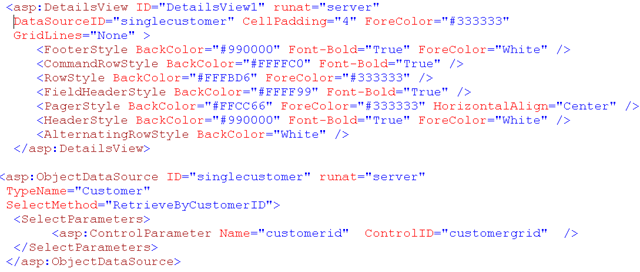
<asp:DetailsView ID="DetailsView1" runat="server"
DataSourceID="singlecustomer" CellPadding="4" ForeColor="#333333"
GridLines="None" >
<FooterStyle BackColor="#990000" Font-Bold="True" ForeColor="White" />
<CommandRowStyle BackColor="#FFFFC0" Font-Bold="True" />
<RowStyle BackColor="#FFFBD6" ForeColor="#333333" />
<FieldHeaderStyle BackColor="#FFFF99" Font-Bold="True" />
<PagerStyle BackColor="#FFCC66" ForeColor="#333333" HorizontalAlign="Center" />
<HeaderStyle BackColor="#990000" Font-Bold="True" ForeColor="White" />
<AlternatingRowStyle BackColor="White" />
</asp:DetailsView>
<asp:ObjectDataSource ID="singlecustomer" runat="server"
TypeName="Customer"
SelectMethod="RetrieveByCustomerID">
<SelectParameters>
<asp:ControlParameter Name="customerid" ControlID="customergrid" />
</SelectParameters>
</asp:ObjectDataSource>
</div>
</form>
</body>
</html>
I wont be going into every control on the aspx page since i have covered that in my previous blog posting, I will simply mention how i am wiring up everything together. I have a formview and gridview control that inserts,updates and deletes record from customer table using the objectdatasource control. The objectdatasource control is shown below.
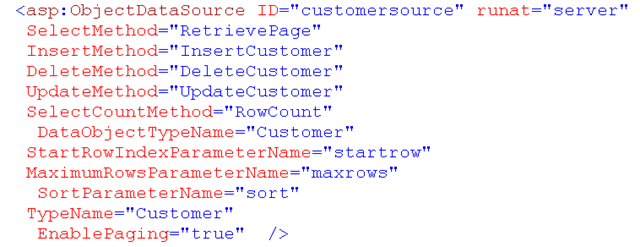
In order to specify the object datasource control which entity to get the data from, i set my type to Customer. For my select operation i set my SelectMethod to RetrievePage. The RetrievePage method takes 3 parameters. Sort parameter is being passed by setting the sortParameterName property to the name of the parameter on the method. I am setting the StartrowIndexParameterName and MaximumRowsParameterName to the parameter names specified on my RetrievePage method. These values will get propagated from gridview control to objectdatasource and than to RetrievePage method on my customer entity. I am also setting my Insert and Update and Delete methods to name of the methods defined on my Customer partial class. Another important property that is worth mentioning is DataObjectTypeName. When I set DataObjectTypeName to Customer, object datasource on my behalf creates an instance of Customer object and get the values from the gridview control and sets the properties on my Customer object before sending the customer object to insert and update and delete methods.
On the gridview control nothing has changed from my previous example except in my DataKeyNames, I am also including timestamp column apart from the primary key column of CustomerID. This is required for attach to work properly on my customer entity class. Here is how it looks.

For my selection to work, I have another details view control down below which is bound to objectdatasource control. The objectdatasource has its select method set to RetrieveByCustomerID to get the customer. The customerid value is retrieved from the selected value of the gridview control.