DotNetStories
This is the second post in a series of posts titled "What's new in ASP.Net 4.5 and VS 2012".You can have a look at the first post in this series, here.
Please find all my posts regarding VS 2012,
here.
In this post I will be looking into the various new features
available in ASP.Net 4.5 and VS 2012.I will be
looking into the enhancements in the HTML Editor,CSS Editor
and Javascript Editor.
In order to follow along this post you must have Visual Studio 2012 and .Net Framework 4.5 installed in your machine.Download and install VS 2012 using this link.
My machine runs on Windows 8 and Visual Studio 2012 works
just fine.I will work fine in Windows 7 as well so do not
worry if you do not have the latest Microsoft operating
system.
1) Launch VS 2012 and create a new Web Forms application by going to File - >New Web Site - > ASP.Net Web Forms Site.
2) Choose an appropriate name for your web site.
3) I would like to point out the new enhancements in the CSS editor in VS 2012. In the Solution Explorer in the Content folder and open the Site.css
Then when I try to change the
background-color property of the html element, I get
a brand new handy color-picker.
Have a look at the picture below
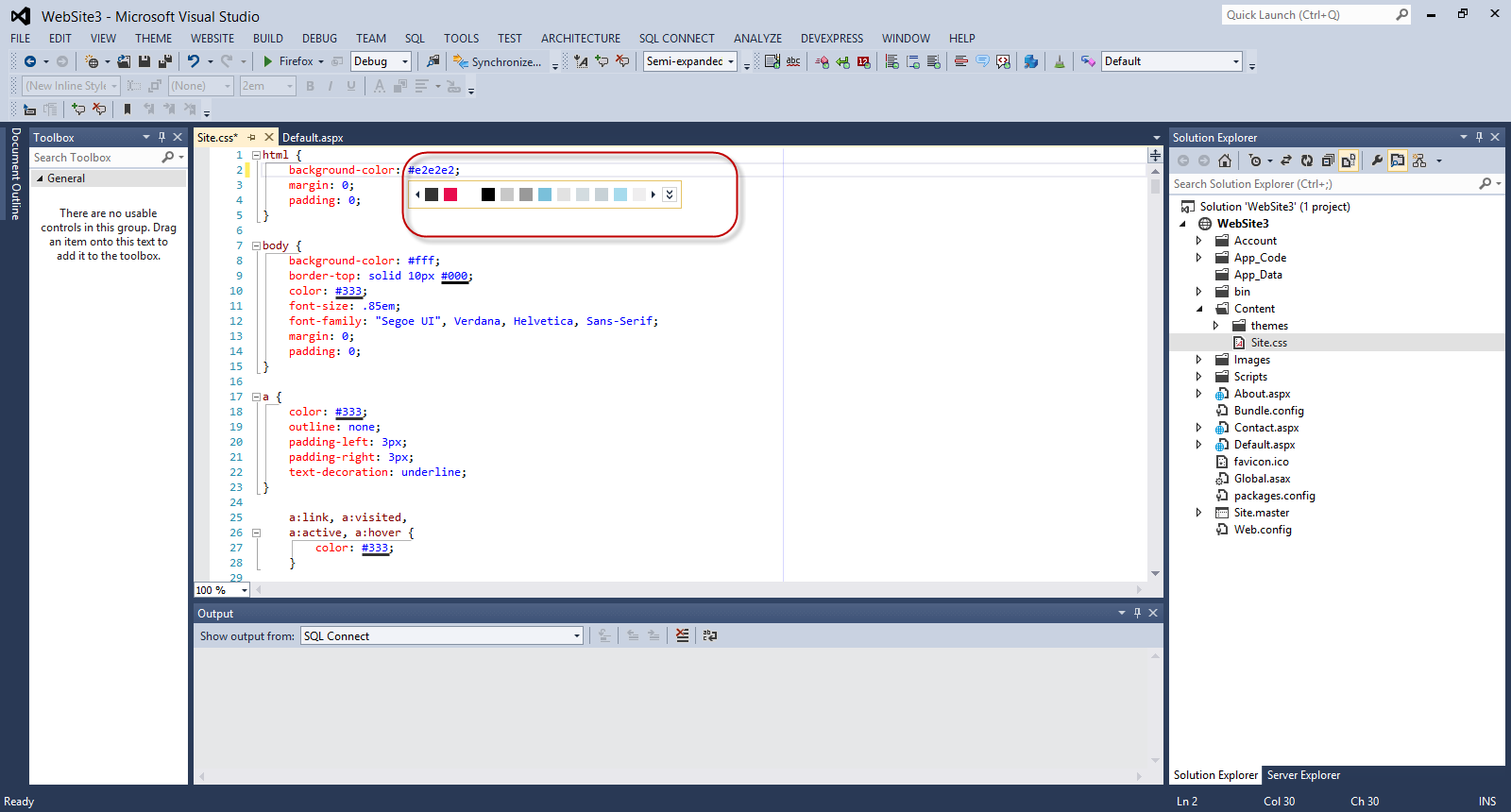
Please note that the color-picker shows all the colors that have been used in this website.
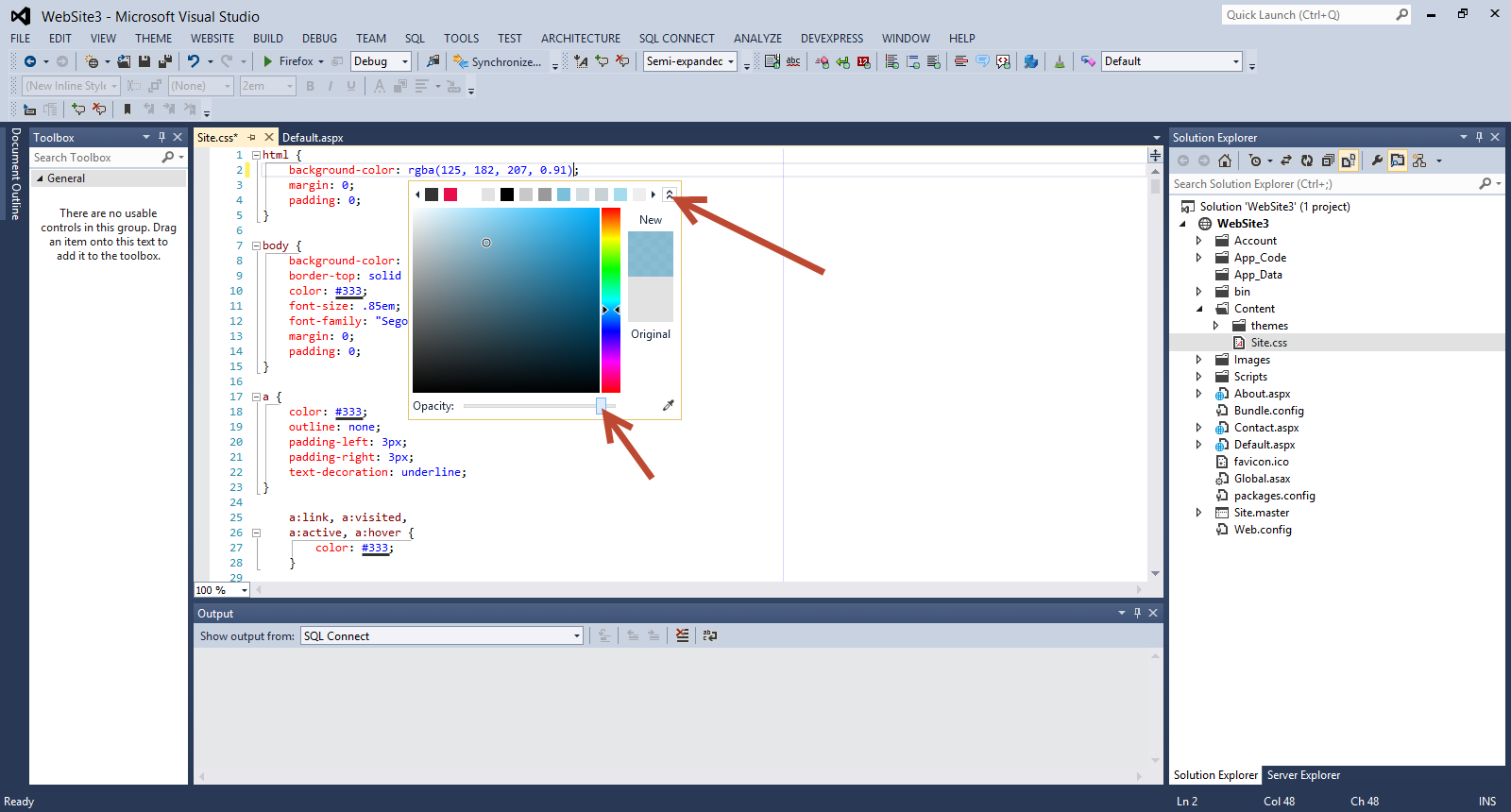
Then you can expand the color-picker by clicking on the arrows. Opacity is also supported.
Have a look at the picture below
4) There are also mobile styles in the
Site.css .These are based on media queries.
Please have a look at another post of mine on CSS3 media queries.
Have a look at the picture below
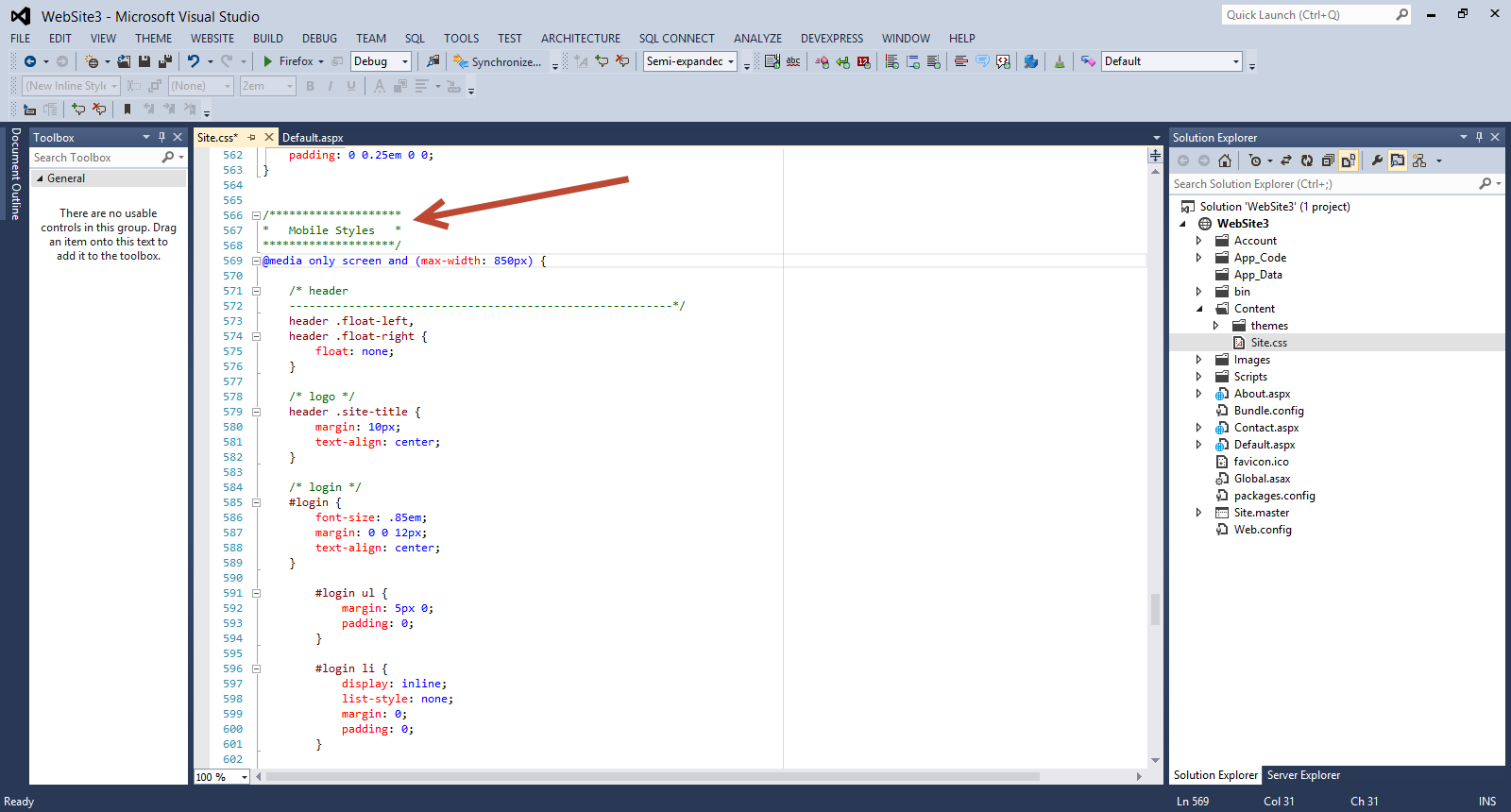
In this case when the maximum width of the screen is less
than 850px there will be a new layout that will be
dictated by these new rules.
Also CSS snippets are supported. Have a look at the picture below
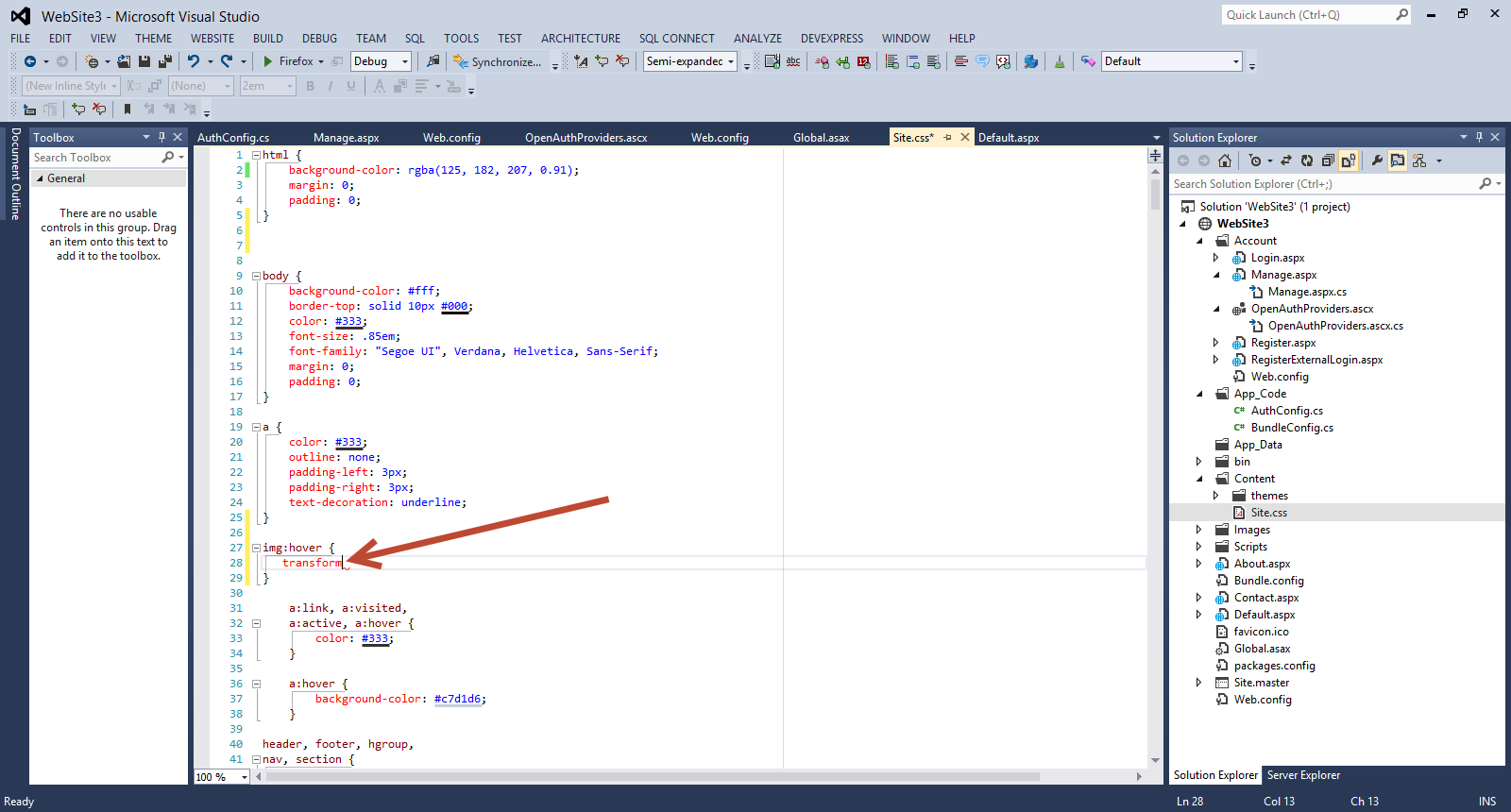
I am writing a new CSS rule for an image element. I write
the property transform and hit tab and then I have
cross-browser CSS handling all of the major vendors.Then I
simply add the value rotate and it is applied to all
the cross browser options.
Have a look at the picture below.
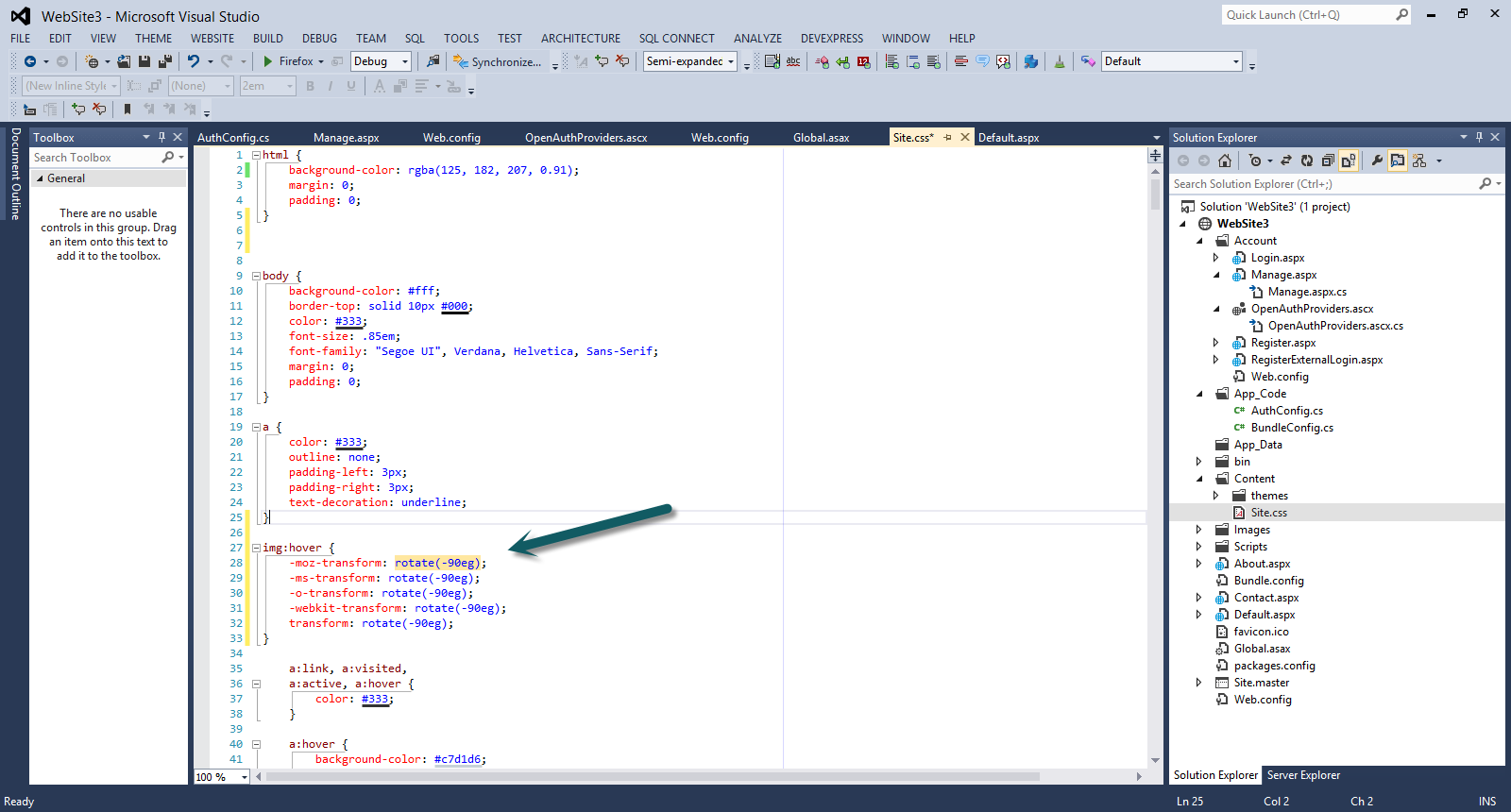
I am sure you realise how productive you can become with all these CSS snippets.
5) Now let's have a look at the new HTML editor enhancements in VS 2012
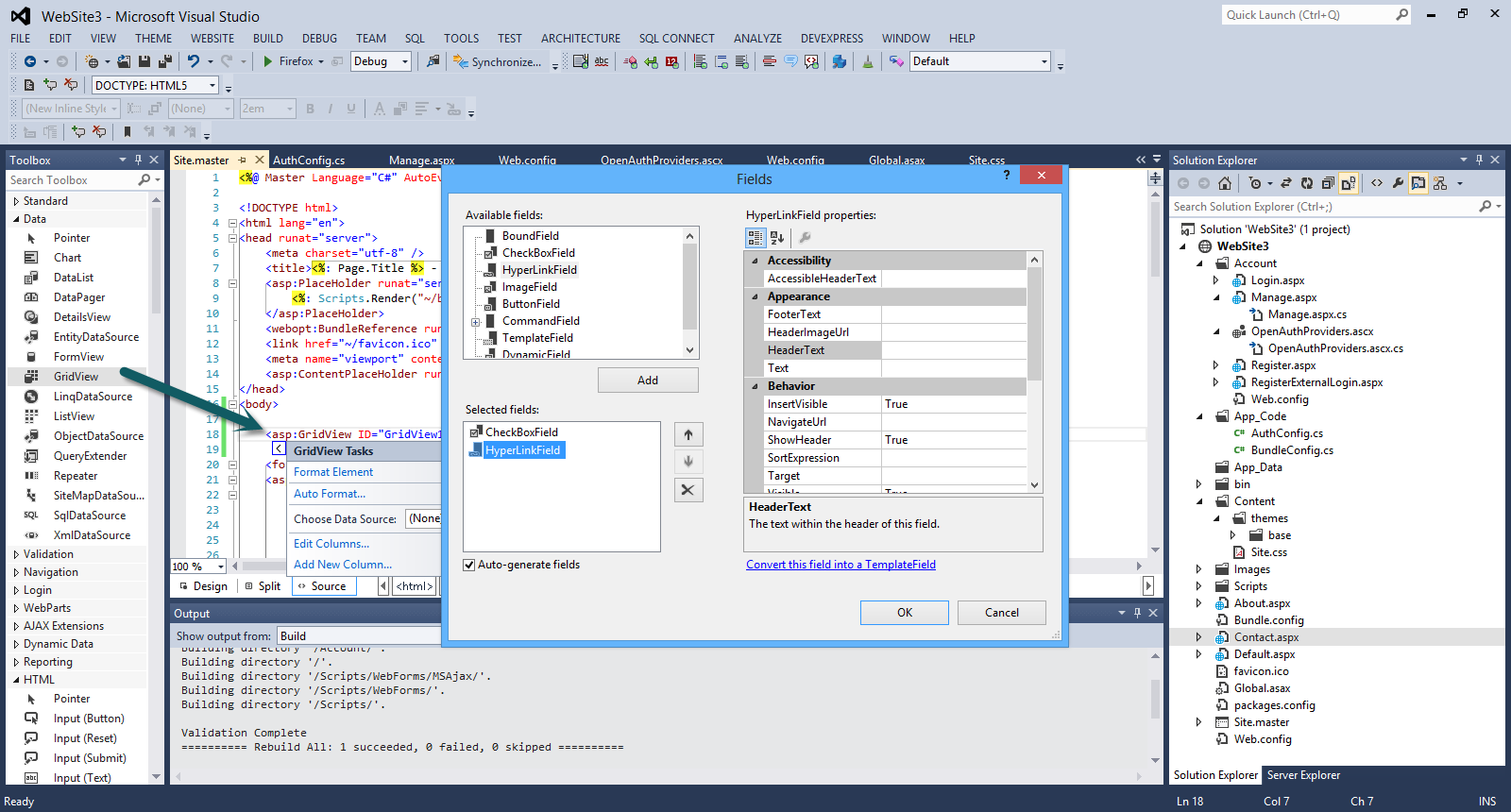
You can drag and drop a GridView web server control from the Toolbox in the Site.master file.
You will see a smart tag (that was only available in the
Design View) that you can expand and add fields, format the
web server control.
Have a look at the picture below
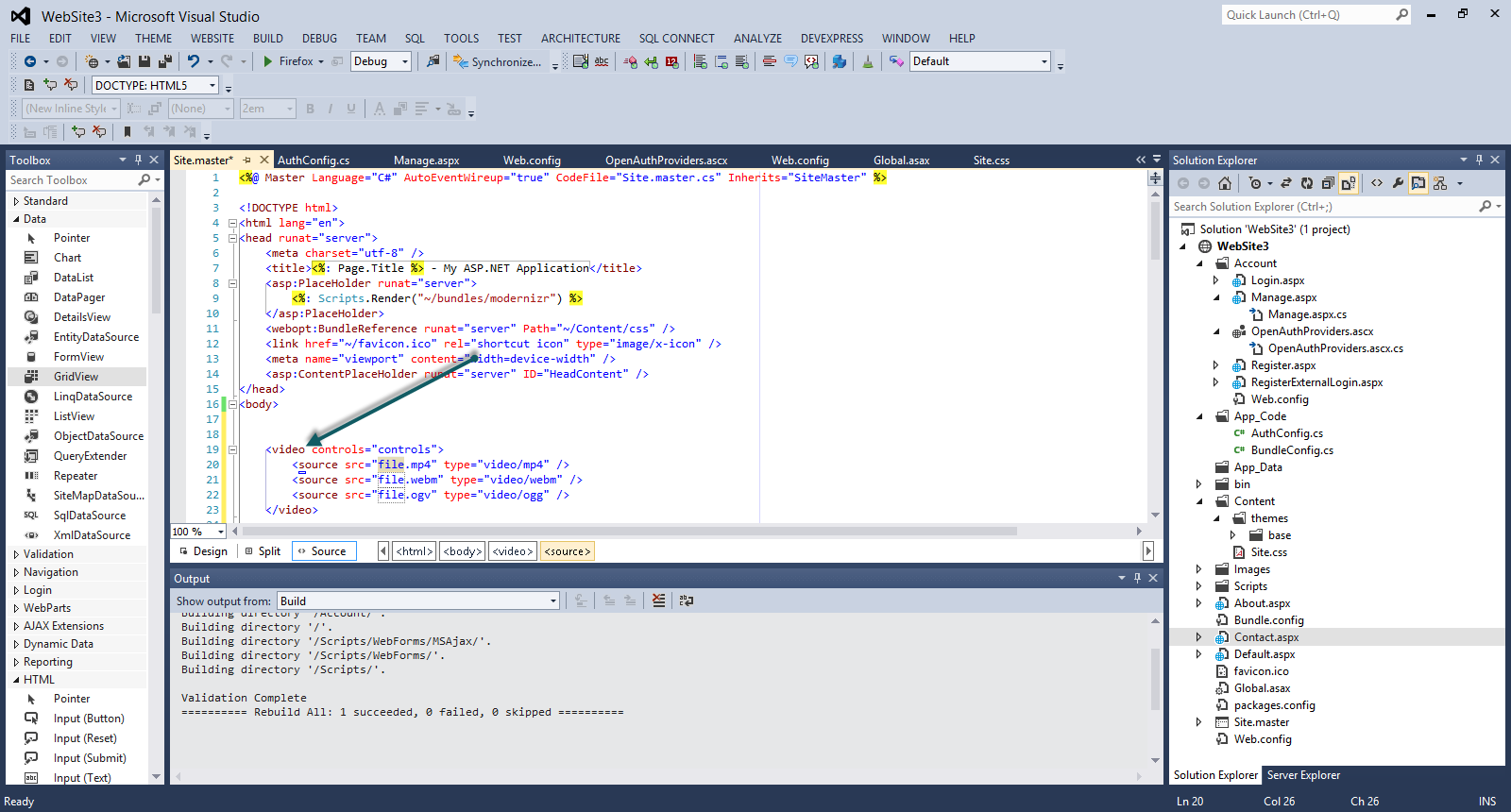
6) We also have available code snippets. I type
<video and then press tab twice.By doing that I
have the rest of the HTML 5 markup completed.
Have a look at the picture below
7) I have new support for the input tag including all
the HTML 5 types and all the new
accessibility features.
Have a look at the picture below
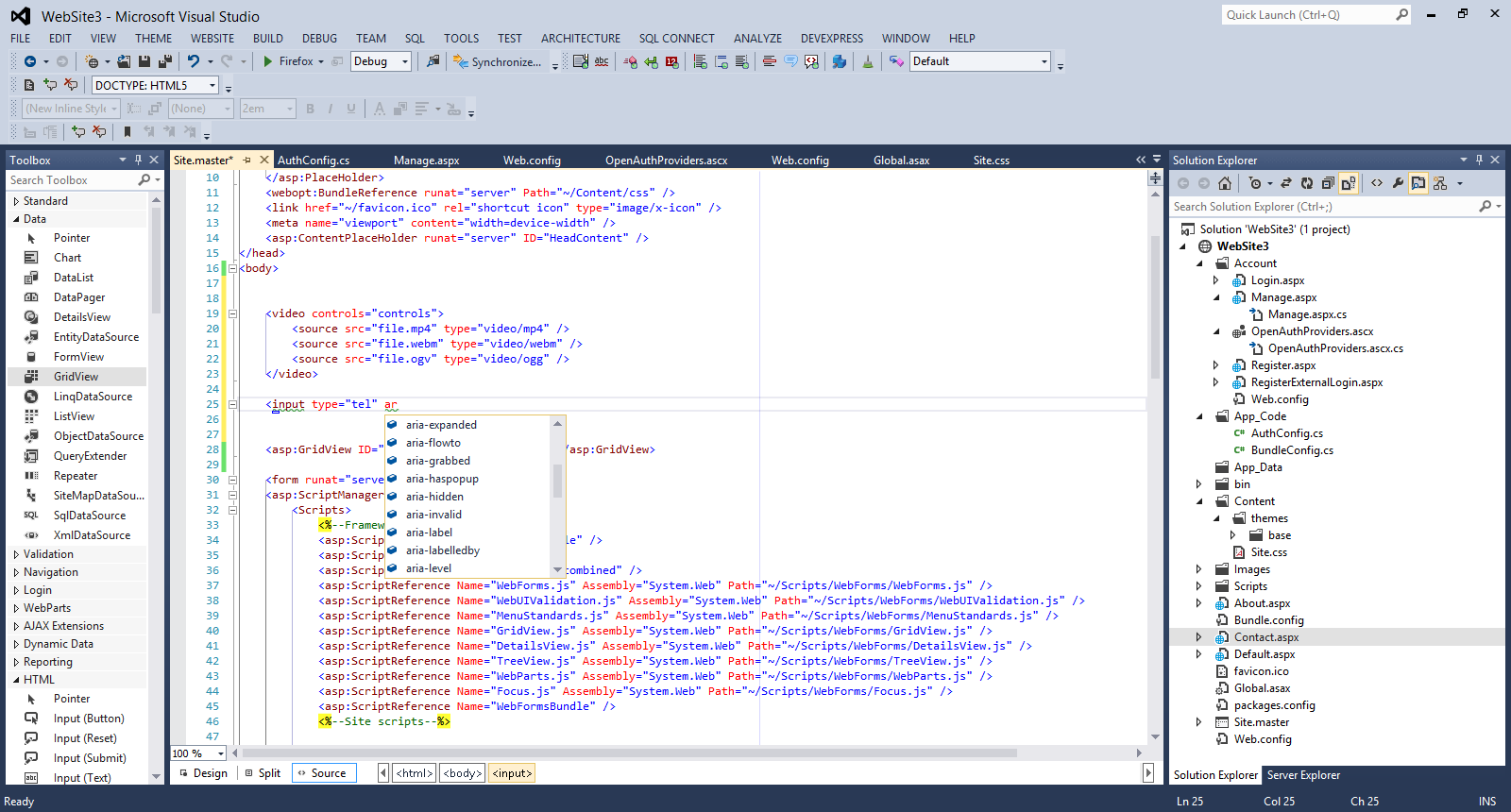
8) Another interesting feature is the new Intellisense capabilities. When I change the DocType to 4.01 and the type <audio>,<video> HTML 5 tags, Intellisense does not recognise them and add squiggly lines.
Have a look at the picture below
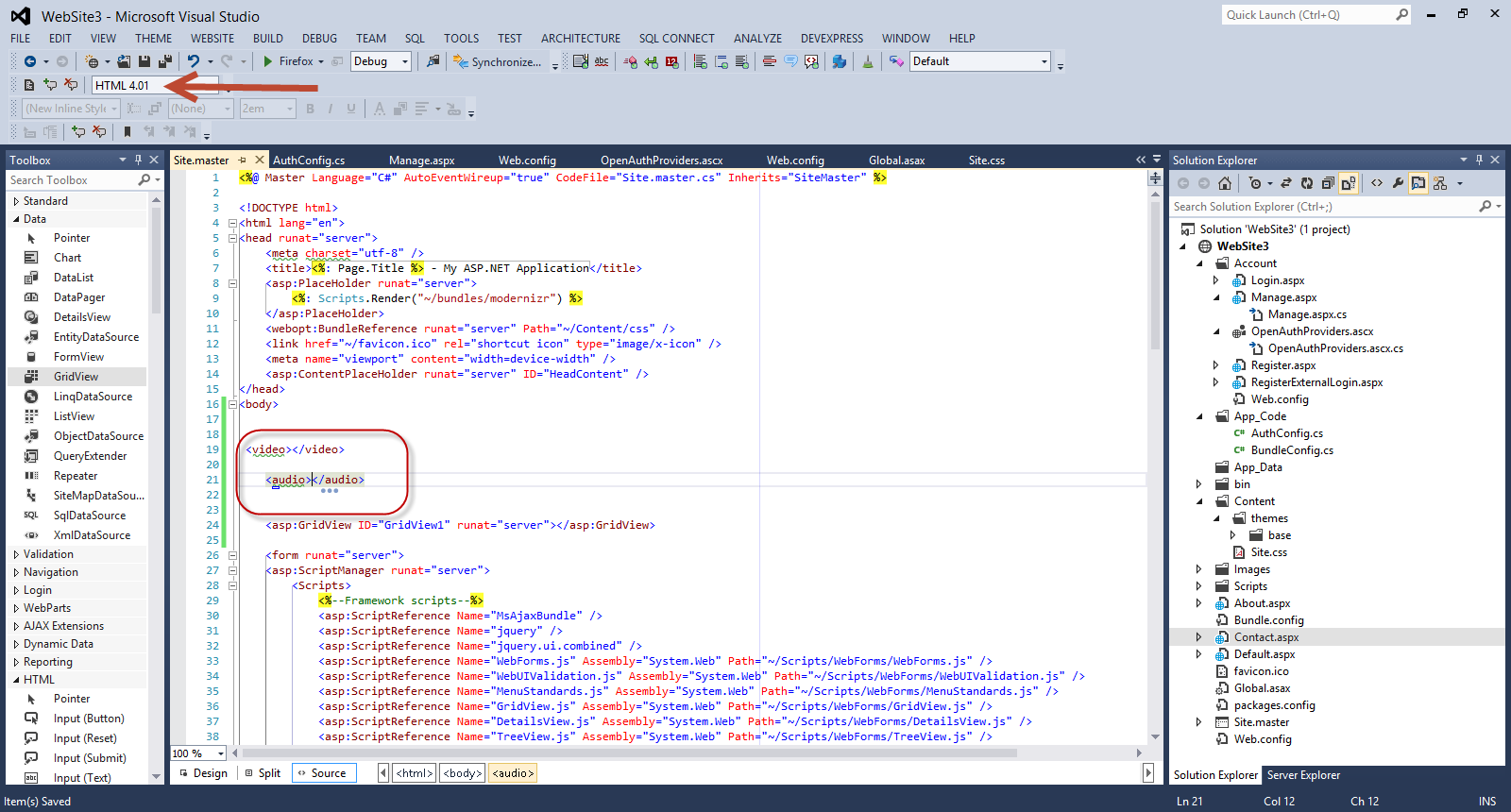
All these features support ASP.Net Web forms, ASP.Net MVC applications and Web Pages.
9) Finally I would like to show you the enhanced support that we have for Javascript in VS 2012.
I have full Intellisense support and code snippets support.
I create a sample javascript file. I type If and
press tab. I type while and press tab.I type
for and press tab.In all three cases code snippet
support kicks in and completes the code stack.
Have a look at the picture below

We also have full Intellisense support.
Have a look at the picture below

I am creating a simple function and then type some sort of
XML like comments for the input parameters.
Have a look at the picture below.
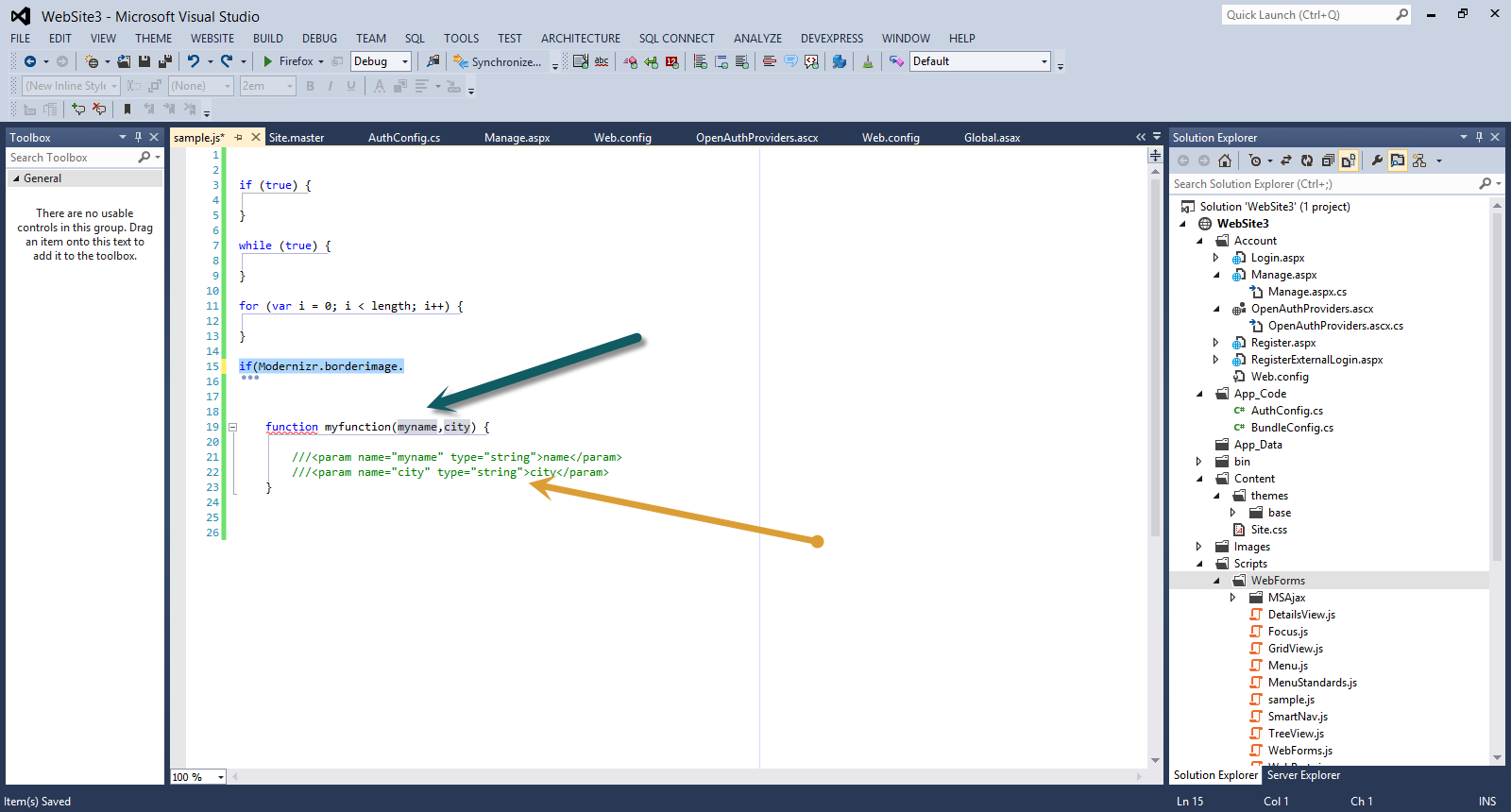
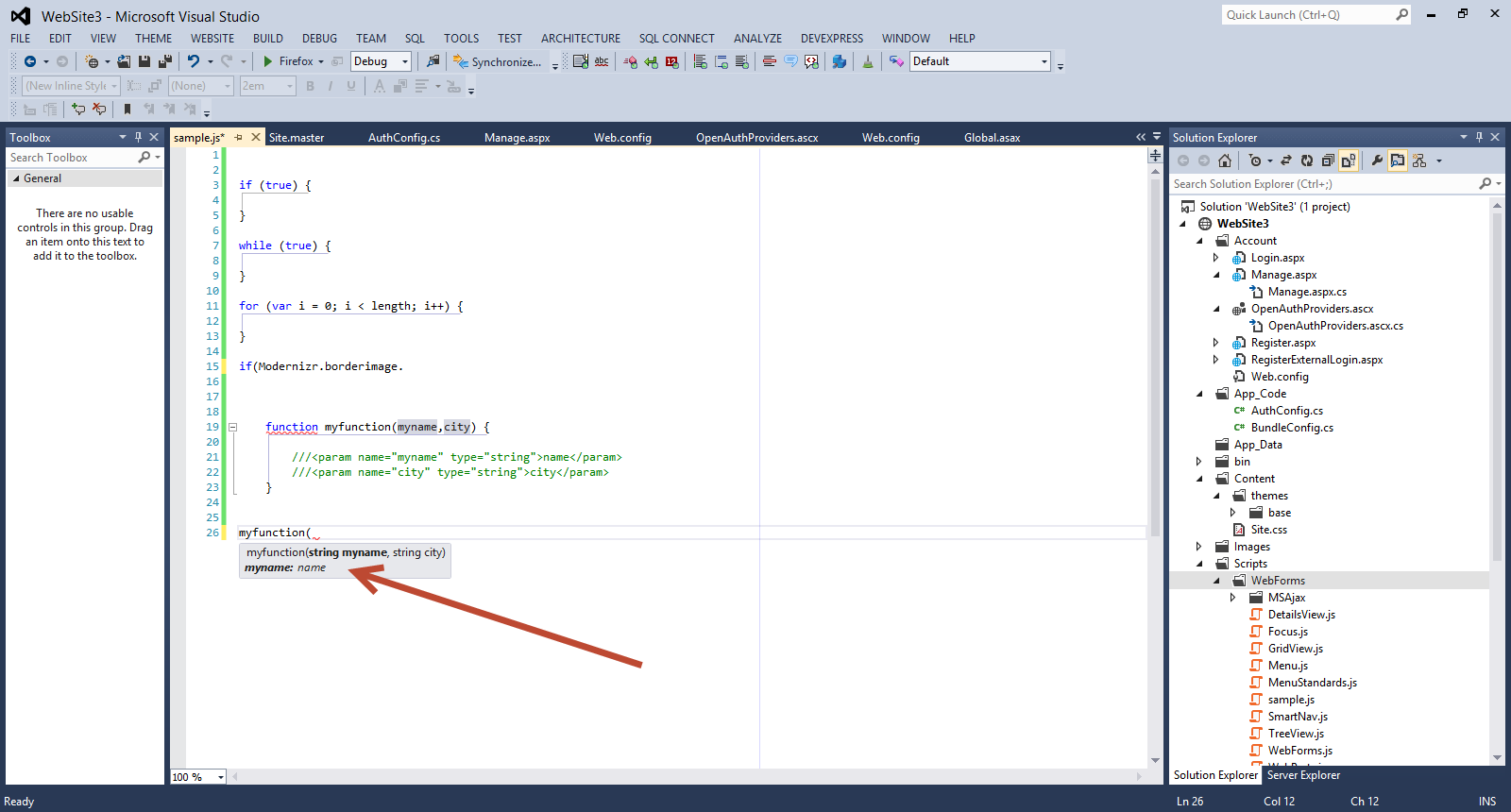
Then when I call this function, Intellisense has picked up
the XML comments and shows the variables data types.
Have a look at the picture below
Hope it helps!!!