DotNetStories

In this post I will show you how easy is to sort the columns
of an HTML table. I will use an external library,called
Tablesorter which makes life so much easier for
developers.
Τhere are other posts in my blog regarding JQuery.You
can find them all
here. You can find another post regarding HTML tables and
JQuery
here.
We will demonstrate this with a step by step example. I will
use Visual Studio 2012 Ultimate. You can also use
Visual Studio 2012 Express Edition. You can also use VS 2010 editions.
1) Launch Visual Studio. Create an ASP.Net Empty Web application. Choose an appropriate name for your application.
2) Add a web form, default.aspx page to the
application.
3) Add a table from the HTML controls tab control (from the Toolbox) on the default.aspx page
4) Now we need to download the JQuery library. Please visit the http://jquery.com/ and download the minified version.
Then we need to download the
Tablesorter JQuery plugin. Please donwload it,
here.
5) We need to reference the JQuery library and the external JQuery Plugin. In the head section Ι add the following lines.
<script src="jquery-1_8_2_min.js" type="text/javascript"></script><script src="jquery.tablesorter.js" type="text/javascript"></script>
6) We need to type the HTML markup, the HTML table and its
columns
<body>
<form id="form1"
runat="server">
<div>
<h1>Liverpool Legends</h1>
<table style="width: 50%;" border="1" cellpadding="10"
cellspacing ="10" class="liverpool">
<thead>
<tr><th>Defenders</th><th>MidFielders</th><th>Strikers</th></tr>
</thead>
<tbody>
<tr>
<td>Alan
Hansen</td>
<td>Graeme
Souness</td>
<td>Ian
Rush</td>
</tr>
<tr>
<td>Alan
Kennedy</td>
<td>Steven
Gerrard</td>
<td>Michael
Owen</td>
</tr>
<tr>
<td>Jamie
Garragher</td>
<td>Kenny
Dalglish</td>
<td>Robbie
Fowler</td>
</tr>
<tr>
<td>Rob
Jones</td>
<td>Xabi
Alonso</td>
<td>Dirk
Kuyt</td>
</tr>
</tbody>
</table>
</div>
</form>
</body>
7) Inside the head section we also
write the simple JQuery code.
     <script type="text/javascript">

        $(document).ready(function() {
            $('.liverpool').tablesorter();

        });


    </script>
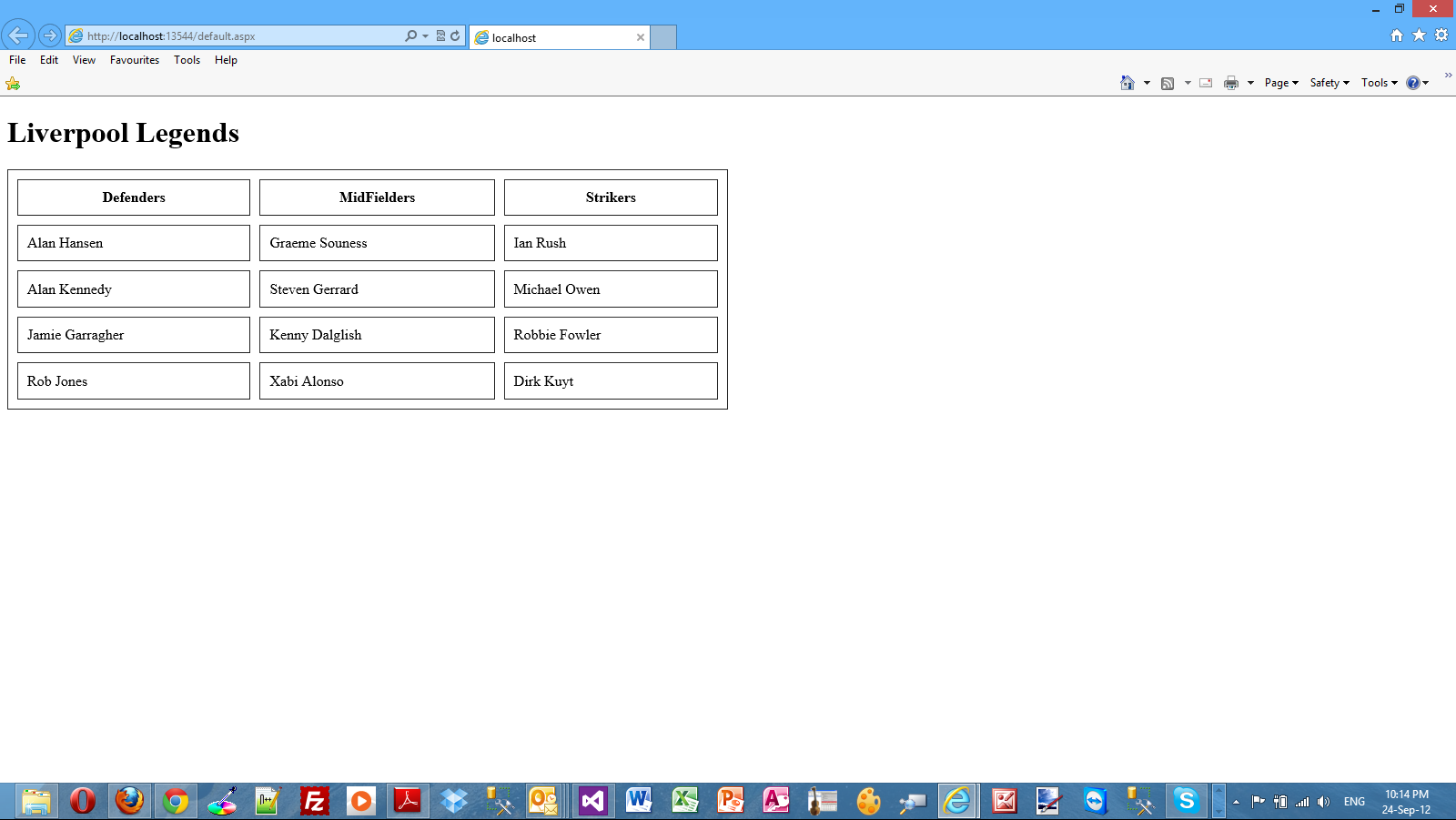
8) Run your application.This is how the HTML table looks before the table is sorted on the basis of the selected column.
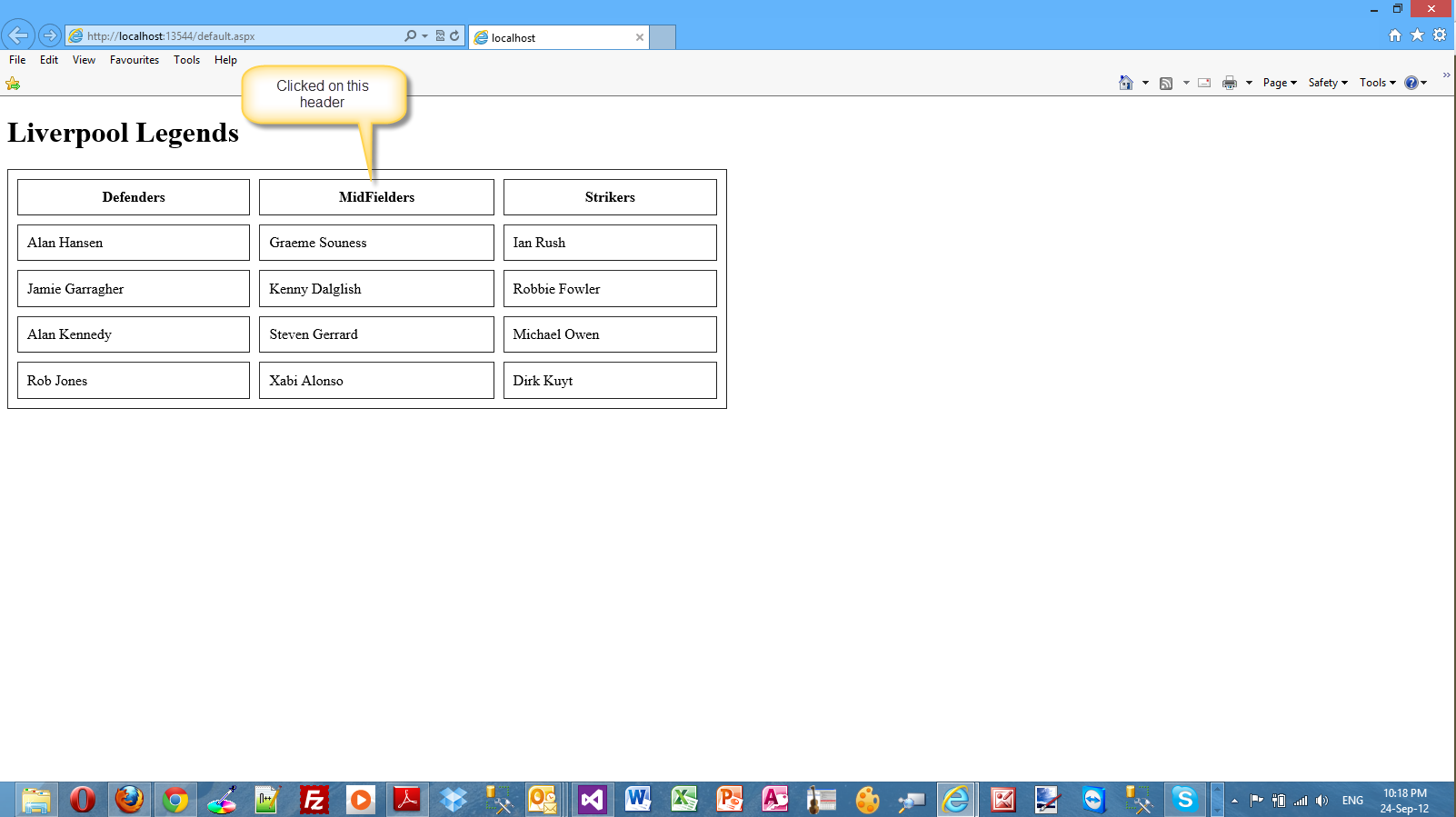
9) Now I will click on the Midfielders header.Have a look at the picture below
Tablesorter is an excellent JQuery plugin that
makes sorting HTML tables a piece of cake.
Hope it helps!!!
Comments have been disabled for this content.