DotNetStories
I have downloaded .Net framework 4.5 and Visual Studio 2012
since it was released to MSDN subscribers on the 15th of
August.For people that do not know about that yet please
have a look at Jason Zander's excellent blog
post
.
Since then I have been investigating the many new features
that have been introduced in this release.In this post I
will be looking into new features available in
ASP.Net 4.5 and VS 2012.
In order to follow along this post you must have Visual Studio 2012 and .Net Framework 4.5 installed in your machine.Download and install VS 2012 using this link.
My machine runs on Windows 8 and Visual Studio 2012 works just fine.
Please find all my posts regarding VS 2012,
here
.
Well I have not exactly kept my promise for writing short blog posts, so I will try to keep this one short.
1) Launch VS 2012 and create a new Web Forms application by going to File - >New Web Site - > ASP.Net Web Forms Site.
2) Choose an appropriate name for your web site.
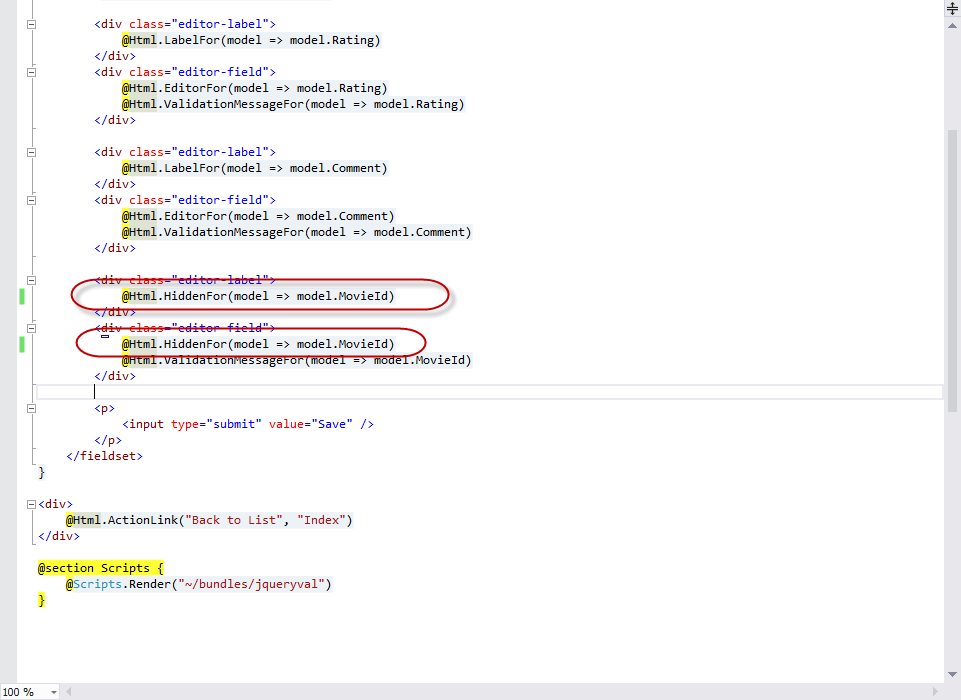
3) Build and run your site (CTRL+F5). Then go to View - > Source to see the HTML markup (Javascript e.t.c) that is rendered through the browser.
You will see that the ASP.Net team has done a good job to
make the markup cleaner and more readable. The
ViewState size is significantly smaller compared to
its size to earlier versions.
Have a look at the picture below
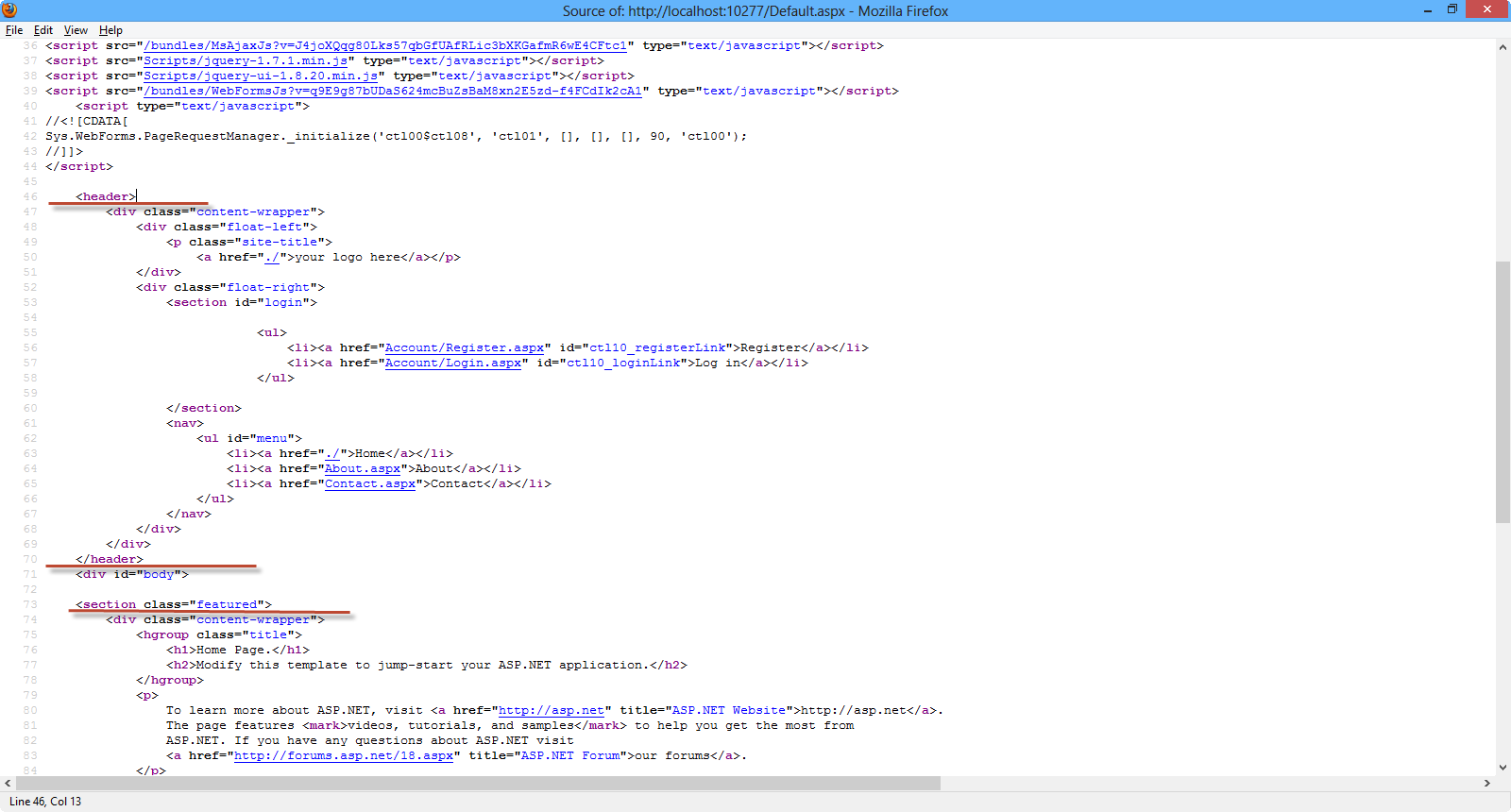
4) Another thing that you must notice is that the new
template makes good use of HTML 5 elements.When you view the
application through the browser and then go to
View Page Source you will see HTML 5 elements like
nav,header,section.
Have a look at the picture below
5) In VS 2012 we can browse with multiple browsers. There is
a very handy dropdown that shows all the browsers available
for viewing the website.
Have a look at the picture below

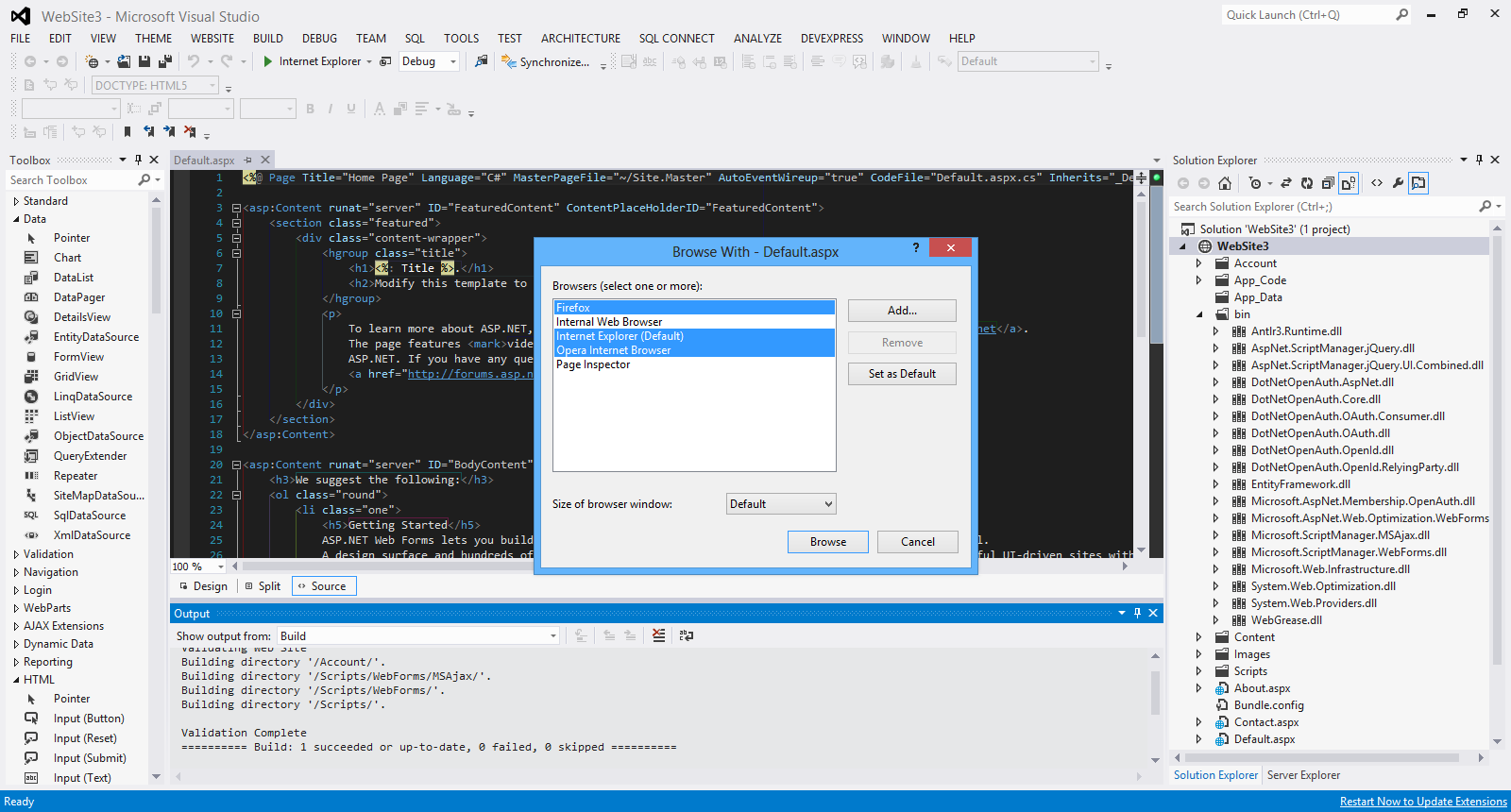
When I select the option Browse With... I see another
window and I can select any of the installed browsers I want
and also set the default browser.
Have a look at the picture below
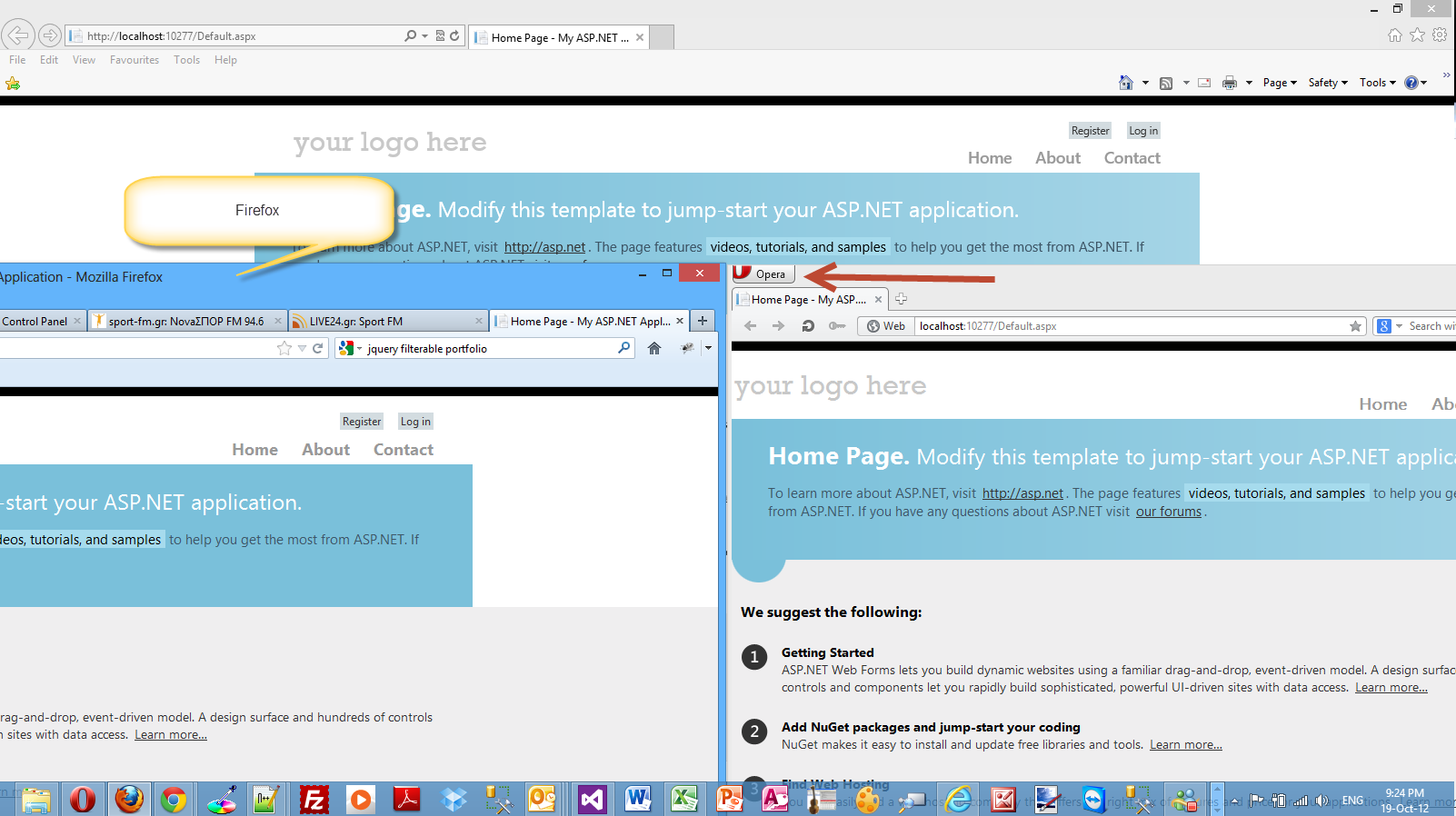
When I click Browse, all the selected browsers fire
up and I can view the website in all of them.
Have a look at the picture below
There will be more posts soon looking into new features of
ASP.Net 4.5 and VS 2012
Hope it helps!!!
Comments have been disabled for this content.