How to Register the Telerik.Web.UI.WebResource within your Visual Studio Project
In my previous post, I showed how to create a Visual Studio Solution and Web Site.
In this post, I'll show how to register the Telerik.Web.UI.WebResource within your Visual Studio Project. If you do not own the Telerik RadControls for ASP.NET Ajax collection, please download the free trial.
Create a new Web Form. Right click in your Solution Explorer directory, select to Add New Item, and select a Web Form.
From your Toolbox, select the RadControls. To easily find the control desired, I like to sort the items alphabetically.

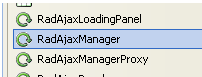
Select the RadAjaxManager and drag it onto your form:
This will add code to your form:

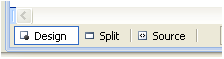
Switch to design mode by selecting the Design option at the bottom of the web form screen:
Select the handle on the right of the RadScriptManager and select to "Register Telerik.Web.UI.WebResource.axd"
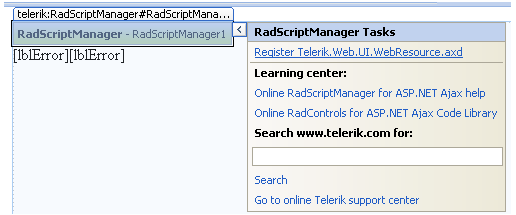
After completion, you will be notified that the Telerik.Web.UI.WebResource.axd was successfully added to the web.config file.

If you look at the httpHandlers section of your web.config file, you'll notice that it now includes the reference:

And this is now in the handlers section:
<add name="Telerik_Web_UI_WebResource_axd" verb="*" preCondition="integratedMode" path="Telerik.Web.UI.WebResource.axd" type="Telerik.Web.UI.WebResource" />
Next I'll show you had to create a HeatMap using the Telerik RadChart in C# and VB.NET.
[SIGNATURE]