Silverlight 4 Training Kit
We recently released a new free Silverlight 4 Training Kit that walks you through building business applications with Silverlight 4. You can browse the training kit online or alternatively download an entire offline version of the training kit.
The training material is structured on teaching how to use the new Silverlight 4 features to build an end to end business application. The training kit includes 8 modules, 25 videos, and several hands on labs. Below is a breakdown and links to all of the content.
[In addition to blogging, I am also now using Twitter for quick updates and to share links. Follow me at: twitter.com/scottgu]
Module 1: Introduction
Click here to watch this module.
In this video John Papa and Ian Griffiths discuss the key areas that the Building Business Applications with Silverlight 4 course focuses on. This module is the overview of the course and covers many key scenarios that are faced when building business applications, and how Silverlight can help address them.
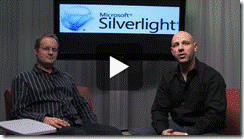
Module 2: WCF RIA Services
Click here to explore this module.
In this lab, you will create a web site for managing conferences that will be the basis for the other labs in this course. Don’t worry if you don’t complete a particular lab in the series – all lab manual instructions are accompanied by completed solutions, so you can either build your own solution from start to finish, or dive straight in at any point using the solutions provided as a starting point.
In this lab you will learn how to set up WCF RIA Services, create bindings to the domain context, filter using the domain data source, and create domain service queries.
Videos
 Ian Griffiths sets up the Entity Framework and WCF RIA
Services for the sample Event Manager application for the
course. He covers how to set up the services, how the
Domain Services work and the role that the DomainContext
plays in the sample application. He also reviews the
metadata classes and integrating the navigation framework.
Ian Griffiths sets up the Entity Framework and WCF RIA
Services for the sample Event Manager application for the
course. He covers how to set up the services, how the
Domain Services work and the role that the DomainContext
plays in the sample application. He also reviews the
metadata classes and integrating the navigation framework.
Module 2.2 – Using WCF RIA Services to Edit Entities
 Ian Griffiths discusses how he adds the ability to edit
and create individual entities with the features built
into WCF RIA Services into the sample Event Manager
application. He covers data binding fundamentals,
IQueryable, LINQ, the DomainDataSource, navigation to a
single entity using the navigation framework, and how to
use the Visual Studio designer to do much of the work .
Ian Griffiths discusses how he adds the ability to edit
and create individual entities with the features built
into WCF RIA Services into the sample Event Manager
application. He covers data binding fundamentals,
IQueryable, LINQ, the DomainDataSource, navigation to a
single entity using the navigation framework, and how to
use the Visual Studio designer to do much of the work .
Module 2.3 – Showing Master/Details Records Using WCF RIA Services
 Ian Griffiths reviews how to display master/detail
records for the sample Event Manager application using WCF
RIA Services. He covers how to use the Include attribute
to indicate which elements to serialize back to the
client. Ian also demonstrates how to use the Data Sources
window in the designer to add and bind controls to
specific data elements. He wraps up by showing how to
create custom services to the Domain Services.
Ian Griffiths reviews how to display master/detail
records for the sample Event Manager application using WCF
RIA Services. He covers how to use the Include attribute
to indicate which elements to serialize back to the
client. Ian also demonstrates how to use the Data Sources
window in the designer to add and bind controls to
specific data elements. He wraps up by showing how to
create custom services to the Domain Services.
Module 3 – Authentication, Validation, MVVM, Commands, Implicit Styles and RichTextBox
Click here to visit this module.
This lab demonstrates how to build a login screen, integrate ASP.NET authentication, and perform validation on data elements. Model-View-ViewModel (MVVM) is introduced and used in this lab as a pattern to help separate the UI and business logic. You will also learn how to use implicit styling and the new RichTextBox control.
Videos
![clip_image004[4]](https://aspblogs.z22.web.core.windows.net/scottgu/Media/clip_image0044_2AD62D92.gif "clip_image004[4]") Ian Griffiths covers how to integrate a login screen and
authentication into the sample Event Manager application.
Ian shows how to use the ASP.NET authentication and
integrate it into WCF RIA Services and the Silverlight
presentation layer.
Ian Griffiths covers how to integrate a login screen and
authentication into the sample Event Manager application.
Ian shows how to use the ASP.NET authentication and
integrate it into WCF RIA Services and the Silverlight
presentation layer.
![clip_image006[4]](https://aspblogs.z22.web.core.windows.net/scottgu/Media/clip_image0064_23B6F11A.gif "clip_image006[4]") Ian Griffiths covers how to Model-View-ViewModel (MVVM)
patterns into the sample Event Manager application. He
discusses why MVVM exists, what separated presentation
means, and why it is important. He shows how to connect
the View to the ViewModel, why data binding is important
in this symbiosis, and how everything fits together in the
overall application.
Ian Griffiths covers how to Model-View-ViewModel (MVVM)
patterns into the sample Event Manager application. He
discusses why MVVM exists, what separated presentation
means, and why it is important. He shows how to connect
the View to the ViewModel, why data binding is important
in this symbiosis, and how everything fits together in the
overall application.
![clip_image008[4]](https://aspblogs.z22.web.core.windows.net/scottgu/Media/clip_image0084_359384E7.gif "clip_image008[4]") Ian Griffiths discusses how validation of user input can
be integrated into the sample Event Manager application.
He demonstrates how to use the DataAnnotations, the
INotifyDataErrorInfo interface, binding markup extensions,
and WCF RIA Services in concert to achieve great
validation in the sample application. He discusses how
this technique allows for property level validation,
entity level validation, and asynchronous server side
validation.
Ian Griffiths discusses how validation of user input can
be integrated into the sample Event Manager application.
He demonstrates how to use the DataAnnotations, the
INotifyDataErrorInfo interface, binding markup extensions,
and WCF RIA Services in concert to achieve great
validation in the sample application. He discusses how
this technique allows for property level validation,
entity level validation, and asynchronous server side
validation.
 Ian Griffiths discusses how why implicit styles are
important and how they can be integrated into the sample
Event Manager application. He shows how implicit styles
defined in a resource dictionary can be applied to all
elements of a particular kind throughout the application.
Ian Griffiths discusses how why implicit styles are
important and how they can be integrated into the sample
Event Manager application. He shows how implicit styles
defined in a resource dictionary can be applied to all
elements of a particular kind throughout the application.
 Ian Griffiths discusses how the new RichTextBox control
and it can be integrated into the sample Event Manager
application. He demonstrates how the RichTextBox can
provide editing for the event information and how it can
display the rich text for selection and copying.
Ian Griffiths discusses how the new RichTextBox control
and it can be integrated into the sample Event Manager
application. He demonstrates how the RichTextBox can
provide editing for the event information and how it can
display the rich text for selection and copying.
Module 4 – User Profiles, Drop Targets, Webcam and Clipboard
Click here to visit this module.
This lab builds new features into the sample application to take the user's photo. It teaches you how to use the webcam to capture an image, use Silverlight as a drop target, and take advantage of programmatic access to the clipboard.
Videos
![clip_image004[6]](https://aspblogs.z22.web.core.windows.net/scottgu/Media/clip_image0046_5BF56832.gif "clip_image004[6]") Ian Griffiths demonstrates how the webcam adds value to
the sample Event Manager application by capturing an image
of the attendee. He discusses the VideoCaptureDevice, the
CaptureDviceConfiguration, and the CaptureSource classes
and how they allow audio and video to be captured so you
can grab an image from the capture device and save it.
Ian Griffiths demonstrates how the webcam adds value to
the sample Event Manager application by capturing an image
of the attendee. He discusses the VideoCaptureDevice, the
CaptureDviceConfiguration, and the CaptureSource classes
and how they allow audio and video to be captured so you
can grab an image from the capture device and save it.
Module 4.2 - Drag and Drop in Silverlight
![clip_image006[6]](https://aspblogs.z22.web.core.windows.net/scottgu/Media/clip_image0066_299194B3.gif "clip_image006[6]") Ian Griffiths demonstrates how to capture and handle the
Drop in the sample Event Manager application so the user
can drag a photo from a file and drop it into the
application. Ian reviews the AllowDrop property, the Drop
event, how to access the file that can be dropped, and the
other drag related events. He also reviews how to make
this work across browsers and the challenges for this.
Ian Griffiths demonstrates how to capture and handle the
Drop in the sample Event Manager application so the user
can drag a photo from a file and drop it into the
application. Ian reviews the AllowDrop property, the Drop
event, how to access the file that can be dropped, and the
other drag related events. He also reviews how to make
this work across browsers and the challenges for this.
Module 5 – Schedule Planner and Right Mouse Click
Click here to visit this module.
This lab builds on the application to allow grouping in the DataGrid and implement right mouse click features to add context menu support.
Videos
Module 5.1 – Grouping and Binding
![clip_image004[8]](https://aspblogs.z22.web.core.windows.net/scottgu/Media/clip_image0048_0D80D5C8.gif "clip_image004[8]") Ian Griffiths demonstrates how to use the grouping
features for data binding in the DataGrid and how it
applies to the sample Event Manager application. He
reviews the role of the CollectionViewSource in grouping,
customizing the templates for headers, and how to work
with grouping with ItemsControls.
Ian Griffiths demonstrates how to use the grouping
features for data binding in the DataGrid and how it
applies to the sample Event Manager application. He
reviews the role of the CollectionViewSource in grouping,
customizing the templates for headers, and how to work
with grouping with ItemsControls.
Module 5.2 – Layout Visual States
![clip_image006[8]](https://aspblogs.z22.web.core.windows.net/scottgu/Media/clip_image0068_623C3EC0.gif "clip_image006[8]") Ian Griffiths demonstrates how to use the Fluid UI
animation support for visual states in the ListBox control
DataGrid and how it applies to the sample Event Manager
application. He reviews the 3 visual states of
BeforeLoaded, AfterLoaded, and BeforeUnloaded.
Ian Griffiths demonstrates how to use the Fluid UI
animation support for visual states in the ListBox control
DataGrid and how it applies to the sample Event Manager
application. He reviews the 3 visual states of
BeforeLoaded, AfterLoaded, and BeforeUnloaded.
Module 5.3 – Right Mouse Click
![clip_image008[6]](https://aspblogs.z22.web.core.windows.net/scottgu/Media/clip_image0086_7418D28D.gif "clip_image008[6]") Ian Griffiths demonstrates how to add support for handling
the right mouse button click event to display a context
menu for the Event Manager application. He demonstrates
how to handle the event, show a custom context menu
control, and integrate it into the scheduling portion of
the application.
Ian Griffiths demonstrates how to add support for handling
the right mouse button click event to display a context
menu for the Event Manager application. He demonstrates
how to handle the event, show a custom context menu
control, and integrate it into the scheduling portion of
the application.
Module 6 – Printing the Schedule
Click here to visit this module.
This lab teaches how to use the new printing features in Silverlight 4. The lab walks through the PrintDocument class and the ViewBox control, while showing how to print multiple pages of content using them.
Videos
Module 6.1 – Printing and the Viewbox
![clip_image004[10]](https://aspblogs.z22.web.core.windows.net/scottgu/Media/clip_image00410_48D43B86.gif "clip_image004[10]") Ian Griffiths demonstrates how to add the ability to print
the schedule to the sample Event Manager application. He
walks through the importance of the PrintDocument class
and its members. He also shows how to handle printing the
visual tree and how the ViewBox control can help.
Ian Griffiths demonstrates how to add the ability to print
the schedule to the sample Event Manager application. He
walks through the importance of the PrintDocument class
and its members. He also shows how to handle printing the
visual tree and how the ViewBox control can help.
Module 6.2 – Multi Page Printing
![clip_image006[10]](https://aspblogs.z22.web.core.windows.net/scottgu/Media/clip_image00610_089E220C.gif "clip_image006[10]") Ian Griffiths expands on his printing discussion by
showing how to handle printing multiple pages of content
for the sample Event Manager application. He shows how to
paginate the content and points out various tips to keep
in mind when determining the printable area.
Ian Griffiths expands on his printing discussion by
showing how to handle printing multiple pages of content
for the sample Event Manager application. He shows how to
paginate the content and points out various tips to keep
in mind when determining the printable area.
Module 7 – Running the Event Dashboard Out of Browser
Click here to visit this module.
This lab builds a dashboard for the sample application while explaining the fundamentals of the out of browser features, how to handle authentication, displaying notifications (toasts), and how to use native integration to use COM Interop with Silverlight.
Videos
![clip_image004[12]](https://aspblogs.z22.web.core.windows.net/scottgu/Media/clip_image00412_48680891.gif "clip_image004[12]") Ian Griffiths discusses the role of an Out of Browser
application for administrators to manage the events and
users in the sample Event Manager application. He
discusses several reasons why out of browser applications
may better suit your needs including custom chrome,
toasts, window placement, cross domain access, and file
access. He demonstrates the basic technique to take your
application and make it work out of browser using the
tools.
Ian Griffiths discusses the role of an Out of Browser
application for administrators to manage the events and
users in the sample Event Manager application. He
discusses several reasons why out of browser applications
may better suit your needs including custom chrome,
toasts, window placement, cross domain access, and file
access. He demonstrates the basic technique to take your
application and make it work out of browser using the
tools.
Module 7.2 – NotificationWindow (Toasts) for Elevated Trust Out of Browser Applications
![clip_image006[12]](https://aspblogs.z22.web.core.windows.net/scottgu/Media/clip_image00612_5A449C5E.gif "clip_image006[12]") Ian Griffiths discusses the how toasts can be used in the
sample Event Manager application to show information that
may require the user's attention. Ian covers how to create
a toast using the NotificationWindow, security
implications, and how to make the toast appear as needed.
Ian Griffiths discusses the how toasts can be used in the
sample Event Manager application to show information that
may require the user's attention. Ian covers how to create
a toast using the NotificationWindow, security
implications, and how to make the toast appear as needed.
Module 7.3 – Out of Browser Window Placement
![clip_image008[8]](https://aspblogs.z22.web.core.windows.net/scottgu/Media/clip_image0088_0112B29F.gif "clip_image008[8]") Ian Griffiths discusses the how to manage the window
positioning when building an out of browser application,
handling the windows state, and controlling and handling
activation of the window.
Ian Griffiths discusses the how to manage the window
positioning when building an out of browser application,
handling the windows state, and controlling and handling
activation of the window.
Module 7.4 – Out of Browser Elevated Trust Application Overview
![clip_image010[4]](https://aspblogs.z22.web.core.windows.net/scottgu/Media/clip_image0104_27E0C8DF.gif "clip_image010[4]") Ian Griffiths discusses the implications of creating
trusted out of browser application for the Event Manager
sample application. He reviews why you might want to use
elevated trust, what features is opens to you, and how to
take advantage of them. Topics Ian covers include the
dynamic keyword in C# 4, the AutomationFactory class, the
API to check if you are in a trusted application, and
communicating with Excel.
Ian Griffiths discusses the implications of creating
trusted out of browser application for the Event Manager
sample application. He reviews why you might want to use
elevated trust, what features is opens to you, and how to
take advantage of them. Topics Ian covers include the
dynamic keyword in C# 4, the AutomationFactory class, the
API to check if you are in a trusted application, and
communicating with Excel.
Module 8 – Advanced Out of Browser and MEF
Click here to visit this module.
This hands-on lab walks through the creation of a trusted out of browser application and the new functionality that comes with that. You will learn to use COM Automation, handle the window closing event, set custom window chrome, digitally sign your Silverlight out of browser trusted application, create a silent install option, and take advantage of MEF.
Videos
Module 8.1 – Custom Window Chrome for Elevated Trust Out of Browser Applications
![clip_image004[14]](https://aspblogs.z22.web.core.windows.net/scottgu/Media/clip_image00414_4EAEDF1F.gif "clip_image004[14]") Ian Griffiths discusses how to replace the standard
operating system window chrome with customized chrome for
an elevated trusted out of browser application. He covers
how it is important to handle close, resize, minimize, and
maximize events. Ian mentions that the tooling was not
ready when he shot this video, but the good news is that
the tooling now supports setting the custom chrome
directly from the property page for the Silverlight
application.
Ian Griffiths discusses how to replace the standard
operating system window chrome with customized chrome for
an elevated trusted out of browser application. He covers
how it is important to handle close, resize, minimize, and
maximize events. Ian mentions that the tooling was not
ready when he shot this video, but the good news is that
the tooling now supports setting the custom chrome
directly from the property page for the Silverlight
application.
Module 8.2 – Window Closing Event for Out of Browser Applications
![clip_image006[14]](https://aspblogs.z22.web.core.windows.net/scottgu/Media/clip_image00614_329E2034.gif "clip_image006[14]")
Ian Griffiths discusses the WindowClosing event and how to handle and optionally cancel the event.
Module 8.3 – Silent Install of Out of Browser Applications
![clip_image008[10]](https://aspblogs.z22.web.core.windows.net/scottgu/Media/clip_image00810_0759892D.gif "clip_image008[10]") Ian Griffiths discusses how to use the SLLauncher
executable to install an out of browser application. He
discusses the optional command line switches that can be
set including how the emulate switch can help you emulate
the install process. Ian also shows how to setup a
shortcut for the application and tell the application
where it should look for future updates online.
Ian Griffiths discusses how to use the SLLauncher
executable to install an out of browser application. He
discusses the optional command line switches that can be
set including how the emulate switch can help you emulate
the install process. Ian also shows how to setup a
shortcut for the application and tell the application
where it should look for future updates online.
Module 8.4 – Digitally Signing Out of Browser Application
![clip_image010[6]](https://aspblogs.z22.web.core.windows.net/scottgu/Media/clip_image0106_2E279F6D.gif "clip_image010[6]") Ian Griffiths discusses how and why to digitally sign an
out of browser application using the signtool program. He
covers what trusted certificates are, the implications of
signing (or not signing), and the effect on the user
experience.
Ian Griffiths discusses how and why to digitally sign an
out of browser application using the signtool program. He
covers what trusted certificates are, the implications of
signing (or not signing), and the effect on the user
experience.
Module 8.5 – The Value of MEF with Silverlight
![clip_image012[4]](https://aspblogs.z22.web.core.windows.net/scottgu/Media/clip_image0124_4004333A.gif "clip_image012[4]") Ian Griffiths discusses what MEF is, how your application
can benefit from it, and the fundamental features it puts
at your disposal. He covers the 3 step import, export and
compose process as well as how to dynamically import XAP
files using MEF.
Ian Griffiths discusses what MEF is, how your application
can benefit from it, and the fundamental features it puts
at your disposal. He covers the 3 step import, export and
compose process as well as how to dynamically import XAP
files using MEF.
Summary
As you can probably tell from the long list above – this series contains a ton of great content, and hopefully provides a nice end-to-end walkthrough that helps explain how to take advantage of Silverlight 4 (and all its new features).
Hope this helps,
Scott