For the love of OCD, show whitespace in your IDE
It’s a simple thing, and it will make it immediately obvious
when one of your files contains accidental indentation tabs
instead of the spaces that should replace them, or trailing
spaces. All IDE and code editors have an option to show
whitespace. I always have it enabled. The subtle glyphs that
will materialize the spaces and tabs are hardly noticeable
while you’re working, except when something unusual is where
it shouldn’t be:
Here’s where to find the option in Visual Studio (you can
also toggle it using CTRL+R, CTRL+W):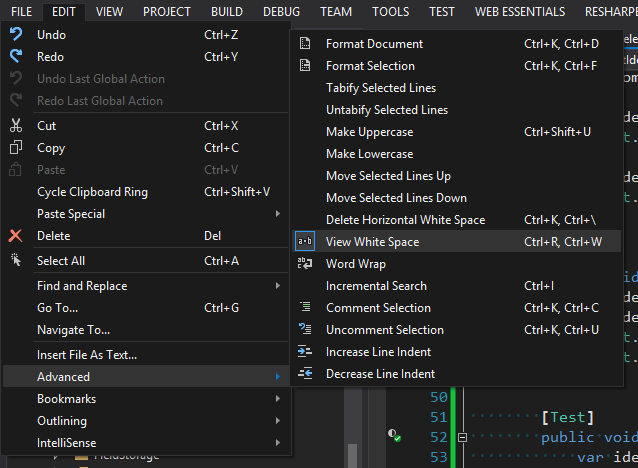
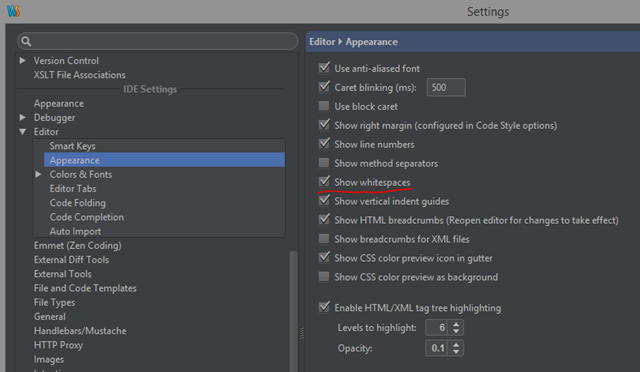
And here it is in WebStorm: