Creating Windows Azure Virtual Machines Using Azure CLI and VM Depot
In this blog post, I will take a look at Windows Azure VM Depot, and how to create Virtual Machines in Windows Azure by using cross platform command line tool, Azure CLI based on the deployment script provided by VM Depot.
VM Depot
VM Depot is a community-driven repository of pre-configured Virtual Machine images, (operating systems, open source applications, and development stacks) that can be deployed on Windows Azure. This is similar like NuGet for .NET and NPM for Node.js. Here, VM Depot is the Virtual Machine images respository for Windows Azure where developer community can easily find out Virtual Machine images and publishers can easily distribute their Virtual Machines packages for others. You can easily find out the Virtual Machine Images in VM Depot which will also provides scripts for deploying the Virtual Machine Images on Windows Azure. The VM Depot web site is available at http://vmdepot.msopentech.com.
Azure CLI
The Windows Azure Cross-Platform Command-Line Interface, Azure CLI, is a Node.js based cross platform command line tool for Windows Azure, which can be used for managing and deploying Windows Azure Websites, Windows Azure Storage, Mobile Services, Virtual Machines, Service Bus from command prompt on Windows, Mac and Linux. You can install Windows Azure CLI by using Node.js NPM module azure-cli.
npm install -g azure-cli
Check out my blog post
                        Automating Windows Azure with Windows Azure CLI
                        for more details on Azure CLI.
Deploying Virtual Machines on Windows Azure using
                          Azure CLI
Let’s navigate to
                        VM Depot web site
                        for find out the Virtual Machine images and taking the
                        deployment script to executing with Azure CLI. Here I am
                        searching for blogging platform Ghost.
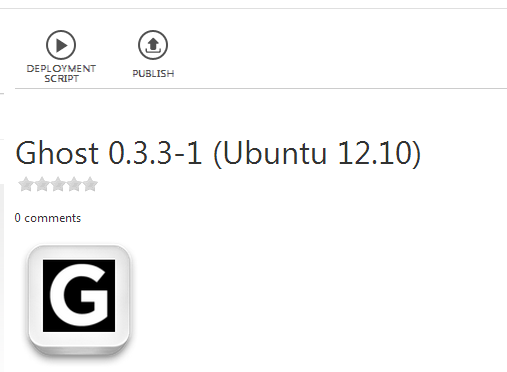
In order to get the deployment script, click on
                        “Deployment Script”, which will ask for choosing a data
                        centre region to be deployed on Windows Azure. This will
                        show the deployment scripts for creating the Virtual
                        Machines for the data centre you have chosen.

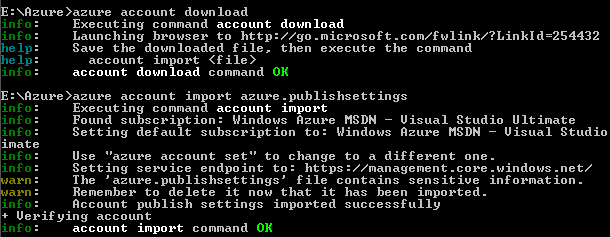
Let’s copy the deployment script provided by VM Depot, and change the VM name, user name and password. Let’s execute the script with Azure CLI for create a Virtual Machine. Before execute the commands for create new Windows Azure instances, we have to import the Windows Azure subscription publish settings file. The Azure CLI command “account download” lets you download the Windows Azure subscription publish settings file from the Windows Azure portal. The Azure CLI command “account import <publish settings file>” lets you import Windows Azure subscription publish settings file.
Let’s execute the command copied from VM Depot for creating Virtual Machine

The Azure CLI command “vm create” will create a Virtual
                        Machine with the VM Depot Id provided. The above command
                        will create Ghost blogging platform on Ubuntu, on the
                        data centre region East Asia.
The Windows Azure VM Depot is a great community
                        platform for find out Virtual Machine images, which will
                        also provide deployment scripts for creating Virtual
                        Machines in Windows Azure. We can execute these scripts
                        in Azure CLI command line tool and can easily create
                        Windows Azure virtual machines.
You can follow me on Twitter @shijucv