NoSQL with RavenDB and ASP.NET MVC - Part 1
Source Code -
http://ravenmvc.codeplex.com
NoSQL with RavenDB and ASP.NET MVC - Part 2
A while back, I have blogged NoSQL with MongoDB, NoRM and
ASP.NET MVC
Part 1
and
Part 2
on how to use MongoDB with an ASP.NET MVC application. The
NoSQL movement is getting big attention and RavenDB is the
latest addition to the NoSQL and document database world.
RavenDB is an Open Source (with a commercial option)
document database for the .NET/Windows platform developed
by
Ayende Rahien. Raven stores schema-less JSON documents, allow you to
define indexes using Linq queries and focus on low latency
and high performance. RavenDB is .NET focused document
database which comes with a fully functional .NET client
API and supports LINQ. RavenDB comes with two components, a
server and a client API. RavenDB is a REST based system, so
you can write your own HTTP cleint API. As a .NET developer,
RavenDB is becoming my favorite document database. Unlike
other document databases, RavenDB is supports transactions
using System.Transactions. Also it's supports both embedded
and server mode of database. You can access RavenDB site at
http://ravendb.net
A demo App with ASP.NET MVC
Let's create a simple demo app with RavenDB and
ASP.NET MVC. To work with RavenDB, do the following steps.
- Go to http://ravendb.net/download and download the latest build.
- Unzip the downloaded file.
- Go to the /Server directory and run the RavenDB.exe. This will start the RavenDB server listening on localhost:8080
You can change the port of RavenDB by modifying the
"Raven/Port" appSetting value in the RavenDB.exe.config
file.
When running the RavenDB, it will automatically
create a database in the /Data directory. You can change the
directory name data by modifying "Raven/DataDirt" appSetting
value in the RavenDB.exe.config file.
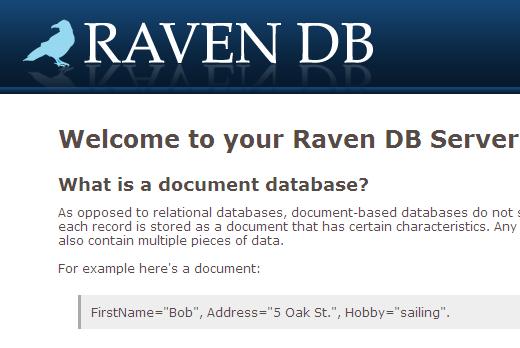
RavenDB
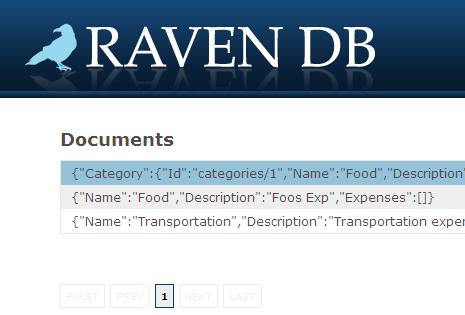
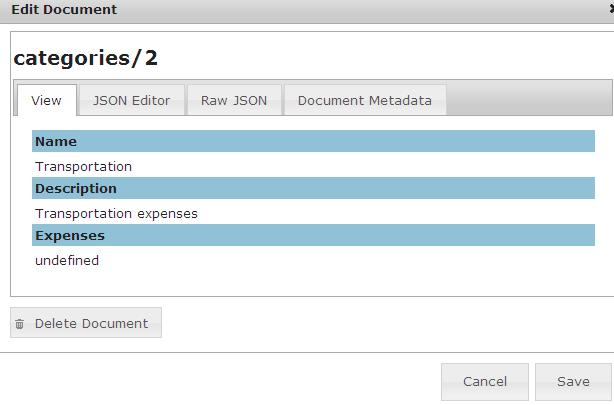
provides a browser based admin tool. When the Raven server
is running, You can be access the browser based admin tool
and view and edit documents and index using your browser
admin tool. The web admin tool available at
http://localhost:8080
The below is the some screen shots of web admin tool
Working with ASP.NET MVC
To working with RavenDB in our demo ASP.NET MVC application,
do the following steps
Step 1 - Add reference to Raven Cleint API
In our ASP.NET MVC application, Add a reference to the Raven.Client.Lightweight.dll from the Client directory.
Step 2 - Create DocumentStore
The document store would be created once per
application. Let's create a DocumentStore on application
start-up in the Global.asax.cs.
documentStore = new DocumentStore { Url = "http://localhost:8080/" };
documentStore.Initialise();
The above code will create a Raven DB document store and
will be listening the server locahost at port 8080
Step 3 - Create DocumentSession on BeginRequest
Let's create a DocumentSession on BeginRequest event in the
Global.asax.cs. We are using the document session for every
unit of work. In our demo app, every HTTP request would be a
single Unit of Work (UoW).
BeginRequest += (sender, args) =>
HttpContext.Current.Items[RavenSessionKey] = documentStore.OpenSession();
Step 4 - Destroy the DocumentSession on EndRequest
EndRequest += (o, eventArgs) =>
{
var disposable = HttpContext.Current.Items[RavenSessionKey] as IDisposable;
if (disposable != null)
disposable.Dispose();
};
At the end of HTTP request, we are destroying the DocumentSession object.
The below code block shown all the code in the Global.asax.cs
private const string RavenSessionKey = "RavenMVC.Session";
private static DocumentStore documentStore;
protected void Application_Start()
{
//Create a DocumentStore in Application_Start
//DocumentStore should be created once per application and stored as a singleton.
documentStore = new DocumentStore { Url = "http://localhost:8080/" };
documentStore.Initialise();
AreaRegistration.RegisterAllAreas();
RegisterRoutes(RouteTable.Routes);
//DI using Unity 2.0
ConfigureUnity();
}
public MvcApplication()
{
//Create a DocumentSession on BeginRequest
//create a document session for every unit of work
BeginRequest += (sender, args) =>
HttpContext.Current.Items[RavenSessionKey] = documentStore.OpenSession();
//Destroy the DocumentSession on EndRequest
EndRequest += (o, eventArgs) =>
{
var disposable = HttpContext.Current.Items[RavenSessionKey] as IDisposable;
if (disposable != null)
disposable.Dispose();
};
}
//Getting the current DocumentSession
public static IDocumentSession CurrentSession
{
get { return (IDocumentSession)HttpContext.Current.Items[RavenSessionKey]; }
}
We have setup all necessary code in the Global.asax.cs for
working with RavenDB. For our demo app,
Let’s write a
domain class
public class Category
{
public string Id { get; set; }
[Required(ErrorMessage = "Name Required")]
[StringLength(25, ErrorMessage = "Must be less than 25 characters")]
public string Name { get; set;}
public
string Description {
get;
set; }
}
We have created simple domain entity Category. Let's
create repository class for performing CRUD operations
against our domain entity Category.
public interface ICategoryRepository
{
Category Load(string id);
IEnumerable<Category> GetCategories();
void Save(Category category);
void Delete(string id);
}
public class CategoryRepository : ICategoryRepository
{
private IDocumentSession session;
public CategoryRepository(IDocumentSession session)
{
this.session = session;
}
//Load category based on Id
public Category Load(string id)
{
return session.Load<Category>(id);
}
//Get all categories
public IEnumerable<Category> GetCategories()
{
var categories=
session.LuceneQuery<Category>()
.ToArray();
return categories;
}
//Insert/Update category
public void Save(Category category)
{
//store category object into session
session.Store(category);
//save changes
session.SaveChanges();
}
//delete a category
public void Delete(string id)
{
var category = Load(id);
session.Delete<Category>(category);
session.SaveChanges();
}
}
For every CRUD operations, we are taking the current document session object from HttpContext object.
session = MvcApplication.CurrentSession;
We are calling the static method CurrentSession from the
Global.asax.cs
public static IDocumentSession CurrentSession
{
get { return (IDocumentSession)HttpContext.Current.Items[RavenSessionKey]; }
}
Retrieve Entities
The Load method get the single Category object based on the Id. RavenDB is working based on the REST principles and the Id would be like categories/1. The Id would be created by automatically when a new object is inserted to the document store. The REST uri categories/1 represents a single category object with Id representation of 1.
public Category Load(string id)
{
return session.Load<Category>(id);
}
The GetCategories method returns all the categories calling the session.LuceneQuery method. RavenDB is using a lucen query syntax for querying. I will explain more details about querying and indexing in my future posts.
public IEnumerable<Category> GetCategories()
{
var categories= session.LuceneQuery<Category>()
.WaitForNonStaleResults()
.ToArray();
return categories;
}
Insert/Update entity
For insert/Update a Category entity, we have created Save
method in repository class. The Save mothod used for both
insert and update category. We just need to store category
object on the document session. The session.SaveChanges()
will save the changes to document store. if the category is
a new one, it will insert a new record and update the
category object, if it is an existing category object.
public void Save(Category category)
{
//store category object into session
session.Store(category);
//save changes
session.SaveChanges();
}
Delete Entity
In the Delete method, we call the document session's delete
method and call the SaveChanges method to reflect changes in
the document store.
public void Delete(string id)
{
var category = Load(id);
session.Delete<Category>(category);
session.SaveChanges();
}
Let’s create ASP.NET MVC controller and controller actions
for handling CRUD operations for the domain class
Category
public class CategoryController : Controller
{
private ICategoryRepository categoyRepository;
//DI enabled constructor
public CategoryController(ICategoryRepository categoyRepository)
{
this.categoyRepository = categoyRepository;
}
public ActionResult Index()
{
var categories = categoyRepository.GetCategories();
if (categories == null)
return RedirectToAction("Create");
return View(categories);
}
[HttpGet]
public ActionResult Edit(string id)
{
var category = categoyRepository.Load(id);
return View("Save",category);
}
// GET: /Category/Create
[HttpGet]
public ActionResult Create()
{
var category = new Category();
return View("Save", category);
}
[HttpPost]
public ActionResult Save(Category category)
{
if (!ModelState.IsValid)
{
return View("Save", category);
}
categoyRepository.Save(category);
return RedirectToAction("Index");
}
[HttpPost]
public ActionResult Delete(string id)
{
categoyRepository.Delete(id);
var categories = categoyRepository.GetCategories();
return PartialView("CategoryList", categories);
}
}
RavenDB is an awesome document database and I hope that it will be the winner in .NET space of document database world. The source code of demo application available at http://ravenmvc.codeplex.com/