My video setup
As I’m in vacation, I thought I’d make a post on something different but still quite geeky. I really like to see how people set-up their video systems: there isn’t just one way to do it right and I can’t think of two friends of mine who have something even remotely similar. So I’ll describe my setting and invite you to drop me a comment and describe yours. I’ll also tag a few friends and ask them to describe theirs. I’ll post links here.
TV reception
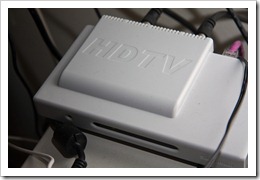 I almost stopped watching TV over the last few years. I
certainly never, ever watch it live. But there is still a
handful of shows that I still record in order to get them
early and in HD. For that, I installed
a simple HD antenna
on my roof, that I pointed to the best Seattle relays using
AntennaWeb. To receive the signal from the antenna, I use a
HD Homerun, which is a great external double HDTV tuner that connects
directly to your wired network. This makes it possible for
all the computers on your network to show and record HDTV.
It is of course perfectly compatible with Media Center.
I almost stopped watching TV over the last few years. I
certainly never, ever watch it live. But there is still a
handful of shows that I still record in order to get them
early and in HD. For that, I installed
a simple HD antenna
on my roof, that I pointed to the best Seattle relays using
AntennaWeb. To receive the signal from the antenna, I use a
HD Homerun, which is a great external double HDTV tuner that connects
directly to your wired network. This makes it possible for
all the computers on your network to show and record HDTV.
It is of course perfectly compatible with Media Center.
Media hub
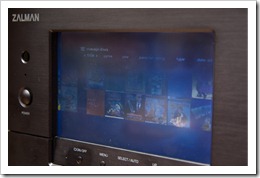 The machine where I store all my media (music, TV shows and
movies) is a
Windows 7 Media Center
installed on a fancy
Zalman HTPC case with a built-in touch screen. The touch screen is very useful to do stuff on the Media
Center without turning on the TV. It would be even more
useful if Media Center supported multiple monitors properly
and could show the menus on one screen and the video on
another. Maybe in a future version…
The machine where I store all my media (music, TV shows and
movies) is a
Windows 7 Media Center
installed on a fancy
Zalman HTPC case with a built-in touch screen. The touch screen is very useful to do stuff on the Media
Center without turning on the TV. It would be even more
useful if Media Center supported multiple monitors properly
and could show the menus on one screen and the video on
another. Maybe in a future version…
The Media Center has two hard drives for a total capacity of 1.5TB. It is a little too noisy to my taste and the Zalman software that regulates fan speed is a little clunky by it is a very well-built box that I like a lot nonetheless.
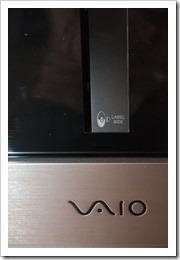 Attached to the Media Center is a
200 DVD VAIO jukebox
that I hope to retire once I’m done transferring my DVD
collection to MP4 using
Handbrake (the one and
only DVD transfer application that ever worked for me
without adding a 1 second delay between image and sound). I
hope to retire it because although the integration with
Media Center is perfect, it is a very big object and it’s
quite slow at loading DVDs.
Attached to the Media Center is a
200 DVD VAIO jukebox
that I hope to retire once I’m done transferring my DVD
collection to MP4 using
Handbrake (the one and
only DVD transfer application that ever worked for me
without adding a 1 second delay between image and sound). I
hope to retire it because although the integration with
Media Center is perfect, it is a very big object and it’s
quite slow at loading DVDs.
The software that I installed on the Media Center is kept to a minimum.
On top of Media Center (which comes with Windows 7), I’ve installed enough codecs to be able to read pretty much any video file ever created (except for Quicktime or Real, those I just cannot tolerate).
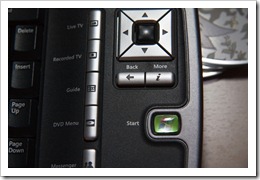 I also have the
Hulu desktop software, which unfortunately doesn’t integrate into the Media
Center UI. Lame. About Hulu, I also have a license of
PlayOn to stream
Hulu and YouTube to the Xbox and PS3. Totally worth the
$39.99.
I also have the
Hulu desktop software, which unfortunately doesn’t integrate into the Media
Center UI. Lame. About Hulu, I also have a license of
PlayOn to stream
Hulu and YouTube to the Xbox and PS3. Totally worth the
$39.99.
Netflix streaming is built-in and integrated in Media Center so nothing to install there.
Finally, I have the Zune software installed to manage all the family’s Zunes and our Zune Pass subscription.
The only thing that the Media Center can’t play is HD-DVD (not a big problem anymore) and Blu-ray.
Gaming and secondary media player
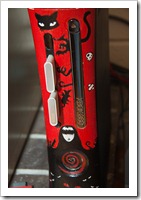 I’m a gamer, and I play primarily on the
Xbox. I love the system and I’m addicted to achievements. But
it’s also a more than capable media player that I prefer to
use over the Media Center whenever I can because its
interface is built for ten-foot operation from beginning to
end, whereas the Media Center is a 10’ interface built on
the Windows shell, which is a 3’ interface. It doesn’t leak
most of the time, but when it occasionally does, it kinda
sucks and you have to use the mouse or keyboard. No such
thing ever happens with the Xbox.
I’m a gamer, and I play primarily on the
Xbox. I love the system and I’m addicted to achievements. But
it’s also a more than capable media player that I prefer to
use over the Media Center whenever I can because its
interface is built for ten-foot operation from beginning to
end, whereas the Media Center is a 10’ interface built on
the Windows shell, which is a 3’ interface. It doesn’t leak
most of the time, but when it occasionally does, it kinda
sucks and you have to use the mouse or keyboard. No such
thing ever happens with the Xbox.
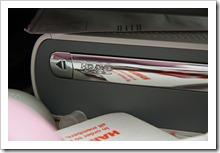 The Xbox 360 has:
- Netflix streaming.
- Last.fm.
- 1080p on-demand video with Zune Marketplace.
- Media Center Extender, which is so perfectly executed that it’s hard to know you’re remote and not operating the Media Center directly.
- A decent UPnP client, which among other things enables PlayOn to stream Hulu to the Xbox.
- A good spectrum of codecs, including MP4/H.264, Divx, Xvid.
- MP3 and WMA.
- HD-DVD playback, but that doesn’t count :)
Blu-ray (and more gaming)
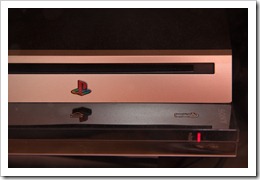 There are some movies that do deserve the HD treatment, and
my Netflix subscription has the Blu-ray option. There are
now very affordable Blu-ray players on the market, but the
PS3
is pretty much guaranteed to always be updated to the latest
spec, and there’s no doubt that it’ll have the processing
power to follow them. Because of this and because I enjoy
PS3 exclusives
just as much as I enjoy
Xbox exclusives, I opted to buy a PS3 rather than a dedicated Blu-ray
player.
There are some movies that do deserve the HD treatment, and
my Netflix subscription has the Blu-ray option. There are
now very affordable Blu-ray players on the market, but the
PS3
is pretty much guaranteed to always be updated to the latest
spec, and there’s no doubt that it’ll have the processing
power to follow them. Because of this and because I enjoy
PS3 exclusives
just as much as I enjoy
Xbox exclusives, I opted to buy a PS3 rather than a dedicated Blu-ray
player.
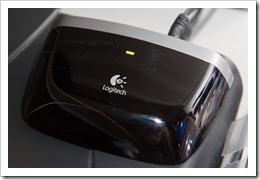 But one major design flaw of the
PS3
for video playback is that it only supports
Bluetooth remotes. I just can’t understand why they made that choice, beyond
trying to look cute. The number of remotes I want in my
living room is one. Not two. One. Sony’s
failure to include a cheap IR receiver in the
PS3
means you either need an extra remote (or a controller) that
you’re only going to use with the
PS3, or you need to work around the design flaw. I opted for
the latter:
Logitech
has a
hardware patch
that receives conventional IR signals from
my Harmony remote
and translates them into Bluetooth signals.
It’s not cheap, but it keeps the number of remotes to the right number
(one, in case you weren’t paying attention).
But one major design flaw of the
PS3
for video playback is that it only supports
Bluetooth remotes. I just can’t understand why they made that choice, beyond
trying to look cute. The number of remotes I want in my
living room is one. Not two. One. Sony’s
failure to include a cheap IR receiver in the
PS3
means you either need an extra remote (or a controller) that
you’re only going to use with the
PS3, or you need to work around the design flaw. I opted for
the latter:
Logitech
has a
hardware patch
that receives conventional IR signals from
my Harmony remote
and translates them into Bluetooth signals.
It’s not cheap, but it keeps the number of remotes to the right number
(one, in case you weren’t paying attention).
Bringing it to the screen and speakers
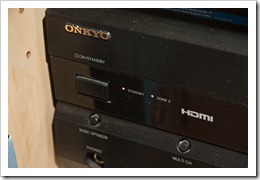 All three devices I use for video (the Media Center, Xbox
and PS3) output their signal in beautiful 1080p over HDMI.
Unfortunately, my TV only has two HDMI inputs. This is why I
opted for an
Onkyo receiver
that has HDMI inputs and outputs. The HDMI inputs only
support the video signal, not the sound signal. Choosing one
that does would have been more expensive, and all I had to
do to work around the limitation was to pull an additional
fiber optic cable for each device.
All three devices I use for video (the Media Center, Xbox
and PS3) output their signal in beautiful 1080p over HDMI.
Unfortunately, my TV only has two HDMI inputs. This is why I
opted for an
Onkyo receiver
that has HDMI inputs and outputs. The HDMI inputs only
support the video signal, not the sound signal. Choosing one
that does would have been more expensive, and all I had to
do to work around the limitation was to pull an additional
fiber optic cable for each device.
Remote
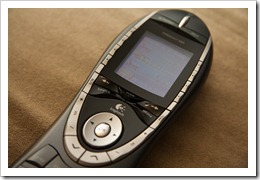 As I’ve mentioned, only one remote is tolerated in the room.
As far as I know, the only good choice today is
one of the Logitech Harmony. What makes these remotes different is that they work by
activity rather than by device. This means that when you’re
watching a DVD, you don’t have to know whether the sound
volume is being managed by the receiver or the Media Center,
you just press the volume keys. The remote knows. It also
knows how to turn on and off all the required devices for
any given activity with the click of only one button.
Finally, it’s very highly configurable. The one I own is the
Harmony 880. It’s good enough and has a cradle to recharge the battery
when not in use.
As I’ve mentioned, only one remote is tolerated in the room.
As far as I know, the only good choice today is
one of the Logitech Harmony. What makes these remotes different is that they work by
activity rather than by device. This means that when you’re
watching a DVD, you don’t have to know whether the sound
volume is being managed by the receiver or the Media Center,
you just press the volume keys. The remote knows. It also
knows how to turn on and off all the required devices for
any given activity with the click of only one button.
Finally, it’s very highly configurable. The one I own is the
Harmony 880. It’s good enough and has a cradle to recharge the battery
when not in use.
That’s it
And that’s it. So how does your video setup look like? Comments are open.
Brad Wilson's setup:
http://bradwilson.typepad.com/blog/2010/01/my-video-setup.html
Ludovic Chabant's setup (Ludovic is the author of the
excellent
NLDD):
http://ludovic.chabant.com/devblog/2010/01/05/my-home-media-entertainment-setup/