Contents tagged with Electronics
-
What’s up with Raspberry Pi 2?
I’ve been asked what my take was on the new Raspberry Pi 2, in particular about the newly announced Windows 10 support. The previous versions of the Raspberry Pi have been tremendously successful, and sold close to 5 million units, which is not surprising considering how capable this little board is for only $35. The new iteration is basically a much welcome upgrade of the CPU and memory over the original specifications from three years ago. The rest of the board is unchanged from this summer’s B+ model, which means that almost all accessories, including cases, should work. It’s a little disappointing that the hardware upgrade would be so limited: USB3 and/or SATA would have taken care of the problem that an SD card is not the reliable storage solution that’s needed for write-intensive data acquisition applications. The price is unchanged, however, so it remains one of the most inexpensive boards on the market.
-
Etching sketches with a Netduino Go
 Netduino Go
is designed for much more than toy projects, but one has
to recognize that toy projects are fun and also great
learning experiences. Today, I want to take you through
the process of reproducing the behavior of a famous toy
that you will surely recognize. That toy, that has
helped many of us realize what poor motor skills we
possess, has two knobs that control the horizontal and
vertical coordinates of a pen that draws into the dust
on the back of a simple screen. It’s a great mechanical
device that is part of western culture.
Netduino Go
is designed for much more than toy projects, but one has
to recognize that toy projects are fun and also great
learning experiences. Today, I want to take you through
the process of reproducing the behavior of a famous toy
that you will surely recognize. That toy, that has
helped many of us realize what poor motor skills we
possess, has two knobs that control the horizontal and
vertical coordinates of a pen that draws into the dust
on the back of a simple screen. It’s a great mechanical
device that is part of western culture.
-
Electronics for developers with Netduino Go
 Wouldn’t it be great if you could build your own
stuff? Microcontrollers let you do that, but they
usually require dealing with a lot of complexity and
unknowns. If you’re a software developer, chances are
you don’t really know how to use a capacitor, or how a
transistor works, even though it is at the heart of all
computers.
Wouldn’t it be great if you could build your own
stuff? Microcontrollers let you do that, but they
usually require dealing with a lot of complexity and
unknowns. If you’re a software developer, chances are
you don’t really know how to use a capacitor, or how a
transistor works, even though it is at the heart of all
computers.
-
PIX-6T4, the DIY console, has an Orchard site

-
Building a simple Fritzing component
 This is me shaving a yak. Shaving the yak, if you
don't know, is what you do when a seemingly simple task
necessitates many recursive and unforeseen sub-tasks in
order to be carried out.
This is me shaving a yak. Shaving the yak, if you
don't know, is what you do when a seemingly simple task
necessitates many recursive and unforeseen sub-tasks in
order to be carried out.
-
Driving a LED matrix from a Netduino one more time: The Right Way
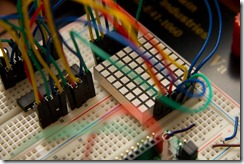 In previous posts, we've seen two ways one can drive a
small LED matrix from a
Netduino.
In previous posts, we've seen two ways one can drive a
small LED matrix from a
Netduino.
-
Displaying an image on a LED matrix with a Netduino
 In
the previous post, we’ve been flipping bits manually on three ports of
the Netduino to simulate the data, clock and latch pins
that a shift register expected. We did all that in order
to control one line of a LED matrix and create a simple
Knight Rider effect.
In
the previous post, we’ve been flipping bits manually on three ports of
the Netduino to simulate the data, clock and latch pins
that a shift register expected. We did all that in order
to control one line of a LED matrix and create a simple
Knight Rider effect.
-
Doh! Use the right constants when you talk to a Netduino
 When programming a Netduino microcontroller, you are
going to use constants from the
SecretLabs.NETMF.Hardware.Netduino namespace. In
particular, there are constants defined for each of the
microcontroller’s output and input ports, enabling you
to write for example:
When programming a Netduino microcontroller, you are
going to use constants from the
SecretLabs.NETMF.Hardware.Netduino namespace. In
particular, there are constants defined for each of the
microcontroller’s output and input ports, enabling you
to write for example:
var button = new InputPort(
    Pins.ONBOARD_SW1,
    false,
Port.ResistorMode.Disabled); -
Improving the Netduino Knight Rider effect with a shift register
 In
my last Netduino post, I showed how to create a simple Knight Rider effect.
One of the problems of that implementation was that we
were occupying one digital port of the Netduino for each
light in the ramp. It’s fine for that simple effect, but
in future posts we’ll look at controlling our whole 8x8
LED matrix, which has 16 pins whereas the Netduino has
only 14 digital ports.
In
my last Netduino post, I showed how to create a simple Knight Rider effect.
One of the problems of that implementation was that we
were occupying one digital port of the Netduino for each
light in the ramp. It’s fine for that simple effect, but
in future posts we’ll look at controlling our whole 8x8
LED matrix, which has 16 pins whereas the Netduino has
only 14 digital ports.
-
More Netduino fun
 Last time, we ran a very simple program on the
Netduino. This time around, we’ll actually connect some
real hardware to that microcontroller and blink some
lights! You know what? Let’s go crazy! Let’s go for
Knight Rider lights! Woohoo!
Last time, we ran a very simple program on the
Netduino. This time around, we’ll actually connect some
real hardware to that microcontroller and blink some
lights! You know what? Let’s go crazy! Let’s go for
Knight Rider lights! Woohoo!