Silverlight 2 End to End Tutorial: Building a Search Client
To help people come up to speed with Silverlight 2, I've written a simple Silverlight application and put together a series of step by step tutorials that explain the different programming concepts behind it (controls, layout management, networking, data-binding, styles, user controls, templates, etc). I also added a tutorial post that demonstrates how to migrate the application outside of the browser and enable it to run as a desktop application using WPF and the full .NET Framework.
Below are the pointers to the 8 tutorials I've put together:
- Part 1: Creating "Hello World" with Silverlight 2 and VS 2008
- Part 2: Using Layout Management
- Part 3: Using Networking to Retrieve Data and Populate a DataGrid
- Part 4: Using Style Elements to Better Encapsulate Look and Feel
- Part 5: Using the ListBox and DataBinding to Display List Data
- Part 6: Using User Controls to Implement Master/Details Scenarios
- Part 7: Using Templates to Customize Control Look and Feel
- Part 8: Creating a Desktop Version of our Application using WPF
The application I've built the tutorials around is a simple search front end, and allows users to type in search topics and browse either images or stories that match them.
<Download Code> Click here to download a completed version of the client sample that goes against Bing Image Search. </Download Code>
<Download Code> Click here to download a completed version of the client sample that goes against Digg. </Download Code>
All of the UI in the application is built using XAML. The application uses the Silverlight networking stack and cross-domain access support to query a REST API directly, and uses LINQ and LINQ to XML to query/transform the returned data into .NET objects that I databind the UI against:
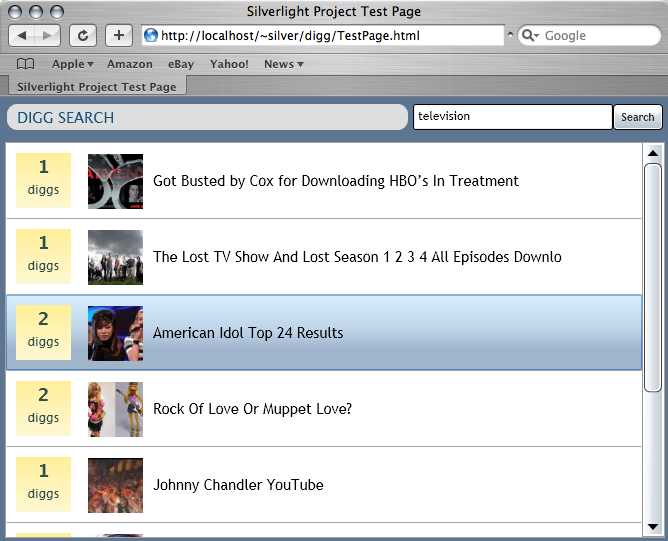
The application supports a master/details data interaction model that allows users to select stories from the search list and quickly drill into more details about them. A user can jump to an article directly from the details form, or close it and pick another story to drill into:
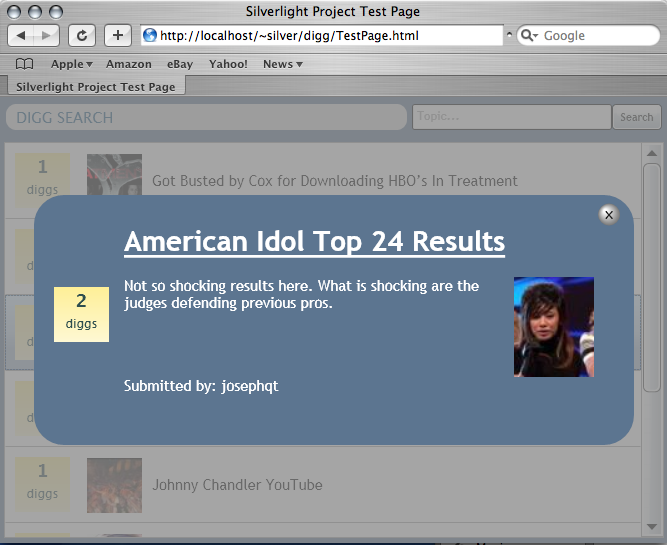
The entire application is implemented in about 35 lines of C# code and 75 lines of XAML page/user-control markup.
<Download Code> Click here to download a completed version of the client sample that goes against Bing. </Download Code>
<Download Code> Click here to download a completed version of the client sample that goes against Digg. </Download Code>
If you have used XAML before the concepts I discuss in the tutorial series will all be very familiar. If you haven't used XAML before, the tutorials should provide a good overview of the fundamental programming concepts in it, and hopefully provide you with the basic knowledge necessary to start building either Silverlight or WPF applications.
Hope this helps,
Scott