ZenGallery: a minimalist image gallery for Orchard
 There are
quite
a
few
image
gallery modules
for Orchard but
There are
quite
a
few
image
gallery modules
for Orchard but
they were not invented here I wanted
something a lot less sophisticated that would be as
barebones and minimalist as possible out of the box, to make
customization extremely easy. So I made this, in less than
two days (during which I got distracted a lot).
Nwazet.ZenGallery uses existing Orchard features as much as it can:
- Galleries are just a content part that can be added to any type
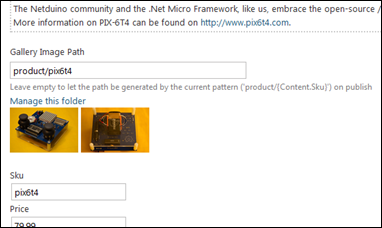
- The set of photos in a gallery is simply defined by a folder in Media
- Managing the images in a gallery is done using the standard media management from Orchard
- Ordering of photos is simply alphabetical order of the filenames (use 1_, 2_, etc. prefixes if you have to)
- The path to the gallery folder is mapped from the content item using a token-based pattern
-
The pattern can be set per content type

-
You can edit the generated gallery path for each item
- The default template is just a list of links over images, that get open in a new tab
-
No lightbox script comes with the module, just customize
the template to use your favorite script.

-
Light, light, light.
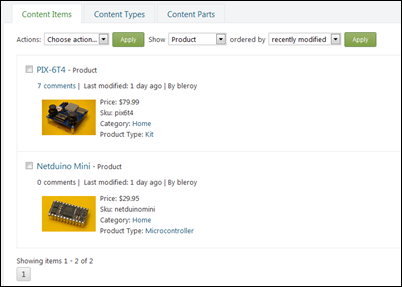
Rather than explaining in more details this very simple module, here is a video that shows how I used the module to add photo galleries to a product catalog:
You can find the module on the Orchard Gallery:
https://gallery.orchardproject.net/List/Modules/Orchard.Module.Nwazet.ZenGallery/
The source code is available from BitBucket:
https://bitbucket.org/bleroy/nwazet.zengallery